Your CRM Isn’t Broken; Your AI Phone Call Workflow Automation Probably Is

November 4, 2025 15 Min Read
Banner showing AI-powered phone calls rapidly syncing customer data into a CRM, highlighting how automation can quickly scale both efficiency and data errors.

The Data Gap That’s Silently Costing You Customers

Your CRM doesn’t lose data overnight. It leaks one bad call workflow at a time.

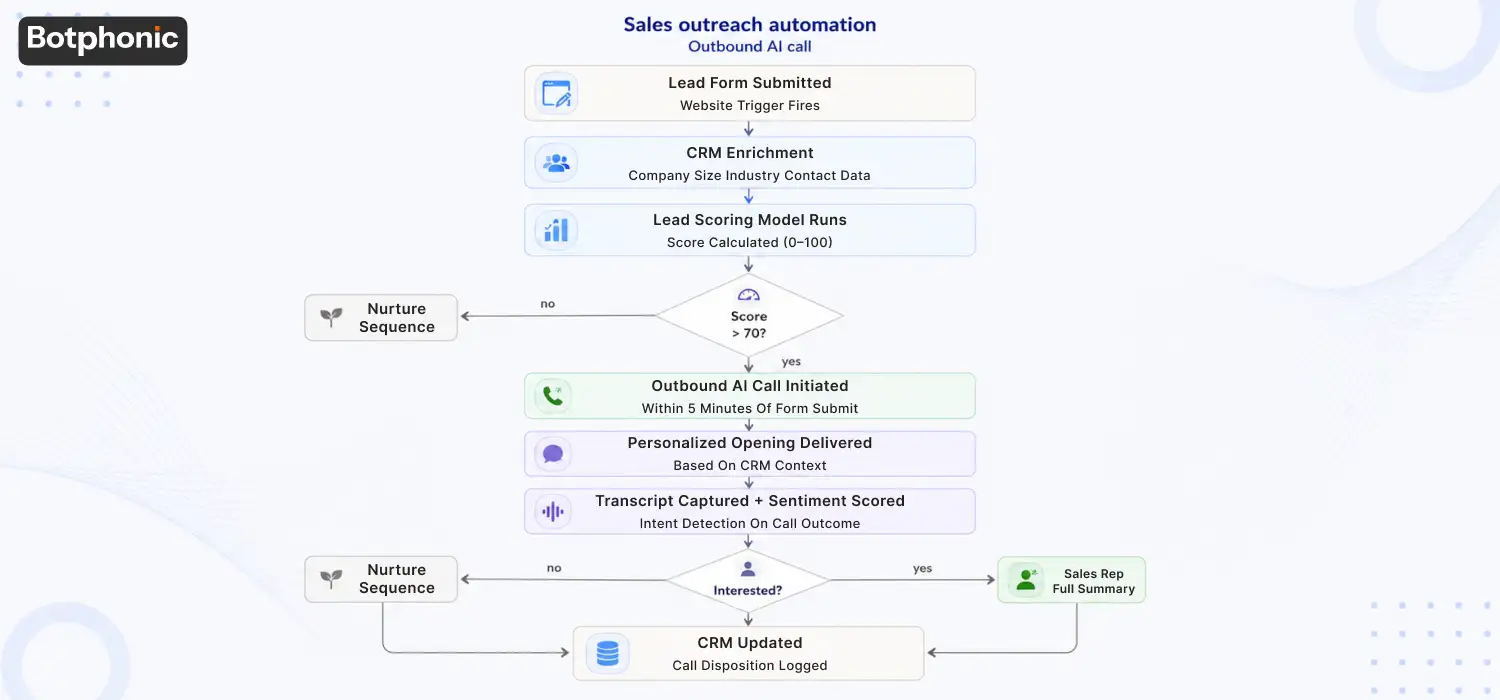
In this case, a sales rep logs in on Wednesday morning and sees two distinct records from Tuesday: one for an incoming call and another for a newly created entry. The caller explicitly said that the budget is not in the budget field it’s in a notes blob. This is the source of the lead, “web form. The caller phoned. AI phone call workflow automation promises cleaner operations, faster response times, and automated customer engagement. 

Nothing errored. The integration “worked.” A record synced. It is still wrong.

This is the part that is completely missing from all AI phone call content. And, it’s in your CRM where it’s slowly dying not from a technical problem, but from a process one.

  • 65% One of the customer records in CRM is incomplete or out-of-date within 12 months
  • 34% Of the time that sales reps spend selling, the balance is spent on admin.
  • 88% of calls handled end-to-end by AI in some deployments
  • ~3 hrs saved per rep per week with automated call logging

What Data Continuity Means in AI Phone Call Workflow Automation

Data continuity does not guarantee that the system has created a record. Instead, data continuity defines a process where the system correctly captures and structures the information from a call, routes that data to the precise location in your system without human intervention, and maintains its accuracy after arrival.

It includes five of the top things people underestimate:

  • Contact Identification (who called, and not duplicated to the CRM)
  • Intention capture – what they wanted: support, booking, inquiry, complaint
  • There is outcome logging: what happened – appointment booked or transferred, callback scheduled and so on.
  • Sentiment Tagging – Positive / Neutral / Frustrated – Tone of conversation
  • Follow up triggers: What to do next – task, email, stage advance.

Without AI, only human memory can break this chain. It happens automatically every time for every call, with a well-designed AI phone call workflow. However, automatically does not equal correctly by default. The following sections will tell you about that.

Pro Tips PRO TIP
CRM information quality is just as accurate as the process that creates it. No matter how robust your CRM platform, there will be gaps if that process relies on human involvement for recording phone conversations. Add to that, and if the automation that replaces them isn’t carefully designed, you’re sacrificing human gaps for systematic gaps.

How AI Phone Call Workflow Automation Actually Works

AI call workflow showing voice assistant, automation engine, CRM integrations, and analytics feedback loop.

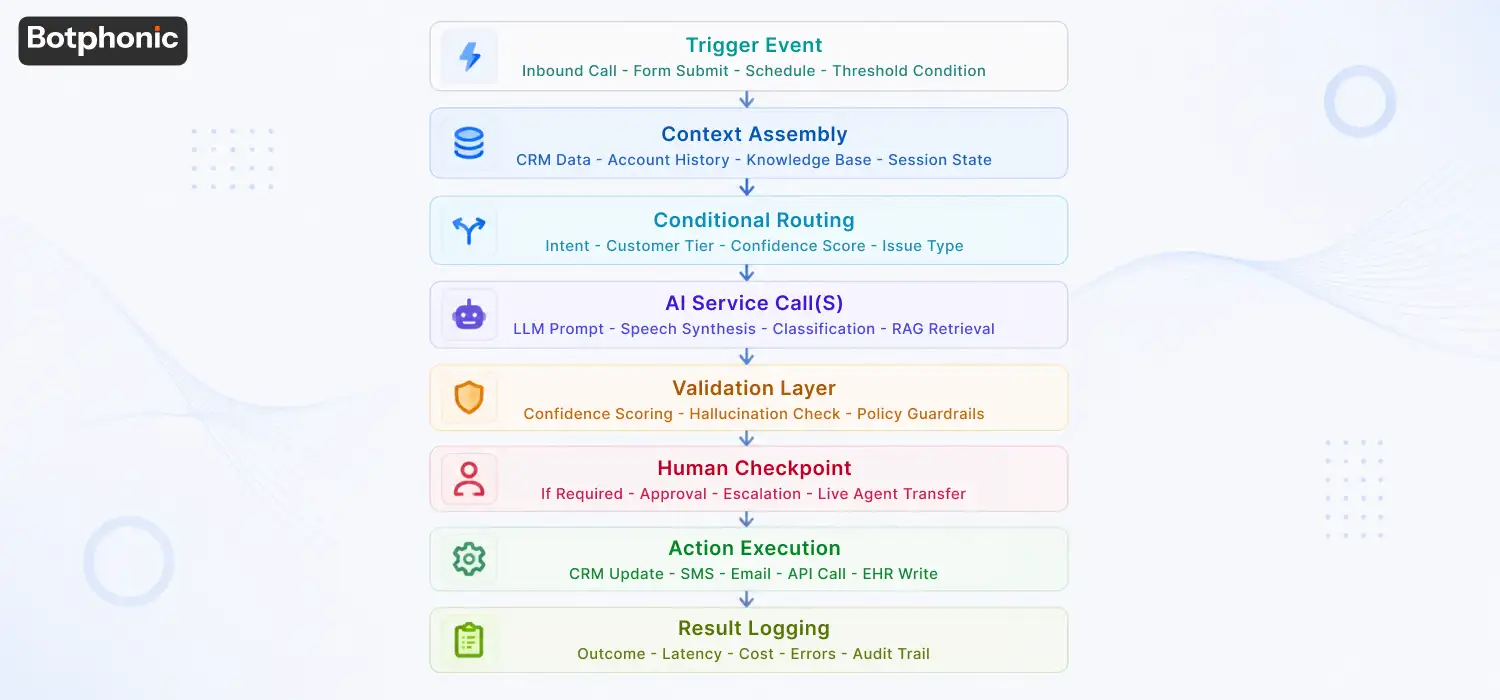
However, before getting into data integrity, it is important to know what an AI phone call workflow is doing when it answers the phone. The four fundamental parts in action are:

AI Call Assistant (Voice Agent)

The conversational AI with which customers interact by voice. It listens to speech and interprets the meaning, responding with a human voice. It is the user facing layer, the layer that you see the most. That’s just the beginning of the data story, though.

Workflow Logic And Automation Engine

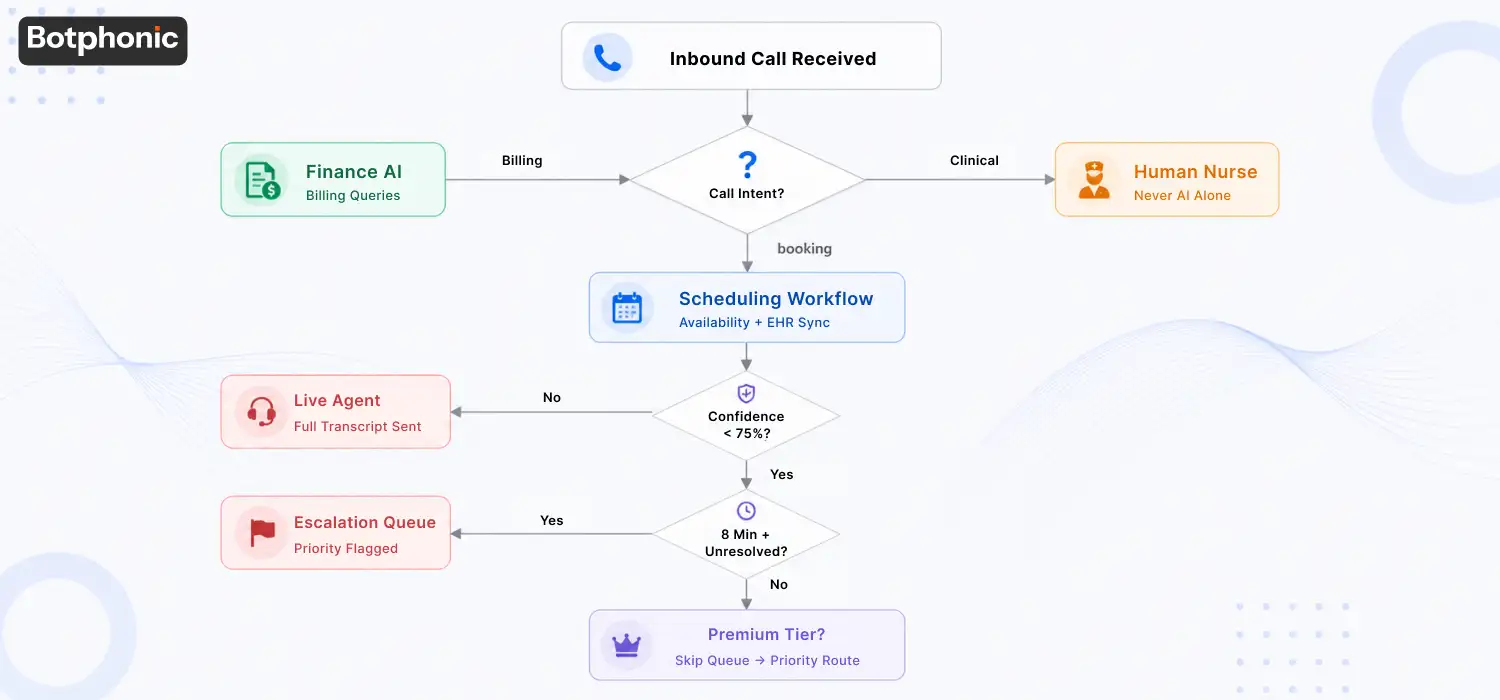
Once it identifies the caller’s motivation, the decision layer decides what to do next: route the call, make a booking, escalate to a person, or modify a record. If you remove this layer, voice conversations remain mere sound recordings. By using it, you can turn all call outcomes into direct actions.

System Integrations (CRM, calendar, analytics)

That’s where the data journey really starts. Botphonic AI connects natively to HubSpot, Salesforce, and Zoho CRM, and to any API-enabled platform via Zapier. Developers must build good data continuity directly into the integration, or the system simply will not work.

Analytics And Feedback Loop

All interactions generate data, such as call time, transfer rate, sentiment, booking conversion. It’s the ability to feed that back into workflow refinement that sets apart a call system that continually improves over time from a call system that stagnates.

Note Icon NOTE
Talk to real callers, not demo callers, from start to finish with your voice agent. Test for accent support, background noise, and edge case intents. The sooner any gaps in the conversation layer are identified, the less the damage to data-quality occurs downstream.

The 6 Stages Every Call Record Travels, And Where Data Dies

Six-stage AI call data flow highlighting CRM sync failures, duplicates, and data integrity risks.

It’s the part that most integrations do not do. Stage 3 is to connect the API. The whole job is to maintain the accuracy of the data in all six stages.

#StageWhat it doesWhat breaks here
1CaptureSpeech becomes intent + entitiesMis-spelled names, mistimed fields, misnumbered numbers
2StructureWhen you use conversational forms, they turn into typed CRM fields.These are examples of schema mismatch and data dumped into notes blobs.
3RouteThe AI sends data to CRM.The reason is the wrong architecture, polling lag, lost-in-transit.
4WriteRecord is added or updatedPartial writes, duplicate on retry, silent API failure
5ReconcileMatch/duplicate/conflict resolution.Duplicate records, data overwritten, orphaned records
6TrustRecord is easily accessible and permanentThere is no auditing of the content and it is not recoverable following a sync outage.

1. Capture: What The AI Actually Extracts

To turn chaotic human conversation into discrete data, the AI must pass that information through a CRM before users can access it. During this routing process, the system can introduce errors, such as logging a misspoken surname as clean data or rounding a budget amount. In the worst-case scenario, the AI generates a “confidence” value for data that the speaker never actually said, causing a data-integrity hallucination.

What good looks like – each extracted field will contain a confidence signal. The system marks low-confidence fields for human review rather than processing them silently. It also keeps and “chains” the raw transcript, allowing users to trace any field back to the original words that produced it. If it is impossible to trace from a CRM field to the sentence that created it then the Stage 1 has no integrity and no downstream data can cure it.

2. Structure: Turning A Conversation Into Fields

The system must now match captured content to a specific schema, mapping data to contacts, leads, opportunities, standard fields, custom fields, required fields, and optional fields. In the most common failure scenario, the system encounters information that lacks a designated home in the schema and simply dumps it as free text into a notes blob. While reports, routing engines, and automation tools can still access this blob, standard filters completely ignore it.

What good should be: a clear, written Field Mapping document (prior to go-live) stating: “This spoken thing goes to this CRM field, typed this way. The handling of required fields is defined. The answer for the system if the required field is missing should be a default value, or a flag, not a block or a half-filled record.

3. Route: Native Vs Middleware Vs Direct API

The structured record must now be moved. There are three paths:

PathLatencyControlMaintenance costBest when
Native connectorLowVendor-definedLow — vendor maintainsIn the CRM area, where you’ve got objects to cover, CRM is mainstream and connector covers your objects.
Middleware (Zapier / Make)MediumThe logic is built as you go.High — build logic as you go.Medium — you are the owner of the flowsYou can link to other apps to create your own logic or use no native connector.
Direct APILowestHighestHighest — you are the owner of the codeEngineering team + volume/control needs.

Two routing decisions determine system continuity: webhooks versus polling, and real-time versus batch processing.For the first decision, webhooks push data immediately after a call ends, whereas polling checks for updates at specific intervals and introduces lag. For the second decision, batch processing works well for analytics, but it fails if you must act on a record within 10 minutes.

Watch out for

None of the integration is seamless, only what you selected or accepted. The most trouble-free is native, but it takes the connector’s restrictions with it. Middleware provides flexibility at an expense of ongoing ownership. API/ANS buys will cost you engineering forever and control.

4. Write: Where Data Dies Quietly

This record is received by the CRM and attempts to write it. This is the most stealthy stage, of which the failure is most silent. Common failure modes:

  • Partial writes: half of the fields are written, the API call times out, the remaining fields are not written. Record is found and incorrect; no alert.
  • Duplicate-on-retry: the write operation fails, the system tries again, but the first write operation succeeded now there are 2 records. The number one cause of CRM duplicates from call integrations are non-idempotent retries.
  • Rate/governor limits: When inbound calls are high, the CRM’s API is reached, and rate/governor limits are set. Writes are throttled or drop silently.
  • Fire-and-forget: the writing process is integrated and it does not check if it landed.

What good would be idempotent writes (a retry should not create a second record, as in “do this again” it means “ensure this state”). A write dead-letter queue for write operations that never succeed. The CRM confirms the write, which ensures the system knows the write succeeded rather than just requested.

5. Reconcile: Dedupe, Conflict, And Source Of Truth

The most challenging one, and the first one that RevOps asks. The system must compare incoming call information to existing data and work out the differences.

  • Weak match key (name only) and non-idempotent retries result in duplicate. Match by email + phone, not by name.
  • Overwritten good data: a field has been overwritten, and its value was already known by human eyes. The integration “won” a conflict that it should have lost.
  • Orphaned Records: It occur when a call creates an opportunity without associating it with the correct account, leaving existing information isolated from related data.
  • Contact-vs-lead model trap: Salesforce has leads vs a single contact model in HubSpot. If the integration ignores the target CRM’s data model, it will create records in the wrong object.

If a vendor is not able to state who the winner of a conflict is in one sentence per field, then it is Stage 5 undefined. When a clean CRM becomes an untrusted one in a year, it is due to undefined reconciliation. The system must wait until the user asks a question before connecting any components.

6. Trust: Audit Trail And Surviving A Sync Outage

A record can pass perfectly through Stages 1–5, yet the final test can still refute it. This failure destroys the record’s validity, meaning it does not survive.

The system logs every CRM write, appending a specific call ID, timestamp, and integration version to the record. If, when sales asks “where did this number come from” there’s an answer.

During an outage, the system queues call data instead of losing it when the CRM or connector fails. Once the service recovers, it automatically replays this queued data. Finally, a reconciliation job verifies that the system neither lost nor double-wrote any data during the outage period.

Once lost trust cannot be fixed in a CRM! It comes back slowly, with proof.

The 5-Step Data Flow: From Spoken Word To CRM Record

Five-step AI call process from voice conversation to CRM record update and workflow automation.

1. Call is received/initiated

Inbound: caller dials your number. Outbound: AI starts a call to a customer or a lead. The AI voice agent captures an audio response and starts the conversation.

2. The caller ID is resolved

The system scans the phone number and/or captures the email (if provided) and verifies it against your CRM. A match replaces the previous record. When the system generates a new number, it creates a new contact if the data passes Stage 5 match logic.

3. Intent and Data points are captured

The NLU layer creates a structured data object with confidence signals for each field including the intent, entities, dates, amounts, and sentiment.

4. Workflow actions are activated

The outcome of the call triggers pre-configured, idempotent logic. This process automatically adds a booking to the calendar, advances a lead stage, opens a support ticket, or marks a human handoff.

5. CRM Record updated and confirmed

The integration uses an API to update structured data in your CRM in real time. The system waits for an acknowledgement from the CRM, rather than just confirming that it sent the request. Written audit trail. The record is complete.

CRM-by-CRM Reality: What Changes Per Platform

The six stages are applicable to everyone. The gotchas are specific to the CRM. If a vendor says they’ve done one universal “CRM integration” without breaking down per-CRM, they haven’t done Stage 5 for your CRM.

CRMData model noteKey continuity
SalesforceLead, Contact vs Account/OpportunityAt volume, the differences in the bulk vs REST API choice affects the dedupe behaviour, and governor requires a backoff strategy.
HubSpotNo separate lead object, use the single contact model.Contact-centric model breaks contact-lvs–Contact mappings from other CRMs, tiered rate limits throttle under burst;
Zoho CRMContacts/Accounts are created from LeadsThe API credits/day model may reduce the number of calls when they are most needed if there is a high demand for calls during the day; conversion workflow should be explicitly mapped.
PipedrivePerson/Org/Deal modelWithout deal-centric linking to persons, orphaned deals are not uncommon.
GoHighLevelSub-account/agency structureIf the mis-routed, it’s difficult to detect and difficult to remedy if it happens in multi-location routing.
Any via ZapierThe number of coins given ranges from game to game.However, if the webhook is connected to a Zap that connects to a CRM, it creates a failure point, introduces a hop, and adds latency to the process that must be tracked.

Real-World Use Cases Across Industries

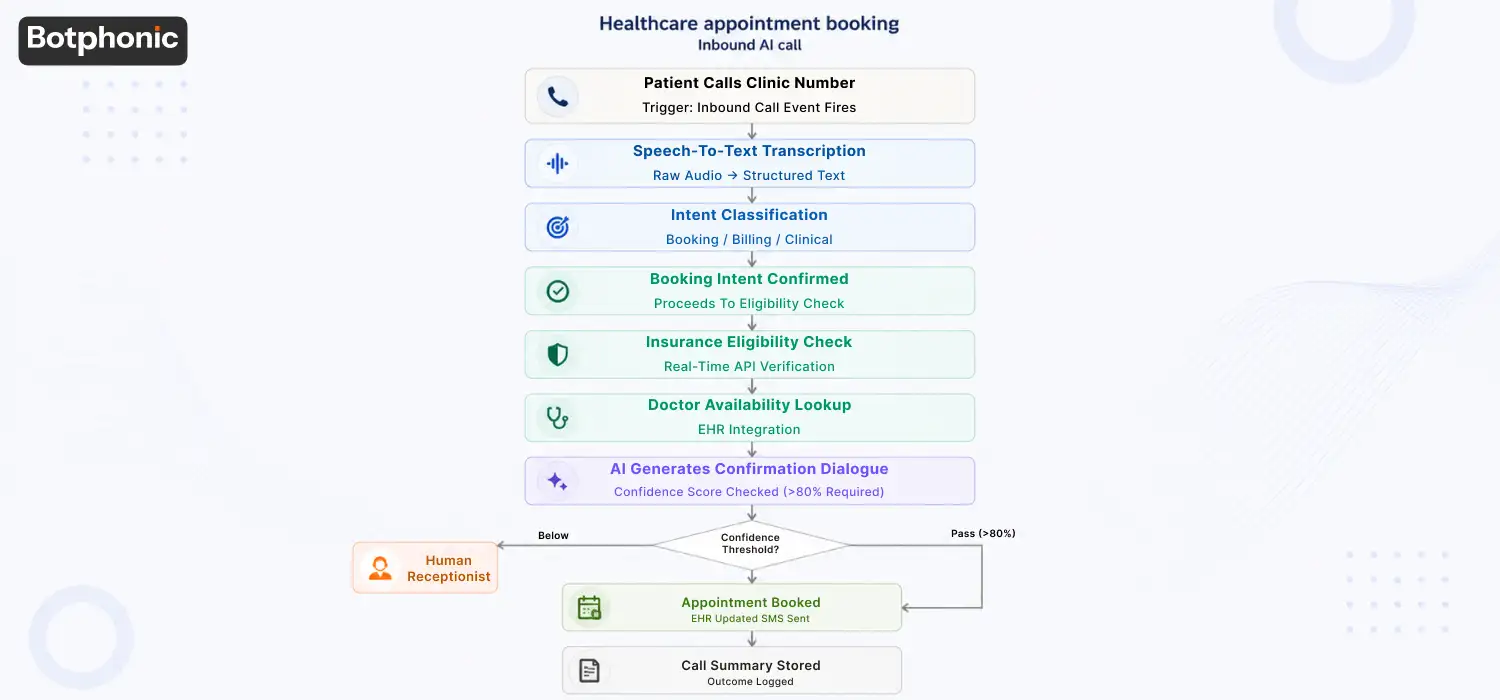
  • Healthcare: In real time patient bookings, rescheduling and refill queries made to patient records, HIPAA compliant, freeing up front desk staff for in person patients.
  • Real estate: A 9pm caller who is qualified, requirements have been captured, and a new lead record is created in the agent’s CRM before they wake up, no voicemail.
  • Financial services: All interactions with clients (inquiries, complaints, advice requests) are tagged and recorded, with dramatically reduced documentation burden, and an audit-ready record of all interactions.
  • Recruitment: High volume screening calls are directly synced to ATS (Candidate status, availability and notes are synced without manual entry or data lag between calls).

The Data-Continuity Contract, Verify Before You Connect Anything

AI CRM integration checklist covering audit trails, field mapping, deduplication, and sync reliability.

They are not to be accepted. They are promises to be fulfilled. Bring this table with you in any vendor talk, such as with Botphonic.

Continuity guaranteeHow to verifyRed flag
Field-mapping document existsBefore go-live, request to view it for your schema“It maps automatically”
Conflicts were declared per field.Another question to ask is, “Who wins on the budget field — the call or the CRM?No one-sentence answer
Writes are idempotentWhen a successful write times out, what does it do?We retry” without any reference to idempotency.
Per-record audit trailRequest a copy of a field trace to the actual field call made;Notes-blob only
Sync-failure runbook existsSync-failure runbook exists“That doesn’t happen”
Reconciliation job existsAsk what the process is to verify that integrity is maintained after the outage.No reconciliation concept
Source-of-truth per fieldRequest the SoT list — there is no such thing as “call always wins” or “CRM always wins”Global default only
Tested against real schema in a sandboxCommit to having a sandbox test prior to go-live — not just a demo org.Demo-org-only validation

Common AI Phone Call Workflow Automation Mistakes That Damage CRM Data

  • Duplicate contact creation: set your CRM’s deduplication rules, and verify that your call integration is based on email + phone (not name) before linking any contacts.
  • Notes-blob syndrome: raw transcripts put in a notes field are not ideal but are not autofriendly. Rigorously advocate for a structured field mapping process from the outset.
  • Rate limits: HubSpot, Salesforce and Zoho all have published API limits. Know them, have a backout plan, and test your actual call volumes and not a demo-org sample.
  • Do not rely on human review loop: Create a weekly spot-check of AI logged records into the process, particularly during the first 30 days. Catch systematic errors early.
  • Unused sentiment data: most platforms capture it and most teams never use it. Any “frustrated” calls are gold for customer success. Redirect that data to something that can be used.
  • Outage planning: Do not just find out what to do with call data after you’ve lost an hour of data.

Why AI Phone Call Workflow Automation Depends on Data Continuity 

Ultimately, however, automated AI phone call workflows have nothing to do with faster call response; rather, they focus on maintaining the integrity of customer data during the entire journey from the phone call to its storage in the CRM system. 

The problem with most CRMs is rarely in the software itself but in its suboptimal workflow design, faulty reconciliation processes, silent synchronization failures, and lack of comprehensive automation architecture. Those who understand the importance of continuous data, idempotent synchronization, auditable history, and proper field mapping will create CRMs worthy of employees’ trust.

Level Up Your Service Quality With Botphonic

Turn every AI call into clean, usable CRM data.

Try Botphonic

F.A.Q.s

AI phone call workflow automation is where artificial intelligence is used for the purposes of managing phone calls, capturing customer details, initiating workflows, updating CRM details, and automating follow-ups all done without any manual intervention.

When set up right, an AI phone call workflow automation system will automatically capture structured customer details, minimize chances of mistakes through manual entry, ensure that no follow-ups are ever missed, and also update CRM records after every call.

Certainly, poor workflow setup can generate duplicates. Effective AI phone call workflow systems take advantage of email addresses, phone numbers, and idempotent write logic to prevent creation of duplicate CRM entries.

If stage 5 is not specified. Weak match keys (name only) and non-idempotent retries are the source of duplicates. Before connecting anything, make sure that your match key is the combination of email and phone and that writes are indeed idempotent.

The right answer is: it holds them in queue, replays them when service returns, and a reconciliation job verifies that there was no loss or double writing. If the answer is “calls during that window are lost”, then you don’t have Stage 6.

Following what you have written in your conflict policy per field. No such thing as a global default — “call always wins” defeats even verified data, “CRM always wins” means nothing at all. Make decisions on a field-by-field basis, before going live.

If your CRM is mainstream and the connector contains your objects (lowest maintenance). Native connector for standard data, if there is one, or custom logic, otherwise (you’ve licensed the flows). If you have engineering staff, and require volume, control, then direct API. The Stage 3 table — no zero maintenance, rather a selected trade-off.

In Stage 6, you need a per-record audit trail, meaning all writes must be traceable to a specific call, time and integration version. Without an audit, there’s no way to answer “Well, where did that number come from?, and if that’s not the question someone will ask.
What causes sync failures between CRMs in AI phone call workflow automation?

The most common causes of CRM sync failures are due to API rate limit errors, poor configuration of the middleware, delayed polling, partial sync, and incorrect field mapping. Good AI phone call workflow automation software will incorporate retry, audit trail, and sync reconcile features.

For data safety, businesses need to integrate webhooks in real time, log audit events, run reconciliation services, properly map fields, use retry-safe syncs, and recover through sync queues.