Summarize Content With:
By 2026, one of the most effective ways for sales, health care, collections and customer success teams to communicate is using outbound call automation. Here’s the what, why, how and the top facts you need to know, before you read the guide – the critical information separating successful teams who win with automated outbound calls from those who dial them.
| Topic | What You Need to Know |
| What it is | An AI voicebot makes outbound calls in bulk from CRM data, leaves a voicemail, and connects live calls to human agents – eliminating the need to dial. |
| Also known as | Outbound call automation, auto-dialer software, outbound dialer, automated outbound calls, AI outbound calls. |
| Use cases | Cold sales calling, appointment reminders, payment collection, customer surveys, and abandoned customer reactivation. |
| Dialer modes | Predictive (high volume), Power (compliance-safe), Progressive (white-glove), Preview (enterprise/complex). The #1 mistake is using the wrong mode |
| Compliance | TCPA requires written consent for mobile dialing, calls between 8am-9pm, Do-Not-Call list scrubbing and mandatory caller ID. Fines range from $500 – $1,500 per non-compliant call. |
| Cost range (2026) | $0 (basic free tier) → $30–$80/agent/month (SMB) → $80–$200/agent/month (mid-market) → custom (enterprise). |
| Time to ROI | Customers generally realize a reduction in cost per call in the first 30-60 days, assuming the phone list and dialer mode are set up properly. |
| Top tools (2026) | Botphonic, Five9, Nextiva, NICE CXone, Dialpad, Talkdesk, RingCentral, Aircall. |
How to Use This Guide
New to automated outbound calling? Read the definition and use cases. Already running campaigns? Read the best practices, TCPA compliance or comparison of the best tools.
What is Automated Outbound Calling?
Automated outbound calling uses “voice agents” to scale outbound phone calling, rather than human agents. This solution imports contact information from a CRM and dials out at ideal times, handles dispositions, such as no answer and voicemail, and routes calls to human operators if needed, for lead generation, appointment reminders, surveys and reactivation.
Traditionally, outbound calling included human agents on the phone, dialing through contacts. This is inefficient, expensive and inaccurate. In outbound calling automation, the situation is reversed: instead of your human agent calling contacts from a list, your AI agent will call hundreds of contacts simultaneously and sift through interest in a few seconds to present your team with only the best potential leads.
This is critical as compliance (TCPA, FCC) requirements and expectations are tightening. Current software-based automated outbound calling is built to adhere to consent requirements, operate within established call times and screen against Do Not Call lists to ensure it’s safe and scalable. For a good look at how this technology fits into an AI-powered call center, read Botphonic’s platform overview.
 PRO TIP
How Automated Outbound Calling Works
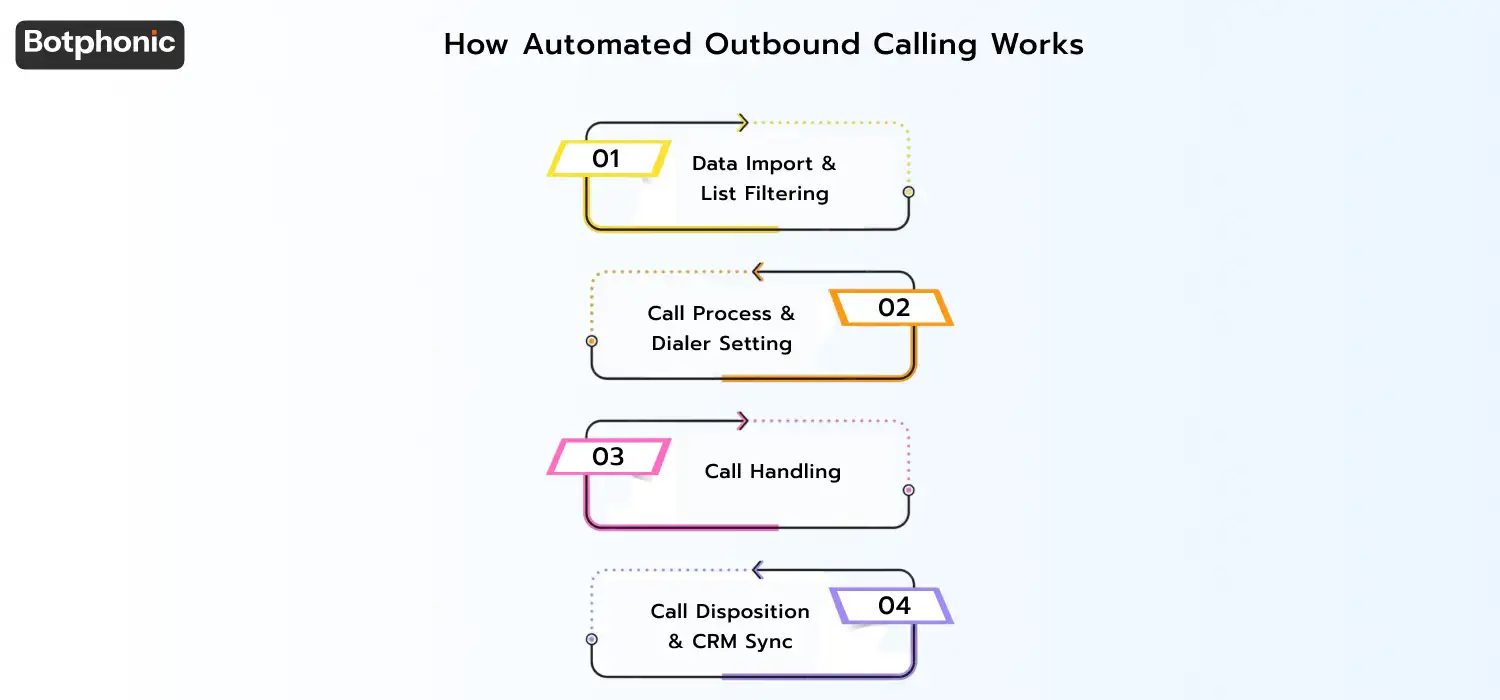
Automated outbound calling is a process that has four steps, where data is imported from your CRM and sent to a live call (or disposition) with minimal intervention.
1. Data Import & List Filtering
Data import means pulling the contact information from your CRM or the list uploaded. The list will then be prioritized based on the geography (time zone, city or area code) and filtered based on the set of criteria.
2. Call Process & Dialer Setting
The call process begins with the use of the dialer in one of the modes depending on the process settings you have chosen (predictive, power, progressive, or preview – see table below). The AI agent will recite the script from the preferred platform.
3. Call Handling
The AI agent helps with qualifying, verification and surveying in live calls. In the case of difficult calls, the AI agent performs a warm transfer in a few seconds, and if it was a voicemail call, it leaves a voicemail.
4. Call Disposition & CRM Sync
Disposition codes for successful calls (answered, left a voicemail), unsuccessful calls (no answer, hung up, transferred) are captured and sync with the CRM. This is used to report on campaign success and for dialing the next time.
Dialer Modes Compared
One of the important choices in an outbound campaign is what dialer mode to use. Let’s look at the four main modes:
| Dialer Mode | How It Works | Best For | Agent Burden | Dropped Call Risk |
| Predictive | Dials multiple numbers simultaneously; uses ML to predict agent availability | High-volume B2B sales, debt collection | Low — agents only take live calls | Medium–High (FCC rules apply) |
| Power | Dials one contact per available agent; no predictive algorithm | Compliance-heavy industries (healthcare, finance) | Medium | Low |
| Progressive | Automatically dials next contact when previous call ends; no overlap | White-glove outreach, nurture campaigns | Medium | Very Low |
| Preview | Agent reviews contact info before the system dials; agent initiates each call | High-value enterprise prospects, complex sales | High — agent controls pace | None |
Pro Tip from Botphonic
At Botphonic, we usually set up power dialers for compliance-sensitive verticals such as health care and financial services; and predictive dialers for high volume B2B sales campaigns where the contact list is greater than 5000 per day. If you’re a new team, go with power or progressive dialer – you can gain efficiency without jeopardising compliance.
What Kind of Outbound Calls Should be Automated
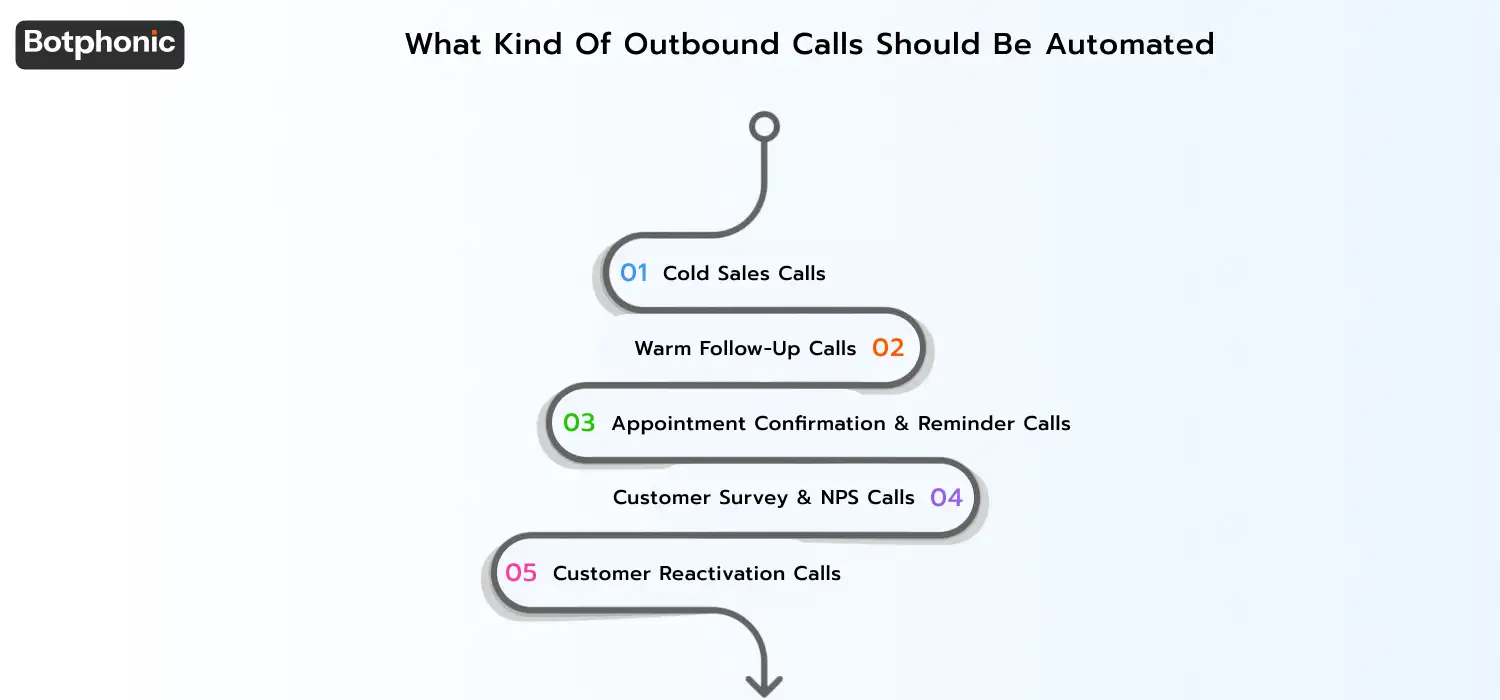
There are different types of calls. Here are the five most typical campaigns businesses run today using automated dialers – all with a different objective and target audience.
1. Cold Sales Calls
The most common SDR scenario. This is where an AI agent informs a prospect about your product who has never interacted with your business before, asks questions based on a scripted journey and warm leads to a human closer. Automated cold calling lets SDR teams dial 3-5× more prospects per day than humans. Get a closer look at how AI cold calling is changing the face of B2B sales.
2. Warm Follow-Up Calls
Warm follow-up is triggered by a previous touchpoint – a web visit, form fill or incoming call. The AI will make reference to the earlier interaction, personalise the greeting, and drive the dialogue. Warm lists have 2-4× higher answer rates than cold lists.
3. Appointment Confirmation & Reminder Calls
One of the best uses. An automated dialer (or multiple dialers) confirms appointments, gives rescheduling options, and records confirmation – all without human intervention. This is a big win for the health, dental, home services, and auto industries – no-shows are drastically reduced when automated reminders are sent.
4. Customer Survey & NPS Calls
Voice post-interaction surveys have higher response rates than email surveys for many demographics. The AI will ask 3-5 questions, record sentiment and responses, and update your CRM and/or analytics platform. Great for CSAT, NPS and post-appointment surveys.
5. Customer Reactivation Calls
Inactive customers, subscriptions and accounts are contacted with a tailored offer or message. Reactivation campaigns have a lower cost-per-conversion (CPC) than cold acquisition because the customer is brand aware. Botphonic’s outbound sales AI is designed for customer reactivation.
Use Cases: 5 Industries Using Automated Outbound Calling
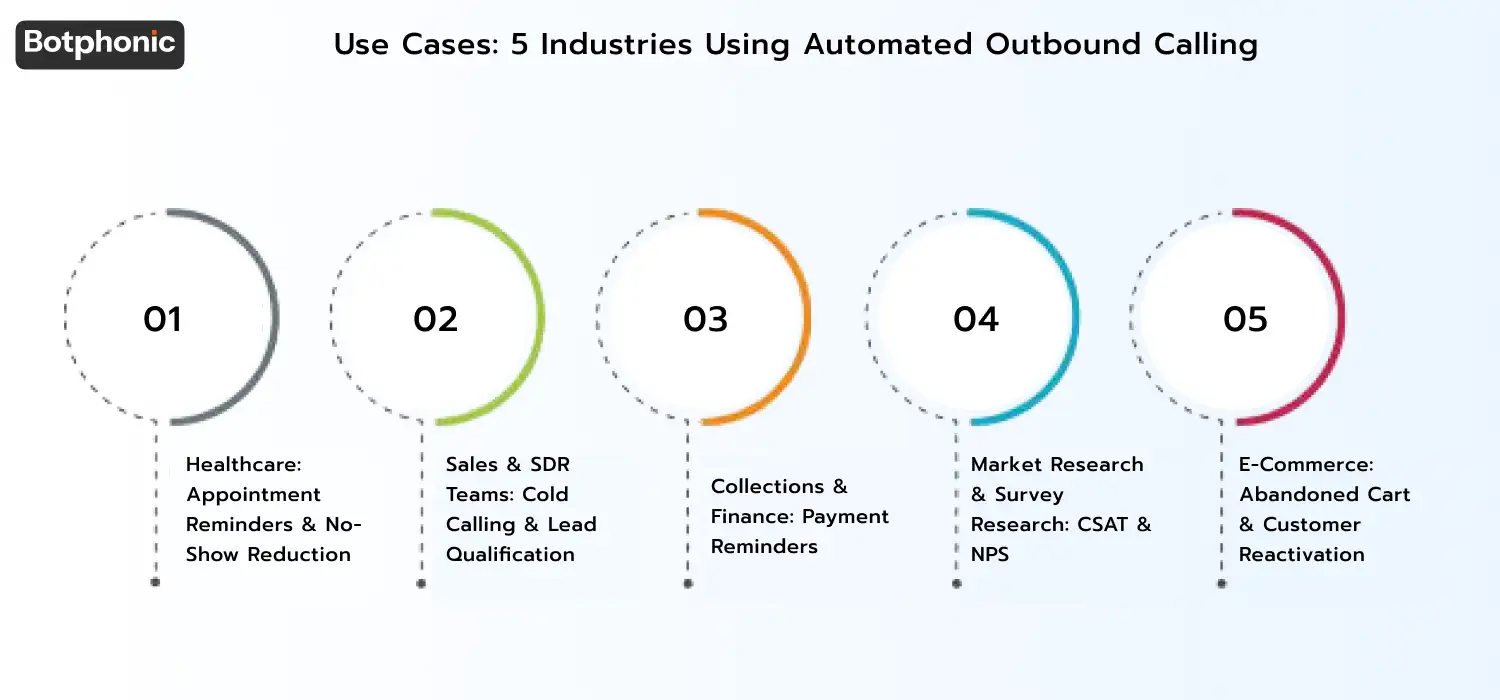
Healthcare, fintech and more: 5 industries using automated outbound calling to reduce no-shows & revenue loss
1. Healthcare: Appointment Reminders & No-Show Reduction
CareWell Medical Group used Botphonic’s automated outbound calling for appointment confirmation calls for their multi-site practice. The practice made a personalised call 48 hours and 24 hours out from the appointment, offering patients the opportunity to confirm via a one-touch option, reschedule, or speak to a scheduler.
Use the Botphonic ROI Calculator to see how much you could save.
The health care industry is an ideal application because the costs are high (missed appointments waste $150-$200 per appointment in lost revenue) and the script is easily reproduced. Automated outbound systems are also HIPAA-compliant.
2. Sales & SDR Teams: Cold Calling & Lead Qualification
Sales development reps dramatically increase their daily calls with outbound calling. Instead of dialing and voicemailing for 4-5 hours a day, SDRs handle the AI agent’s results – sorting through transcripts, qualifying warm leads, and investing all their human time in live conversations. Botphonic’s outbound sales AI agent syncs with Salesforce and HubSpot for a clean sales pipeline.
3. Collections & Finance: Payment Reminders
One of the more advanced applications for automated outbound is in collections. AI agents send out compliant payment reminders, offer flexible payment schemes, and only put the customer through to a live agent when they want to negotiate. It’s critical to follow FDCPA (Fair Debt Collection Practices Act) and TCPA (Telephone Consumer Protection Act) regulations in this use case – this is automated by platforms such as Botphonic with DNC scrubbing and consent management.
4. Market Research & Survey Research: CSAT & NPS
Market research companies and in-house customer experience teams use automated outbound dialing to conduct large-scale customer satisfaction surveys at a fraction of the cost of call centers. A telephone survey contains more emotional information than a text survey, and response rates are much higher among older consumers who prefer to communicate by phone.
5. E-commerce: Abandoned Cart & Customer Reactivation
For e-commerce sites that have phone numbers in their database, an outbound phone call made 30-60 minutes after cart abandonment is more effective than an email for recover these customers. The call is short, includes the product name in the abandoned cart, and provides an option to connect to a checkout agent. It’s the same approach for reactivation campaigns for inactive customers (90+ days).
Use our free calculator to calculate cost savings per call, time savings and revenue generated from reactivation campaigns.
Calculate My ROIBenefits of Automated Outbound Calling
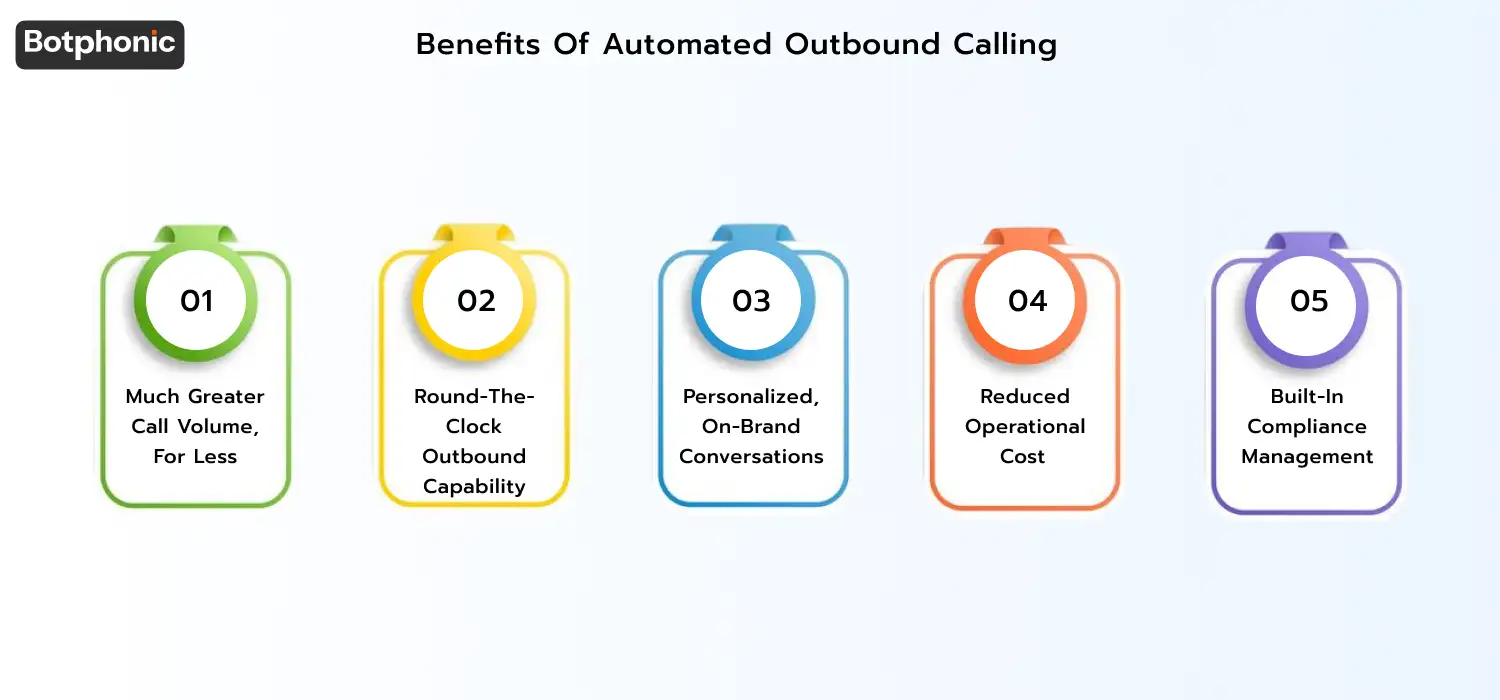
1. Much Greater Call Volume, for Less
An AI agent can dial hundreds of outbound calls at once, which a team of any size humans can’t do. The cost per call drops 30-50% for most companies after they switch to automated outbound calling because agent resources are freed up to focus on more valuable interactions. Salesforce’s State of Service report reveals that AI-based tools are managing a significant portion of outbound calls that used to involve a human agent. (Salesforce State of Service)
2. Round-the-Clock Outbound Capability
Automated systems run around the clock, 24/7, within TCPA compliant calling hours (8am-9pm local time). This is especially useful for multi-time-zone businesses – your system can call East Coast contacts in the morning and West Coast contacts in the afternoon, without needing to schedule calls. Unattended campaigns that used to need night agents can now be run.
3. Personalized, On-Brand Conversations
Each call has the same great opening – no cranky agents, no ad-libbing or forgotten callbacks. And yet, thanks to CRM integration, calls are personalized: the AI greets the customer by name and mentions their last purchase or upcoming appointment, providing continuity. The customer speaks to the same brand voice, regardless of whether it’s their first time or fifth.
4. Reduced Operational Cost
Companies using automated outbound calling require fewer human agents to answer outbound calls. Capital expenditure in dialers, lines, supervisors is amortised into a SaaS model based on usage and/or seats. For most mid-sized firms, the cost is met in the first quarter of deployment based on fully-loaded agent cost.
5. Built-In Compliance Management
The latest automated outbound dialers are programmed for compliance – TCPA consent, DNC registry scrubbing, calling window enforcement, call recording disclosure – to avoid compliance violations and fines. It’s built into the platform and not reliant on agent actions.
What you need to know about TCPA & FCC compliance
Outbound calling is certainly legal in the United States, but only if you comply with certain regulations of the Telephone Consumer Protection Act (TCPA) as enforced by the Federal Communications Commission (FCC). Fines can be stiff: the FCC can issue penalties of up to $500 to $1,500 per call. For large campaigns, this can add up to millions of dollars in liability.
TCPA Compliance Checklist – Before Each Campaign
- Prior express written consent: must be obtained to send autodialed or prerecorded calls to mobile phones. Oral consent or website opt-in must be recorded. (FCC TCPA Reference)
- Time of day: 8am-9pm local time – in the contact’s time zone, not yours. An 8pm Eastern call to a Pacific contact at 5pm is fine; 9pm Eastern (or 6pm Pacific) is also fine. A 6am Eastern call to an Eastern contact is against TCPA.
- National Do Not Call (DNC) Registry (scrub): list must be scrubbed against National DNC Registry prior to call. Third party contacts who have requested DNC with your company must also be respected. (National DNC Registry)
- Caller ID on all calls: every call must include the name of the calling business and a phone number or address to reach the business. Caller ID spoofing is prohibited by TCPA and TRACED Act.
- Opt-out option on every call: an opt-out option must be provided during any automated call (usually a key-press). When requested, the recipient must be immediately removed from the campaign.
- Recording disclosure: state-by-state consent laws – federal law requires only one-party consent for recording. But 12 states (such as California, Illinois and Florida) require all-party consent. In these states, always disclose recording at the outset of calls.
Legal Note
TCPA rules change. The FCC recently released new robocall and consent regulations. Please consult the latest FCC TCPA guidelines with your attorney before starting a campaign. This is not legal advice.
Botphonic’s system automatically adheres to calling time window requirements, DNC scrubbing and opt-out processing. For more detail on how these compliance features work, see the AI call center platform page.
The Best 8 Automated Outbound Calling Services (2026)
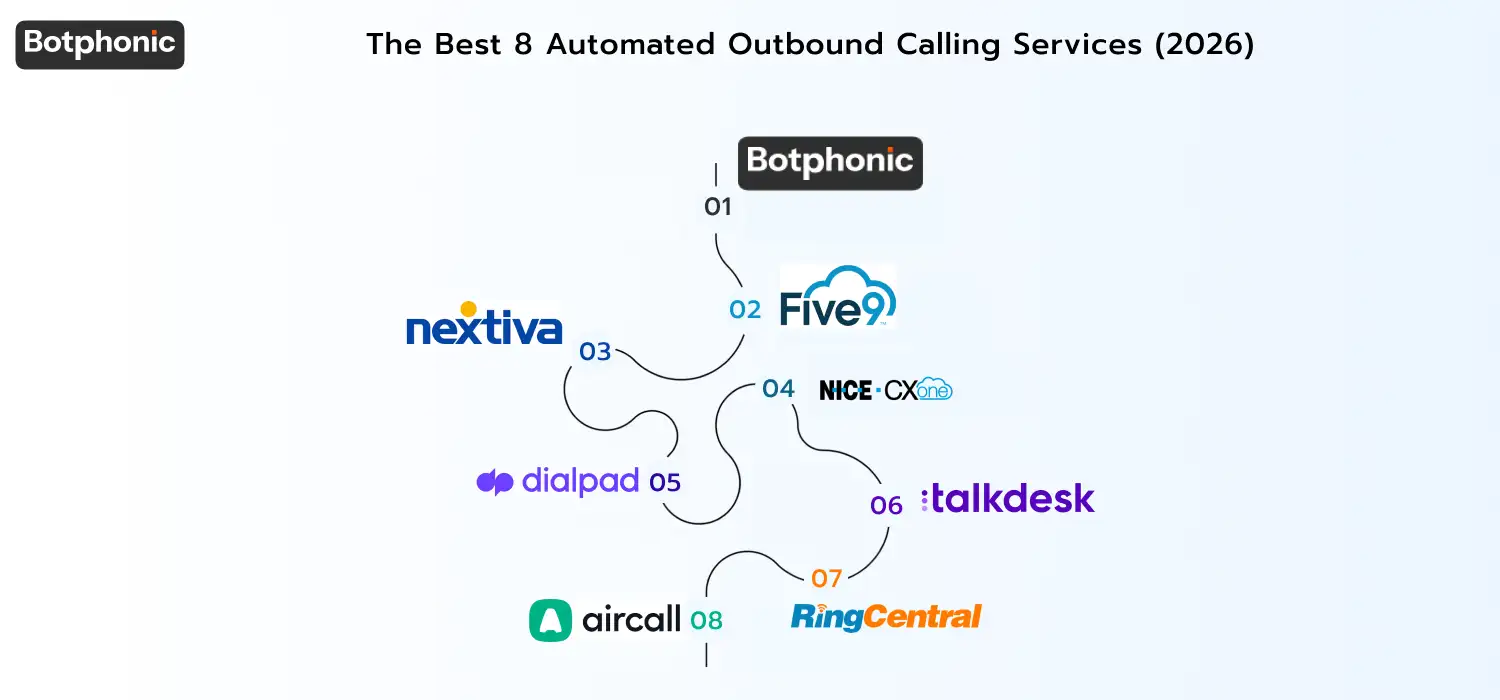
Here are the 8 most popular automated outbound calling tools businesses are using in 2016, chosen for SMB to enterprise fit, with their pricing and best for comment.
1. Botphonic: SMB → Mid-Market
AI-first outbound and inbound dialing system for companies with a need for HIPAA-compliant automation at enterprise scale. Outbound sales dialer, appointment scheduling and an artificial intelligence (AI) receptionist for inbound as a unified system. Integrates with CRM and no-code campaign builder.
Pay-as-you-go + per-seat pricing. Ideal for: Health care, SMB sales, services
2. Five9: Enterprise
Predictive dialer-focused cloud-based contact center with workforce management and compliance. The choice of enterprise outbound contact center running high-volume, multi-campaign campaigns.
Price: Per agent/month (enterprise). Best used by: Large call centers, collections, financial services
3. Nextiva: SMB
An all-in-one unified communications solution that includes VoIP, outbound calling, customer relationship management and analytics. A good fit for SMBs looking for outbound calling as part of a unified phone system rather than a dialer.
Price: $30 – $60/user/month, Ideal for: SMB unified comms + outbound follow-up
4. NICE CXone: Enterprise
Predictive dialing and omnichannel routing for enterprise-level customer experience orchestrations with AI-powered agent assistance. Ideal for contact centers that handle thousands of outbound calls each day on multiple channels.
Pricing: Custom (enterprise). Best for: Large-enterprise CX programs
5. Dialpad: Mid-Market
Next-gen communications platform that transcribes calls in real-time, analyses sentiment and provides coaching on each call. Great for dialers with a desire for intelligence to be added to their phone calls.
Price: $15-35/user/month. Ideal for: AI-powered sales teams, SDR teams
6. Talkdesk: Enterprise
Cloud-based omnichannel contact center solution with AI-driven outbound dialing, workforce engagement and analytics. Compliance features and a growing list of out-of-the-box connections for health care and retail.
Price: Custom (per agent). Ideal for: Omnichannel outbound, compliance industries
7. RingCentral: SMB → Mid-Market
Unified comms provider on the cloud, outbound calling is included in its Contact Center offering. Intuitive user interface and integration with Google Workspace and Microsoft 365 makes it easy for SMBs to quickly get up and running.
Price: $20-$50 per user, monthly. Best suited to: SMB unified comms + simple dialing
8. Aircall: Mid-Market
Next-gen phone system for sales and support. Integrates with HubSpot and Salesforce, click-to-dial, power dialer, and simple analytics. SDRs working in HubSpot love it.
Price: $30-$50/user/month. Best for: HubSpot-based SDR teams
5 Tips for Using Automated Outbound Calling
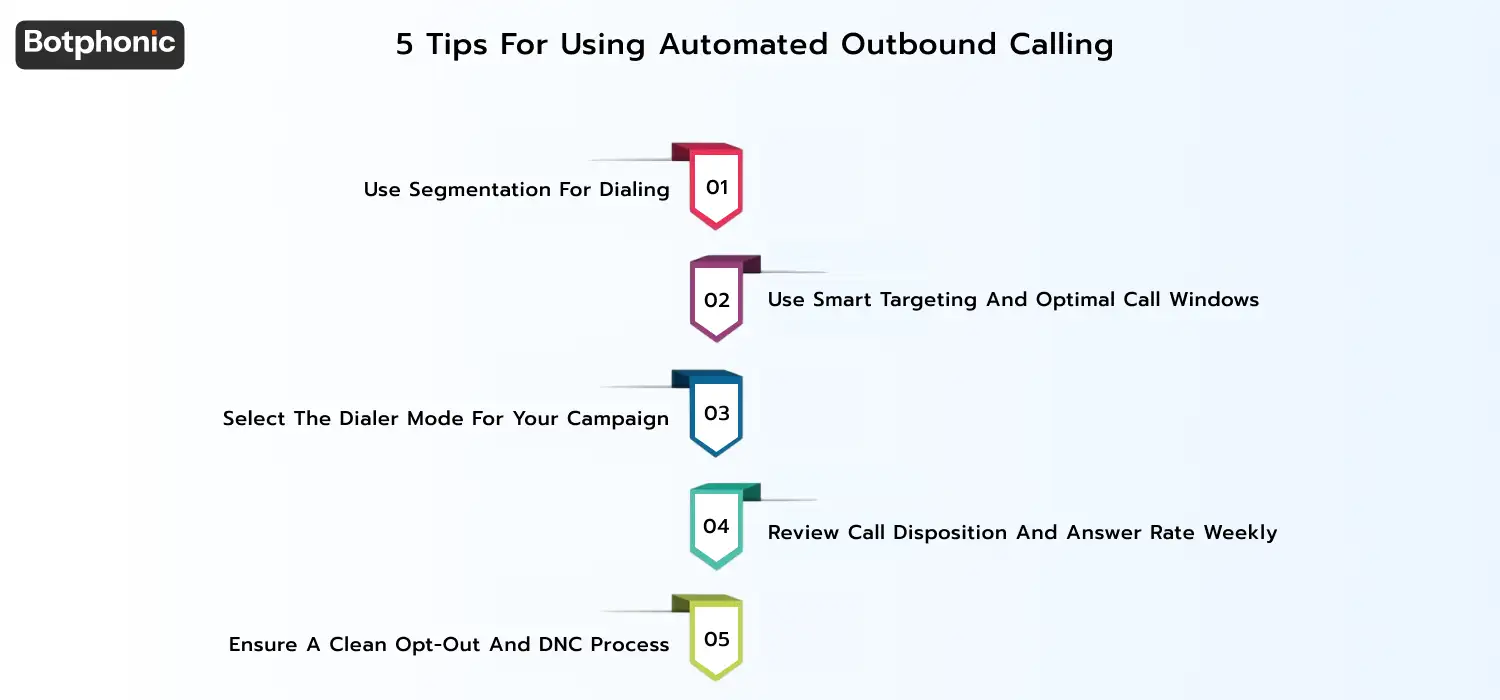
1. Use Segmentation for Dialing
Unsegmented lists are called in large, untargeted outbound campaigns that result in low answer rates and high opt-outs. Segment lists by the quality of recent (date of last contact), valuable (LTV or deal size), and interested (visited website, opened email, inbound call). 500 highly targeted prospects are better than 5,000 generic prospects.
2. Use Smart Targeting and Optimal Call Windows
Call answer rates fluctuate throughout the week and the day. For outbound B2B, Tuesdays – Thursdays, 10am-11am and 4pm-5pm (local time) are best. For inbound consumer calls, early evening (5pm-8pm) is consistently successful. Set up your automated outbound dialer with these windows and experiment with your list’s patterns during the first 30 days.
3. Select the Dialer Mode for Your Campaign
Predictive dialers are best for large B2B prospecting lists where call volume is critical. For compliance-sensitive industries (medical, financial, collections), use power or progressive dialers to reduce the chance of dropped calls. Switch to preview dialers for enterprise leads and prospects where the agent must know something before the connection. Using the wrong dialer type for your campaign is a frequent error.
4. Review Call Disposition and Answer Rate Weekly
A well-functioning outbound campaign has answer rate (goal: 15-25% for cold lists, 35-60% for warm lists), live connect rate, human agent transfer rate, and opt-out rate (anything over 3% is cause for concern). If the answer rate declines week-over-week, this typically indicates list fatigue and/or time-of-day issues, not platform issues. Your CRM call disposition codes will help diagnose.
5. Ensure a Clean Opt-Out and DNC Process
All customers who opt-out of an automated campaign must be suppressed from future campaigns immediately (best practice: same day). Keep an internal suppression list that exists regardless of campaigns, and is integrated with the National DNC Registry. Automated systems (such as Botphonic) do this automatically, but check suppression lists monthly.
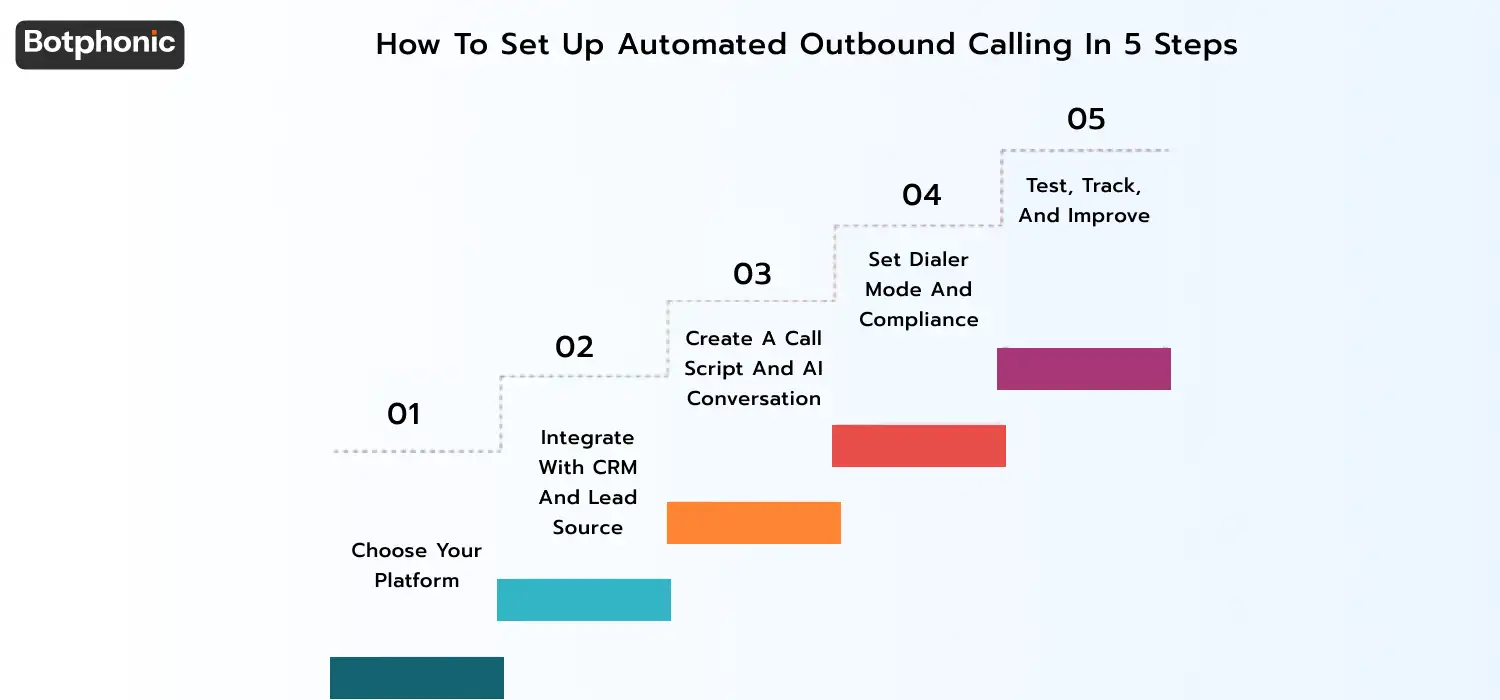
How to Set Up Automated Outbound Calling in 5 Steps
1. Choose Your Platform
Choose a platform for your team’s size, compliance requirements and CRM. Small to medium sized businesses (under 25 agents) that use HubSpot should consider Botphonic, Aircall or Nextiva. Enterprise teams using Salesforce with complex routing requirements should consider Five9, NICE CXone, or Talkdesk. Ask for at least two demos.
2. Integrate with CRM and Lead Source
Connect your automated outbound dialer to your CRM so data, past calls and disposition codes flow both ways. Most tools have native integration for Salesforce, HubSpot, Zoho, and Pipedrive. For unique database, use the API of the system or a connector such as Zapier. At this point, data quality will impact the campaign – de-duplicate and clean phone numbers prior to import.
3. Create a Call Script and AI Conversation
Create a script with the first 10 seconds of who is calling and why. For AI voice agents, create a flow chart of the conversation that branches to cover the three likely replies: yes, no, and “call me back later”. Ensure that the main path is less than 90 seconds. Do 20-30 test calls internally before sending the script to prospective customers.
4. Set Dialer Mode and Compliance
Select dialer mode (predictive, power, progressive, preview) for your campaign. Set the call time window (8am-9pm local time), set up your DNC suppression list, and opt-out key-press handling. If you plan to record calls, enable the “your call is being recorded” announcement. Review with your legal team prior to the first campaign.
5. Test, Track, and Improve
Launch a test campaign with 500-1,000 contacts to gather baseline data. Monitor answer rate, transfer rate, opt-out rate and conversion rate daily for the first two weeks. Record and transcribe calls to identify drop-off points in the script, and test changes. In most cases, you’ll see significant improvement in performance in the first 30 days.
 NOTE
NOTE
Automated Outbound Calling: The Future of Outbound Sales and Customer Engagement
Automated outbound calling has evolved from a “nice-to-have” to a must-have for any outbound-oriented business in 2016. From a medical practice looking to remind patients of their appointments, to an SDR team following up on cold leads, to a collections agency looking to remind customers about their payments: the cost of manual calling is no longer justified when you can automate those calls with AI-powered digital agents and save time, money, and resources.
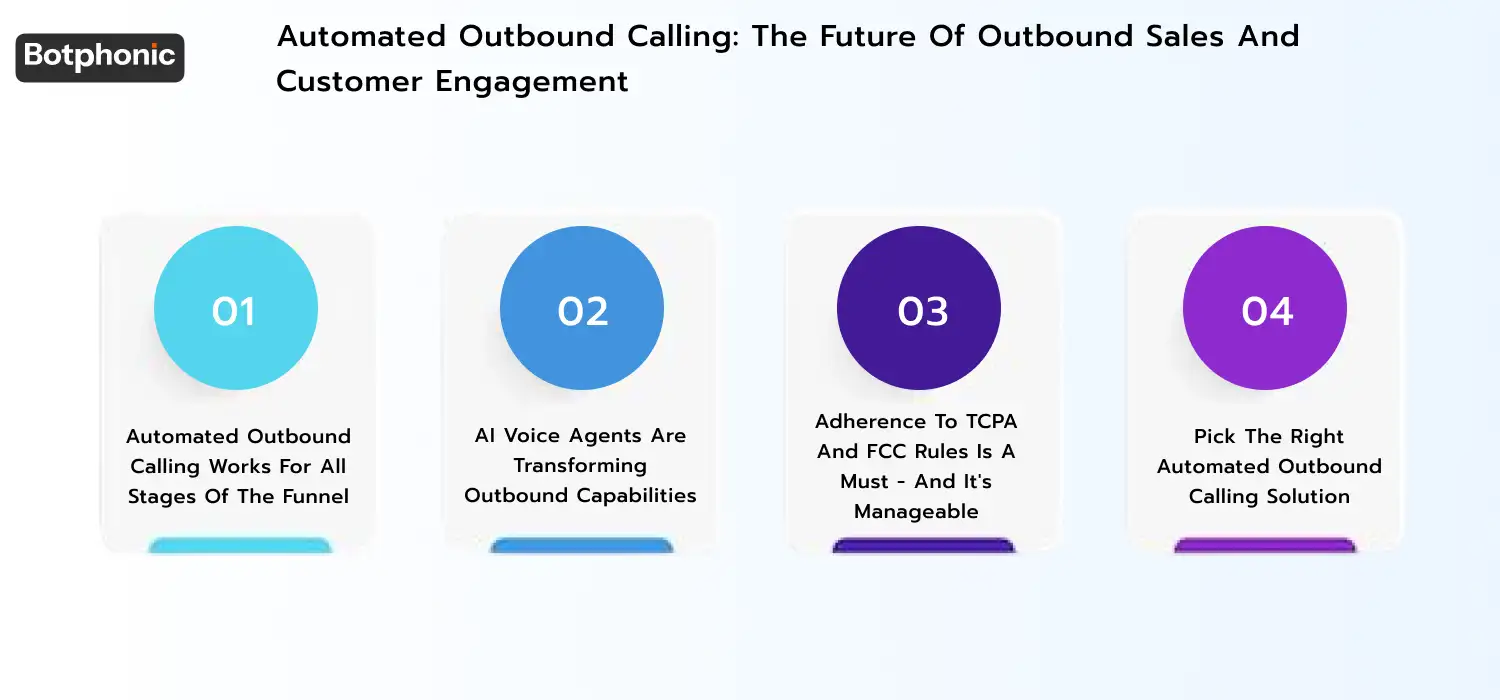
1. Automated Outbound Calling Works for All Stages of the Funnel
A common misconception about outbound call automation is that it’s only useful for cold prospecting. But the facts don’t support it. Automated outbound calls are delivering results at every stage of the sales cycle: cold calling and lead qualification (top), warm calling and appointment confirmation (middle), and customer reactivation and market renewal (bottom). The same infrastructure is used for all five use cases – set the script and campaign type, and everything else is managed by the AI outbound dialer.
2. AI Voice Agents are Transforming Outbound Capabilities
The evolution from traditional outbound dialer software to AI voice agents is more than a technological innovation; it is a transformation in the way outbound teams work. Previous-generation predictive dialers could automate dialling, but the conversation was still left to humans. The latest AI voice agents open the call, identify the contact, present appointment options, and drop messages – all without a human agent present. The human agent is used for the interactions that truly demand human intelligence: handling sophisticated objections, delicate negotiations and building relationships with key accounts. This leads to a team that is 3-5× more productive than a conventional outbound team without a proportionate increase in staff.
3. Adherence to TCPA and FCC Rules Is a Must – and It’s Manageable
Compliance with TCPA rules is the #1 barrier to using automated outbound calling. We can see why, given that fines are $500-$1,500 per call and the regulations are stringent. But with a designed-for-compliance automated outbound calling solution, it’s also very manageable. Consent requirements, times of day, the National Do Not Call Registry, disclosure of caller ID and processing of no-call requests can all be managed at the platform level. When compliance is baked into the system and not left up to the agent your exposure to risk is greatly reduced. It’s the businesses that are not using an automated system to handle compliance – i.e. using spreadsheets and relying on the individual agents to keep track of it – that tend to get into trouble.
4. Pick the Right Automated Outbound Calling Solution
There is no such thing as “outbound calling software”. The solution for a sales development representative (SDR) team of 5 people integrated with HubSpot (Aircall, Botphonic) is very different from the solution for a 500-person enterprise contact center using multi-channel outbound campaigns with Salesforce (Five9, NICE CXone). When you’re looking for a solution, keep three factors in mind: native integration with your existing CRM tech stack; dialer mode flexibility to support your campaign use case (predictive vs. power vs. progressive vs. preview dialer); and compliant TCPA enforcement tools. Per-agent-per-month cost is secondary to these three factors – a platform that doesn’t integrate with your CRM or enforce compliance will be more expensive in time and legal fees than the cost savings of a lower per-agent price.
Getting to Your First Outbound Campaign
The learning curve between knowing the theory behind outbound calling and launching a compliant, efficient and effective campaign isn’t as steep as you might think. Most SMB and mid-market size teams can set up their first outbound campaign (CRM integration, dialer mode, compliance, and call script) within a week using the right platform. You will see the impact on your bottom line within 30 days, as you begin to gather answer rates, connect rates and call disposal information.
If you are ready to take the next step from manual dialing to automated outbound calling, the next two best steps are to calculate your estimated ROI based on your current call volume, and to watch a demo configured for your industry and use case. Both take less than 15 minutes.