
Summarize Content With:
Quick Summary
Buying AI receptionist software: First, estimate the volume of calls, and what you want to integrate. Evaluate vendors on (1) audio quality, (2) integration (CRM + calendar + telephony), (3) pricing transparency, (4) scalability, and (5) vendor support. Test 2-3 vendors with live calls before signing up for a subscription. Don’t make the top 5 mistakes listed below.
What to Know Before Buying AI Receptionist Software
You know it’s happened to you as a business owner: you’re on the phone and two calls come in, you answer one but the other goes to voicemail, and the prospect never returns your call. Missed calls are estimated to cost the average business $1,200 in potential revenue opportunities – and for inbound sales and service businesses, every missed call is a lost opportunity.
AI receptionist software solves this. It’s an around-the-clock receptionist that answers calls, screens leads, makes appointments, even connects calls and updates your contact management system (CRM) – all without hiring more staff. However, buying the right solution means knowing what you are buying, what to focus on and the 5 most common mistakes – before you make them.
This article will cover everything from evaluating exactly what is AI receptionist, through to the key features, price models, 5 of the most expensive mistakes that buyers make, a verification audit, and questions to ask before purchasing.
What Evaluating an AI Receptionist Software Means
Evaluating AI receptionist software is not like other SaaS. You’re not just looking at a list of features: you are evaluating whether an AI system can represent your business effectively in a real voice conversation with a real person, at any time of day or night, with no person involved.
This kind of assessment is different to others. The vendor’s test environment is staged. Their pitch is their best pitch. You want to know how the system works when the owner of the business has a strong accent, if the caller has a question that isn’t in the frequently asked questions, or if they want to speak to a human right now.
Let’s talk about the word ‘evaluate’. Testing of AI receptionist software means:
- Assessing the quality of the voice – not just on recorded demos
- Real-world testing of drop-offs and escalations for a period of time
- Confirming it integrates with your particular CRM and calendar system
- Ensuring certification is up-to-date and relevant for your business
- Ensuring the installation process aligns with your team’s technical expertise
Companies that take a comprehensive approach to evaluating and buying report greater satisfaction and quicker payback than companies that buy based on price. Read on to get the full picture.
Essential Features of AI Receptionist Software
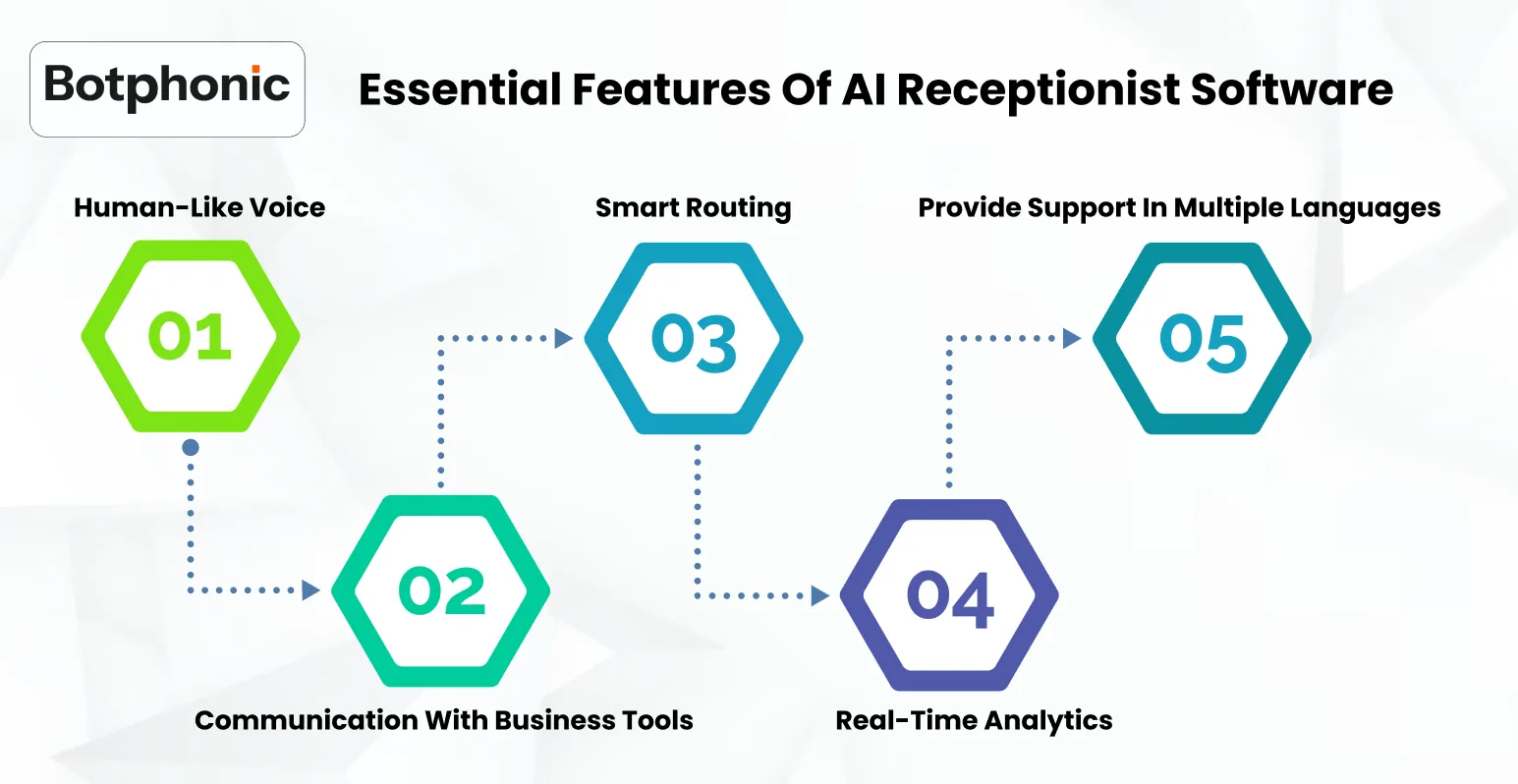
Not everything that is promised on a vendor’s website is equally important to your business. These are the features that distinguish between those AI platforms that truly deliver and those that impress in a trial but struggle in the real world.
1. Human-Like Voice Quality
You have three seconds to impress customers with your brand. Traditional IVR robots convey a low-value, low-cost service – and hang ups follow. New AI appointment booking systems leverage speech synthesis to produce natural pacing, pauses and changes in tone for different situations.
In testing voices, listen for: how it sounds when the system is asking open-ended questions, how it responds when the caller interrupts and breaks in mid-sentence, and how it handles unexpected responses. Botphonic offers 50+ natural-sounding voices in multiple languages with response times below 500ms – the magic number to remove the “bot-like” delay.
2. Integration with CRM and Calendars
The biggest pitfall is a half-integration: the AI can answer the phone, but isn’t integrated with the CRM, or books an appointment, but doesn’t update a live calendar. This results in data discrepancies that take longer to resolve than what’s saved by automation.
When evaluating a solution, always ask for a live walk-through of the integration with your CRM – not the vendor’s account. Botphonic has native integration with Salesforce, HubSpot and Zoho. All AI calls are recorded, and the customer’s record is updated and follow-up processes initiated in real time. Zapier integration supports 500+ other apps.
3. Smart Call Routing
Smart call routing moves beyond the 1-for-sales approach. AI receptionist routing recognizes the caller’s intent from their spoken request, checks their account history in the CRM system and routes the call to the right person or department on the first try – no transfers, holds, or misroute to the wrong department.
Test routing by explaining to the vendor your most complicated routing scenario, and have them replicate it in the vendor’s trial. If the vendor has to do a lot of manual work to make it work for your most complex scenario, that is an indicator of real world performance.
4. Real-Time Analytics and Reporting
You can’t fix problems if you don’t know what’s happening on individual calls. Real-time analytics should provide you with real-time call volume dashboards, classification of call outcomes, customer sentiment analysis, and escalations by hour and day. Your AI answering service’s agent performance reports for hybrid deployments where humans take over escalations ar also essential.
Your analytics should tell you: ‘What types of calls is the AI doing a good job of and what types of calls are escalating?’ This drives the continuous improvement that sets apart good deployments from great deployments.
5. Multilingual Support
Human receptionists speak 1-2 languages. If you have Spanish, French, Arabic, Mandarine or variants of English speakers among your customers, a monolingual AI receptionist will miss some of your calls.
Botphonic supports 20+ languages including Spanish, French, Arabic and English variants. When assessing multilingual support, ask for a test call in each language your customers speak – don’t simply rely on a language being listed in their feature set.
6. Lead Generation and Appointment Setting
The AI receptionist should not only respond to questions but capture leads, qualify intent and book appointments into your calendar on the phone. This is where the biggest value proposition can be found: a potential prospect who would otherwise go to voicemail outside work hours becomes an appointment.
Ensure that appointment booking is two-way the AI will check the calendar for availability before finalising, rather than simply book into a set time block and risk double-bookings.
Usability & Onboarding: Will It Work for Your Team?
An advanced AI receptionist system that your team can’t set up or manage will perform worse than a basic system that they can understand and keep up to date. Don’t focus only on feature list; also consider the onboarding process.
Assess onboarding by asking:
- How long does it take to set up for a company of your size and call volume?
- What is provided by the vendor during installation, guided sessions, documentation or self-help?
- Who will manage the system and what kind of technical skills do they have?
- How do you add more routing rules, alter scripts or add more calling types post go-live?
- How do you handle issues that arise during calls?
Botphonic is easy to configure by non-technical teams with no code. It usually takes 3-7 days to complete the initial setup. Healthcare and enterprise support with compliance needs can complete onboards with vendor support.
PRO TIP: Ask the vendor to demonstrate the setup process for your most involved call during the sales process not after purchase. The vendor’s response to this request is a better indicator of what the onboarding process will be like than any documents.
Performance & Reliability: The Right Metrics
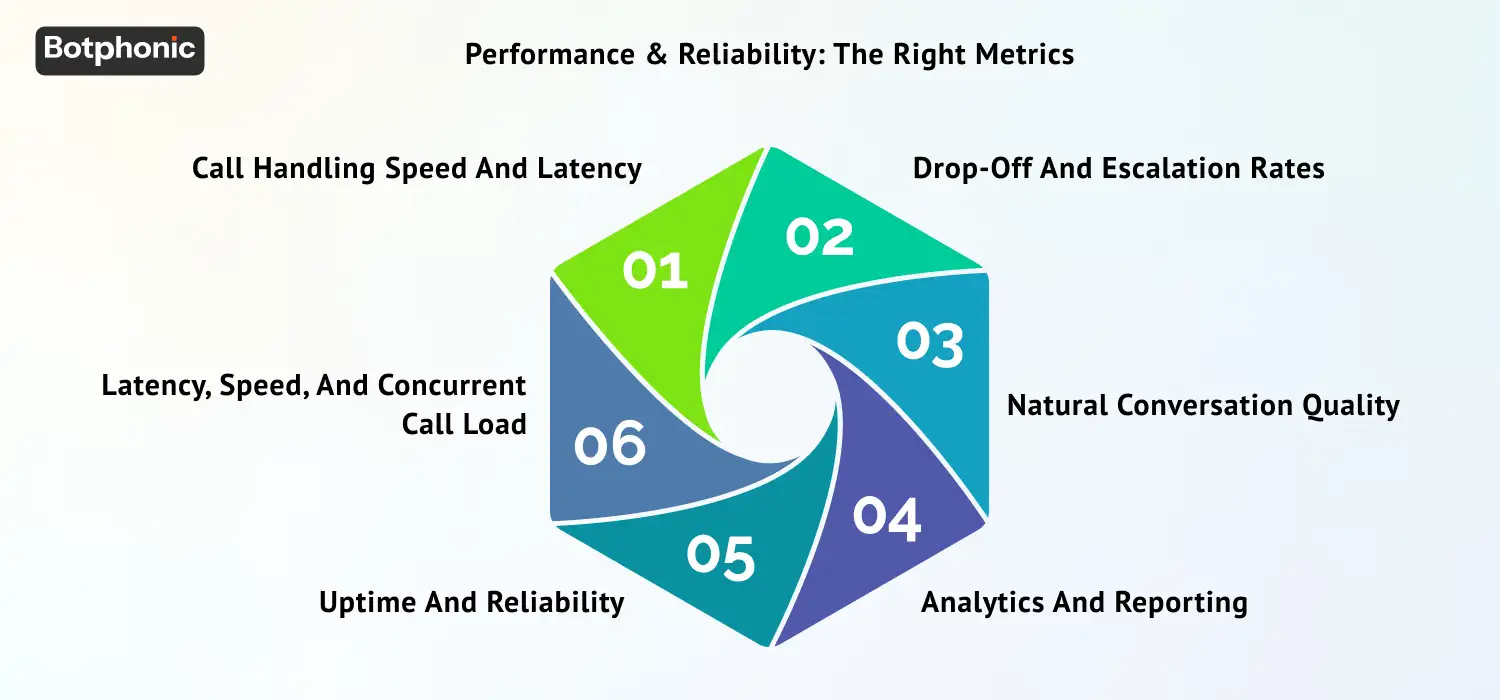
Key performance indicators (KPIs) for AI receptionist systems are not those of software. Availability and page load times are less important than conversation quality, resolution and escalation. These are the metrics that matter when assessing value.
1. Call Handling Speed and Latency
Latency is the time between when a caller stops talking and the response from the AI. With a response latency of 500ms or less, conversations sound natural. Over 1,000ms, callers hear a robotic lag, quickly indicating that they are talking to a bot. Botphonic’s response latency is under 500ms, the limit for natural voice conversations.
Test latency during the trial by placing calls at various times, including busy periods. A latency of 250ms at 10am may increase to 500ms at 2pm if the vendor’s resources are insufficient.
2. Drop-Off and Escalation Rates
Drop-off rate is the rate at which customers terminate a call before their issue is resolved. Escalation rate is how frequently the AI escalates calls to a human agent. Both are important – but for different reasons.
The AI is not connecting with the caller if the drop-off is high: poor audio quality, slow speaking or not understanding the caller’s intent. But high escalation is not necessarily bad – hard calls should escalate. High escalation is an issue if it is escalating calls that should be handled automatically – this is a knowledge base or call routing problem.
3. Natural Conversation Quality
Natural conversation quality is the most difficult to measure but easiest to recognise in a conversation. Test it in three use-cases: a simple task the system is designed to handle, a different task not part of the script, and an interruption.
The third challenge – the interruption – is the most telling. Conversational systems built on advanced LLMs are able to respond to interruptions and remain contextual. Decision tree-based systems stutter and generate robotic responses.
4. Analytics and Reporting
Enterprise-grade AI receptionist systems record each interaction including call transcripts, categorised outcome, sentiment, and escalations. This is not only a reporting capability – it’s the training data used to improve the system over time.
Assess the analytics by asking for a sample dashboard of a customer with a similar call load. Can you see the information you need to tune the system from week to week?
5. Uptime and Reliability
If you have a business critical application that receives calls, uptime SLAs are important. Ask the vendor for its actual uptime statistics, not just its SLA. For the health care and finance sectors, ask about call behaviours in the event of a platform outage – silent fail or fallback number?
Botphonic is SOC 2 Type II certified with enterprise-grade infrastructure. All plans have guaranteed uptime and fallback options for regulated industries.
6. Latency, Speed, and Concurrent Call Load
While call latency is important, consider how the system handles multiple simultaneous calls. A small business that receives 3 calls at once when running a marketing promotion should not have a drop in voice quality or a higher drop-off rate for call 2 and 3 than call 1.
Botphonic supports an unlimited number of simultaneous calls on the same infrastructure – there is no queue, no call degradation, and no concurrency limit on the number of calls per call that artificially limits calls during spikes.
What You Need to Know about ‘Evaluating an AI Receptionist’
AI receptionist software is not like other SaaS. You are not evaluating a product based on features or functions – you are evaluating whether an AI system can represent your company appropriately in a real voice call with a real human at any time of day or night without human intervention.
And that assessment is different from most software. The vendor’s environment is controlled. Their presentation is based on the best cases. You need to know how it works when a customer has an accent, or a question that isn’t in the FAQ, or wants to speak with a human now.
The word ‘evaluate’ is doing some serious heavy lifting. Evaluation of AI receptionist software means:
- Assessing the quality of the voice in real-life settings – not a stock recording
- Analysing drop-offs and escalations in a trial run
- Ensuring it integrates with your particular CRM and calendar system
- Making sure compliance certifications are up-to-date and relevant
- Ensuring the integration process fits your IT skill level
Companies that consider their options before buying are much more satisfied and see a greater return on investment compared to those that purchase simply because of price. The sections below provide the full picture.
Advanced Capabilities to Look For
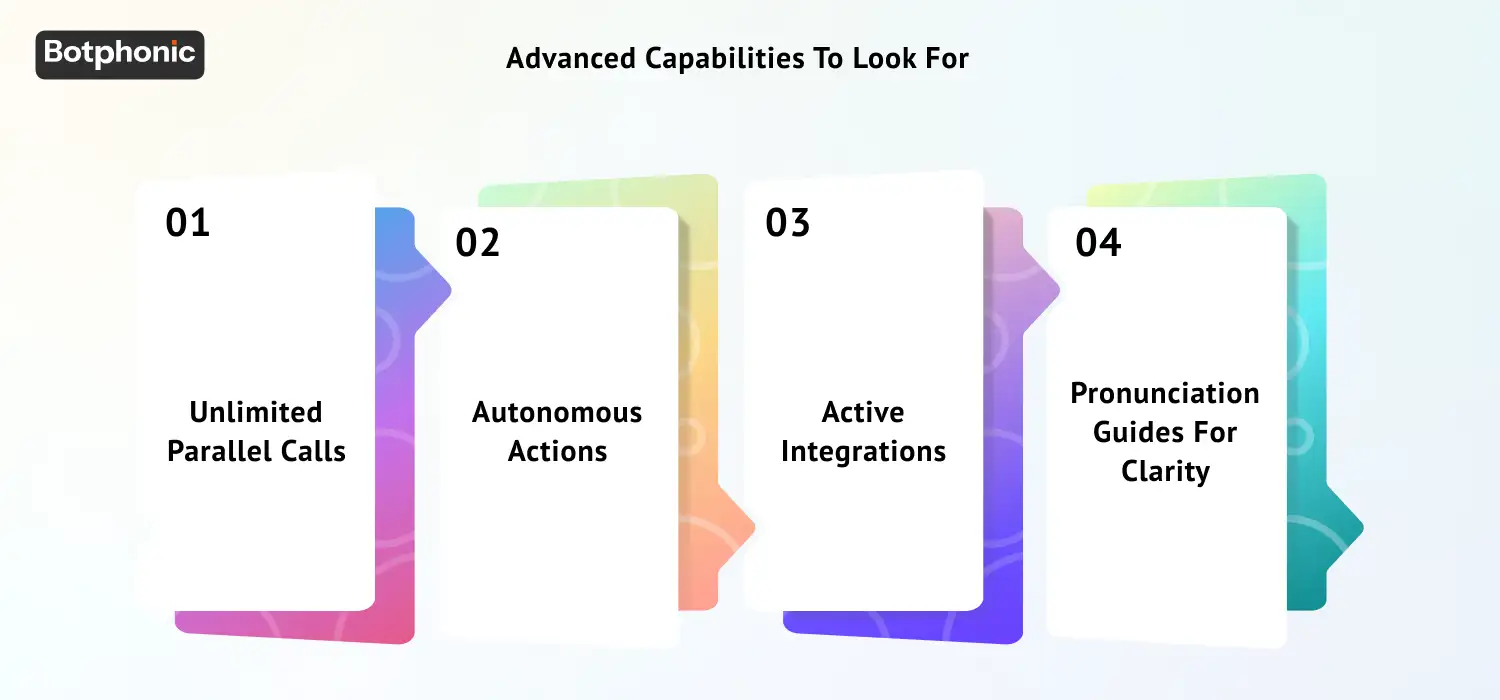
Beyond the basics, the following features differentiate 2026 workflow solutions from 2023 solutions. Select the ones that are relevant to your business.
1. Unlimited Parallel Calls
Each busy signal indicates the chances of losing customers. It has been reported by a research that 34% of customers don’t bother to call back after reaching a busy signal. The business model of AI receptionist software fails if there is a limit to the number of parallel calls handled. If a platform can only manage 5 parallel calls, it isn’t achieving the economies-of-scale that make AI so very different from human reception. Verify that the parallel call capacity is not capped – or what the cap is and if it’s sufficient for your peak load.
2. Autonomous Actions
The best AI receptionist platforms not only answer questions, they take action. Scheduling an appointment means writing to the calendar. Changing account information means writing to the CRM. Confirming an appointment means sending an SMS or email. Action completion occurs autonomously during the call, not in a queue for a person to action after the call.
3. Active Integrations
Botphonic’s AI voice agents are agentic. Integrate Botphonic with CRM, including calendar and messaging systems, and take actions on your behalf during the call without humans being involved in the process. That’s the difference between an AI answering service and an AI receptionist.
If your company name, the names of your products, employees or locations have special pronunciations, the AI receptionist must manage them. If your business name is mispronounced, it is worse than no pronunciation – it means your business name is not set up for your business.
4. Pronunciation Guides for Clarity
Dialect support: Assess the system’s ability to support the accents common among your customers. A system that works well for general American English but has trouble with Southern US, Indian English or Caribbean English accents may miss an opportunity with some customers.
Integration and Scalability: Key to a Seamless Experience
Integration is the key to successful deployments of AI receptionists. An AI receptionist that answers calls but fails to update your CRM adds to your data problem. A system that schedules appointments without reference to availability leads to clash problems and lost trust.
There are three questions to ask of the integration:
- Is the integration real-time or does it use scheduled, delayed data?
- Is the integration read-write – does the AI write data to your systems?
- How will the data from the call be handled if the integration goes down?
It’s quality, not quantity, of native integration that is important. Botphonic’s native Salesforce, HubSpot, and Zoho CRM integrations are bi-directional and real-time – each call updates the record before the next call starts. This is different from systems that provide ‘integration’ via Zapier-only webhooks – system sync issues result in gaps in your CRM.
AI Receptionist Integration Types
| Integration Type | Real-Time Sync | Bidirectional | Recommended For |
| Native CRM (Salesforce, HubSpot, Zoho) | Yes | Yes | All businesses with active sales CRM |
| Calendar (Google, Outlook) | Yes | Yes | Bookings-based workflows |
| Zapier / API | Near real-time | Configurable | Custom tool stacks |
| Webhook only | Event-triggered | Write-only usually | Simple notifications |
| Manual export / CSV | No | No | Not recommended for production |
Scalability, Pricing & Costs
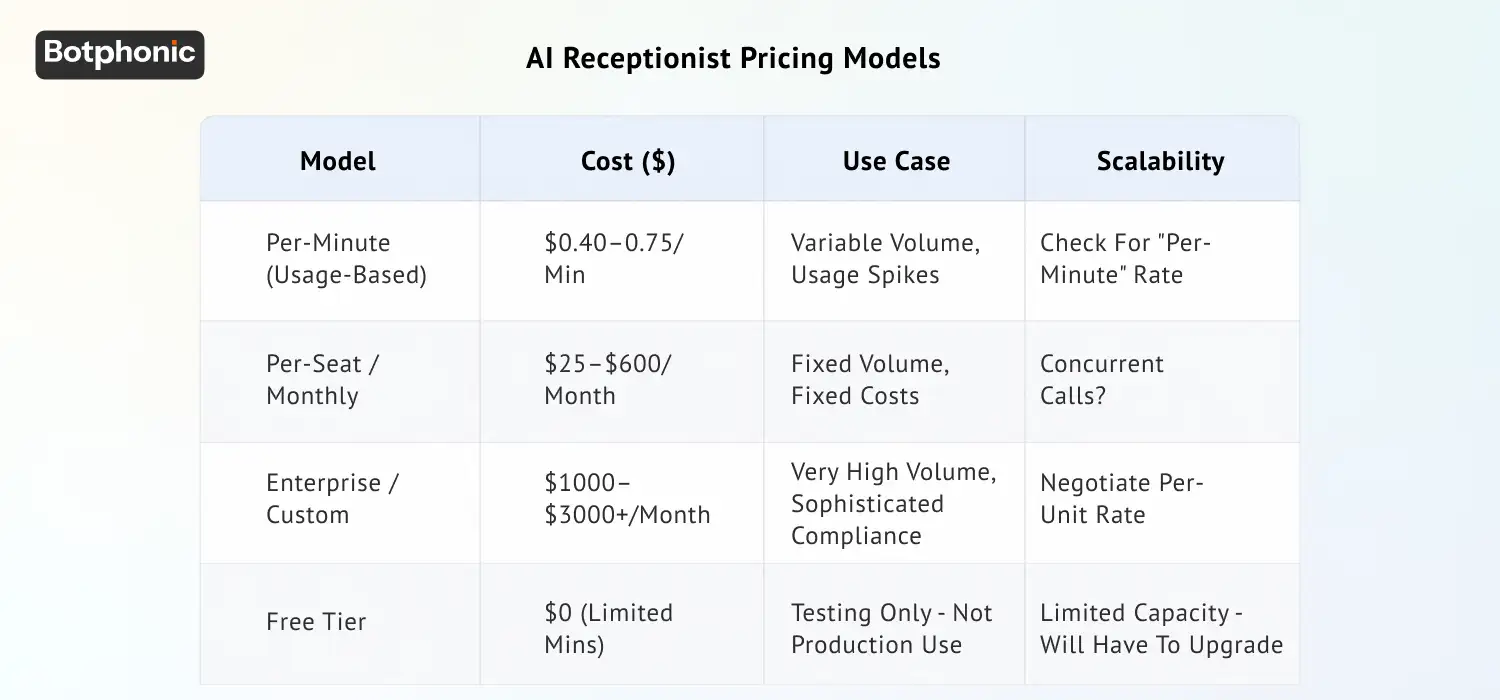
There are three common pricing models for AI receptionists. It’s important to know which model will work for you and your call volume expectations – otherwise you could end up paying more as you scale, thus negating the original purpose of the platform to reduce costs.
AI Receptionist Pricing Models
| Model | Cost ($) | Use Case | Scalability |
| Per-minute (usage-based) | $0.40–0.75/min | Variable volume, usage spikes | Check for “per-minute” rate |
| Per-seat / monthly | $25–$600/month | Fixed volume, fixed costs | Concurrent calls? |
| Enterprise / custom | $1000–$3000+/month | Very high volume, sophisticated compliance | Negotiate per-unit rate |
| Free tier | $0 (limited mins) | Testing only – not production use | Limited capacity – will have to upgrade |
Botphonic’s plans start at $22/month for the starter plan, with $0.40/min for voice calls – the cheapest published per-minute rate of production-grade systems that support SOC 2 Type II, HIPAA or GDPR compliance. To know more you can check Botphonic’s pricing plan.
The Scalability Question
When you talk to a vendor, ask: how much will I be paying at 3x my current call volume? A system that’s cheap for the current call volume could be costly for a larger volume if the cost of a minute or a resolution does not scale with volume.
The zero-marginal-cost model – a cost structure where the cost per call remains the same no matter how many you make – is the economic model underpinning the strategic value of AI receptionist software. Make sure your AI receptionist software does.
Free vs Paid: What it All Means
While the free version gets you an unpaid assistant that is helpful in numerous instances, a paid version gives you much more benefits and advances.
Free vs Paid AI Receptionist Comparison
| Factor | Free AI Receptionist | Paid AI Receptionist (e.g. Botphonic) |
| Call minutes cap | Hard limit (e.g. 50-100 mins per month) | Unlimited (unrestricted) |
| CRM connections | None or export only | Native, bidirectional, real-time |
| Compliance | Not certified | SOC 2, HIPAA, GDPR included |
| Voice quality | Generic TTS – robotic sounding | 50+ human-sounding voices |
| Custom workflows | Template only, no customization | Build to your business needs |
| Support | Public forum / email | 24/7 support / onboarding |
| Verdict | Only for testing | Only for business |
Free AI receptionist tools are suitable for testing the technology – not for production-grade customer interactions. Regulatory reasons (SOC 2, HIPAA) alone preclude health, finance and any other regulated sector from using free tools.
All reputable AI receptionist vendors provide a trial or demonstration. How you use this to test the system determines how effective the system will be. Most use trials to validate the basic demo – the best value comes from using trials to test the system with their toughest use cases.
Step-by-Step Validation Process
A validation process should include:
- Make test calls for your 5 most common use-cases – not the simplest
- Use speakers with the most common accent variations of your customers
- Call at 2am on a weekend to check actual 24/7 uptime – not promised uptime
- Call in to request to talk to a human and test escalation process
- Test that an appointment is added to your calendar within 60 seconds
- Verify that contact records are updated by checking the contact record after a test call
QUICK NOTE: 71% of customers expect an immediate response when they contact a business. The only way to know if an AI receptionist meets that standard for your particular callers is to test it in real scenarios – not rely on a vendor demonstration as evidence of real-world performance.
Once you’ve trialed it, look for patterns in the call logs: calls that escalated to another agent (signals knowledge base issues), calls where the caller repeated themselves (signals understanding issues) and calls that were unresolved (signals workflow issues). Each one provides a clear focus for pre-deployment improvement. You can also look for AI receptionist reviews that can help you in analyzing the software better.
Top 5 Mistakes to Avoid When Purchasing AI Receptionist Software
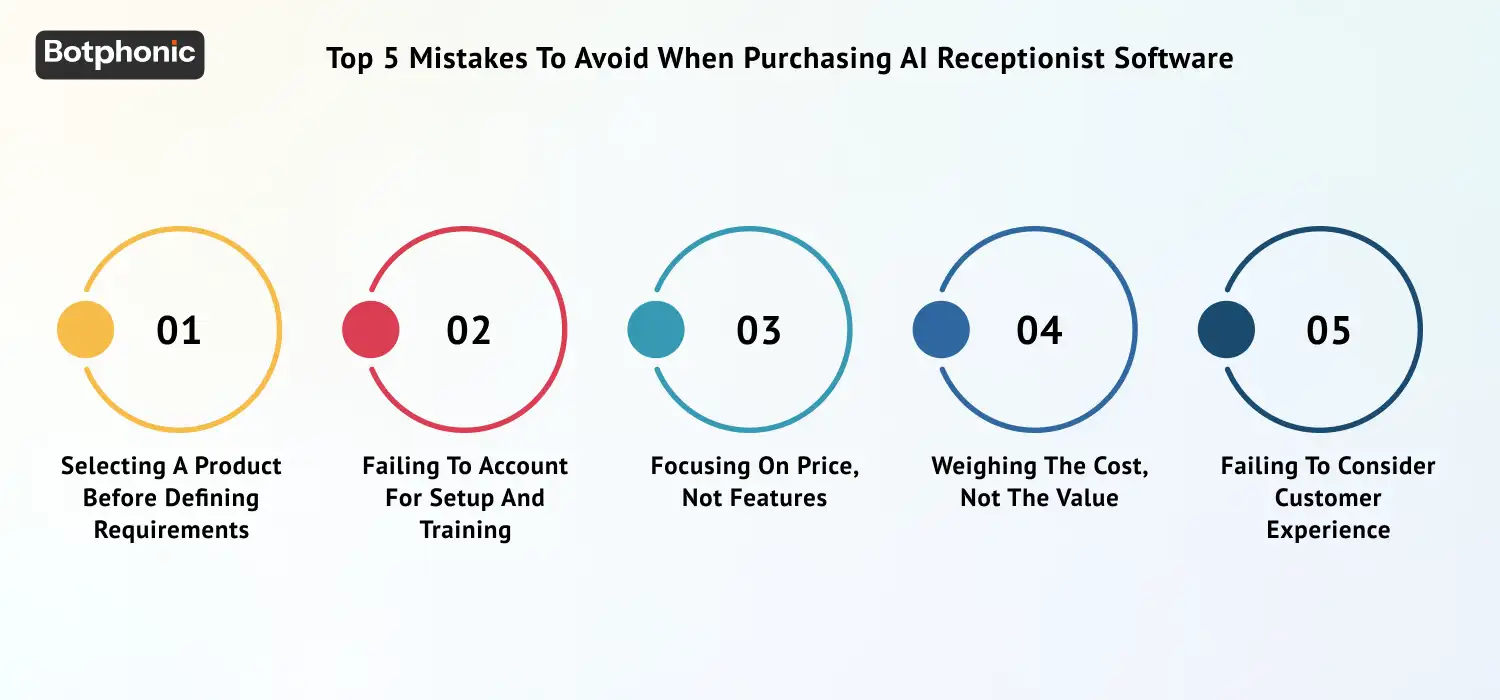
These are the five most common mistakes that lead to failed deployments, cost overruns or a return to manual-only. All are avoidable with proper vetting prior to purchase.
Mistake 1: Selecting a Product Before Defining Requirements
The biggest mistake is purchasing before establishing your needs. “We need an AI receptionist” is not a specification. ‘We need a platform that can manage 150 incoming calls a day, schedule appointments with Google Calendar, route medical-related calls to HIPAA-compliant processes and integrate with HubSpot’ is a specification.
Without a specification, you cannot compare vendors – everything looks nice because you don’t have a way to compare. Specify the types of calls you need to handle, the volume, integrations, compliance and language requirements before you start talking to vendors.
Mistake 2: Failing to Account for Setup and Training
AI receptionist solutions are not “set and forget”. People often assume that once they sign up, they plug in the phone number, and it’ll be a professional call handling system. In fact, the AI must be given an understanding of your business: what you sell, how much you sell it for, who your team members are, what are the most common questions, and what are the escalation criteria.
Companies that take 3-5 days to properly configure knowledge base and call flows perform better than those who attempt to turn it on in 24 hours. Make sure you ask the vendor how long they recommend for configuration and what kind of support they offer during configuration (not just after go-live).
 PRO TIP
Mistake 3: Focusing on Price, not Features
It’s almost always more expensive to buy the cheapest option that “almost works”. The opportunity cost of not being able to integrate with your CRM (in lost leads, duplicate data entry and work) is often greater than the difference in the monthly subscription fee between the first and second quarter.
Feature Prioritization Table
| Feature | Essential | Nice-to-Have |
| Human-like voice quality | Yes – impacts customer confidence | Custom voice cloning, emotion detection |
| CRM integration | Yes – needed for capturing leads | Proprietary legacy software integrations |
| HIPAA compliant | Yes (health) | Yes (other related industries) |
| Real-time analytics | Yes (needed to optimize) | Advanced predictive insights, sentiment heatmaps |
| Multilingual support | Yes (if multilingual customers) | Accent optimization, regional dialect tuning |
| Custom branding / voice | Basic brand tone consistency | Yes – branding |
| AI coaching dashboard | Basic performance insights | Yes – enterprise teams |
| SMS / email follow up | Basic automation triggers | Yes – lead nurturing |
| A/B testing call flows | Simple script variants | Yes – pilot programs |
Mistake 4: Weighing the Cost, not the Value
A $25/month AI receptionist with poor voice quality that escalates 40% of calls will cost more in real agent time than a $200/month system with 15% escalation rates. The cost of the platform must be weighed against the cost of: resolving a call, escalated calls to a human agent, time spent maintaining the knowledge base, and implementation and support fees.
Look at the cost per resolution (not the monthly fee) when making your final decision. The platform with the cheapest monthly fee may end up the costliest when the cost of escalations is considered
 NOTE
NOTE
Mistake 5: Failing to Consider Customer Experience
Voice quality is the most obvious aspect of AI call center performance to the consumer – and the one that buyers are most likely to overlook. If your AI receptionist sounds like a robot, it will hurt your brand, even if it works all the right scheduling logic. It’s the voice of your company, not the vendor’s.
Listen to the voice quality with real customers, not just your internal team. Your employees can tolerate robotic voices because they know what they’re listening to. Customers are not – and their responses to the voice quality are a good proxy for how your customer satisfaction scores will be impacted.
Buyer’s Checklist for AI Receptionist Software
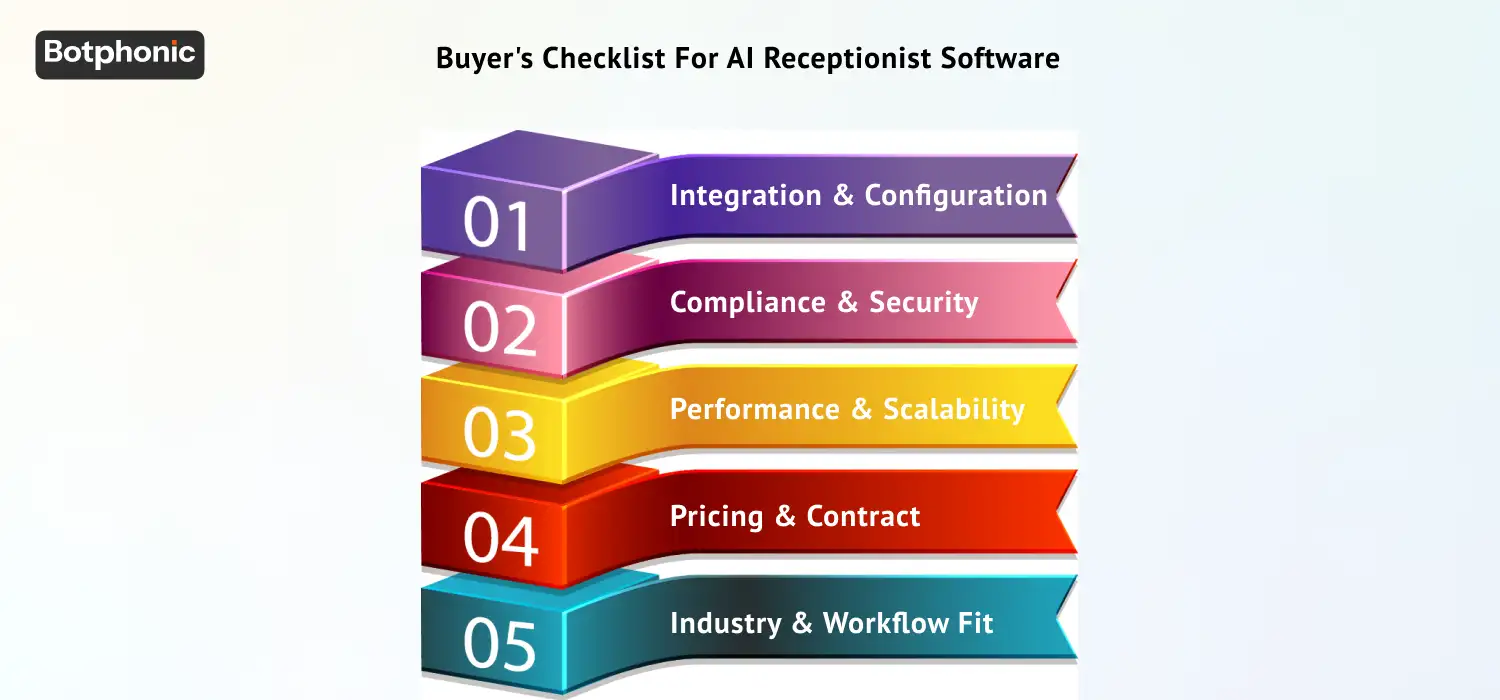
To use, before purchase. Each box unchecked is a gamble you are taking at the time of the purchase.
1. Integration & Configuration
- Tested the platform integrates with your specific CRM (not ‘integration available’)
- Confirmed a live bi-directional sync between a test call and your live CRM account
- Asked to see the integration to your calendar with bookings in your actual calendar
- Requested the integration API and verified your IT team can implement
2. Compliance & Security
- Asked for and reviewed most recent SOC 2 Type II statement
- Verified HIPAA compliant (if healthcare) or GDPR compliant (if EU customers)
- Confirmed encryption for storing call recordings
- Verified data retention practices align to your needs
- Confirmed who will have access to call transcripts and when
3. Performance & Scalability
- Performed a 2am call and a call during peak hours
- Verified maximum simultaneous calls to support your call volume
- Confirmed escalation rules are as expected – test them
- Reviewed uptime SLA and requested historical uptime
- Asked how calls will be handled in an outage
4. Pricing & Contract
- Estimate cost per issue – not just monthly fee
- Verified what the monthly fee will be at 3x current volume
- Reviewed contract term and early termination fees
- Confirmed if the cost per minute or resolution goes down with volume
- Asked what is included in the price and what’s an add-on
5. Industry & Workflow Fit
- Asked for case studies from companies in your industry and volume
- Ran all 5 of your most common call type scenarios in the trial
- Confirmed the system can accommodate your most complex call-routing scenario
- Verified the installation aligns to your IT skillset
PRO TIP
How AI Receptionist Software is Used in Industry
Consider these use cases and deployment approaches when prioritzing features for your AI receptionist purchase. Here are the key use cases and deployment scenarios by industry.
Industry Use Case Table
| Industry | Primary Use Case | Key Feature Requirement | Compliance Need |
| Healthcare | Scheduling appointments, following up on patients, after hours calls | HIPAA-compliant processes | HIPAA mandatory |
| Real Estate | Lead screening, scheduling viewings, property questions | Scheduling + lead qualification | GDPR (EU clients) |
| Financial Services | Account balance, loan status, payment reminders | Call flows with compliance mechanisms | SOC 2 + FINRA |
| Legal | Initial consultation, scheduling, case status inquiries | Confidentiality + escalation rules | State bar compliance |
| Home Services / HVAC | Service appointment, emergency service, price quotes | Real-time call routing, scheduling | Standard |
| Salons & Spas | Appointment scheduling, rescheduling, waitlist | Calendar integration + text reminders | Standard |
| Recruitment | Applicant screening, interview scheduling, updates | ATS integration + multilingual | GDPR (EU candidates) |
Conclusion
Buying AI receptionist software isn’t just about “compare features and go for the least expensive one”. It’s a systems purchase that will have direct consequences on your ability to generate revenue, customer satisfaction, and burden on operations. Successful solutions aren’t only able to answer the phone but also standardize communication in your company in a consistent way under heavy loads and when things get complicated.
If the evaluation process seems tedious, that’s because it ought to be. Not because you’re buying a piece of software but because you are essentially purchasing a new front desk that works tirelessly, does its job consistently, and doesn’t drop any leads unless designed otherwise.
The bottom line here is that you need to outline your needs, stress-test different solutions, and judge their success by such parameters as resolution rate, cost per call, etc.
Don’t evaluate AI receptionists in theory, test them in real calls, real conditions, and real load.
Start Your AI Receptionist Trial