12 Must-Have Features in an AI Phone Call Assistant: What Each One Solves (and What Breaks Without It)

October 31, 2025 22 Min Read
Banner image with the headline ‘Don’t Buy an AI Voice Agent Without These 12 Features,’ featuring a modern AI phone assistant theme with voice call, automation, analytics, and customer support visuals.

Summary

Most of the “12 features you need” articles stop at 12 features and move on. Here’s one that strolls through every one of the 12 features to assist you evaluate as a purchaser:

  • The solution to their problem (what business pain you are solving)
  • The effect of what bad looks like if it has no effect (concrete failure mode)
  • What good will be like with it (actual successful outcome)
  • Who needs it most – segment by Company Size, Industry, Use Case
  • Useful Questions to ask any vendor to take your next demo (1-2 questions)

The features are categorized into Problem / Bad / Good / Who needs it / Ask the vendor.

Each feature is marked with a persona segment indicating the companies and industries that it’s more relevant to.

  • No vendor pitch per feature there is a generic framework that can be used to evaluate any AI phone call platform.
  • Complements our scoring matrix: use this page to understand features, use the scoring matrix to score vendors
  • Created for a buyer who is thinking about buying, as opposed to “what is AI?”.

Introduction

The issue most people have with AI phone calls is getting a clear understanding of what features are important when they walk in and walking out having been blown away by the best demo of the day for which they happened to enter on Tuesday. The choice is based on chemistry, not on the criteria.

This is a balancing page to that. Here are 12 of the most common features that differentiate between AI phone call platforms that perform well in production and those that fail at scale. Each one will illustrate what exactly it’s lacking without it; you’ll be able to recognize which features are important for your business, and then enter your next vendor evaluation with a checklist.

Gartner projects that by 2026, it will save $80 billion in agent labour costs for customers that choose the right platform for conversational AI. You also have to pay the platform fee and the deployment time is wasted if you choose the wrong one.

How to Use This Page

Repeat each of the 12 features once. Next, for each, answer:

  • Critical: you must have this for your business to succeed
  • Important: preferred but not necessary,
  • Nice to have: but not a critical factor; helpful, but not essential
  • N/A: doesn’t apply to your use case

Each feature has a “Who needs it most” sub-section that can aid in this triage. After you have your list, go to your next vendor demo and rate each platform to your weighted criteria. We have a FREE scoring template that will do all the math work for you.

Customer Experience & Interaction Quality

Infographic covering four customer experience features: 1) Natural, Human-Like Conversation & Voice, 2) Multilingual Support & Localization, 3) Real-Time Transcription & Summarization, and 4) Sentiment Analysis & Conversation Analytics, with business challenges, ideal outcomes, and vendor evaluation questions.

1. Natural, Human-Like Conversation & Voice

The problem it solves

Customers hang up within 5-10 seconds when the AI has a robotic voice. If the voice doesn’t pass for human, then the AI can’t provide any of the 11 features listed below — because nobody’s on the call long enough.

What bad looks like without it

Monotone delivery. Things don’t flow as smoothly as they normally do when someone is talking. Mechanical phrasing (Repeating the same phrase on each call “How may I help you today?”). Unhang up rate > 25% in the first 10 seconds. The complaints that customers have made in their reviews about the use of “robot,” “fake” or “AI”.

What good looks like with it

Natural pacing and suitable pauses. Tone that is suited for talking about a bill, confirming an appointment, and welcoming new customers. Either customers don’t know they’re talking to an AI or when they do know they are genuinely surprised by it but not frustrated. Hang-up rates comparable to that of human-agents.

Note Icon NOTE
If the vendor does not allow you to place a live call but only provides pre-recorded demonstrations, their voice quality is likely variable. Pre-recorded demos are the artificial intelligence version of the ultra-wide lens real estate pictures.

Who needs it most

All who are involved in the customer journey are a part of the brand. In particular: luxury services, professional services (such as legal, financial advisory, healthcare), high-end retail, and any B2B sales motion that involves first impression weight for the deal. Not as important for: higher volume or informational based scenarios such as checking balances or confirming appointments where speed of speed is more important than nuance.

Ask the vendor

“May I make a live test call, on this script, using my own number? I want to compare to your competitor’s voice quality back-to-back.”

Vendors unwilling to demo their voice live are the vendors whose voice doesn’t pass the test.

2. Multilingual Support & Localization

The problem it solves

Every day, language mismatches are costing businesses in the United States their customers. CSA Research multi-year buyer-language preference studies indicate that 76% of buyers would prefer to be served in their native language and 40% wouldn’t buy at all if no service was provided in their native language. Not only Spanish, but Spanish + Mandarin + Tagalog + Vietnamese + Korean, depending on geography, for most businesses based in the United States.

What bad looks like without it

The AI service will interact with each caller in English. Spanish-speaking callers struggle, call in early or transfer to the personnel on duty. Foreigners are unable to call in. Lost call rate from non-English speakers is 3x to 5x higher than lost call rate from English speakers and you don’t know it when you see how much calls are lost and it isn’t shown in your dashboard.

What good looks like with it

AI understands the voice language in the first turn, and automatically switches. If there were any language switches during the call, they were managed without interruption (“can you continue in English?”). Natively supports 20+ languages. Translation support for the entire conversation, not just for the greetings.

Who needs it most

If you have non-English speaking customers – most healthcare, most retail, most service businesses in metro areas. Important for: cross border services, legal services for immigrant communities, health services in language diverse areas. Not as important for: businesses that only communicate in English.

Ask the vendor

“Demonstrate a spanish ending to an english mid-conversation. What languages do they offer natively and which have to be paid for to use?”

There are a number of vendors whose slogan is “20+ languages.” There are very few demos that illustrate a true multi-language conversation flow.

3. Real-Time Transcription & Summarization

The problem it solves

Calls are made, decisions are taken, action items are recorded — and 10 minutes later, no one is quite sure what was said. Manual note taking consumes agent time and creates unreliably recorded notes. Compliance regulated industries cannot rebuild what is being asked by the customer when it is in dispute.

What bad looks like without it

Agents (or AI) take calls, and then write notes for 5-10 minutes after the call. Notes are incomplete, etc., not always written. No one has the conversation and customer disputes become “he said, she said. Records are incomplete – compliance audits fail.

What good looks like with it

All calls recorded in real-time. At the end of the call, AI provides a summary of the main points, tasks, and promises made by the customer. Summary can be written to the CRM and is visible in the dashboard. Searchable, Attributable, Time stamped conversations, automatic audit trail.

Pro Tips PRO TIP
Transcription isn’t about taking fewer notes, but rather having searchable memory. No more loss of customer history between calls, shifts, and departments.

Who needs it most

Compliance-regulated industries (healthcare, financial services, legal, recruitment) with books-and-records retention obligations, such as FINRA Rule 4512, books-and-records retention for healthcare, financial services, legal, recruitment.Compliance regulated industries (healthcare, financial services, legal, recruitment) that have books-and-records retention requirements (FINRA Rule 4512, books-and-records retention for healthcare, financial services, legal, recruitment). Also critical for: high-volume sales teams that need conversation analytics, customer success teams that need conversation context. Less critical for: very small companies that can easily recall individual call details.

Ask the vendor

“Give an example of a transcript + summary of a real call (anonymized is OK). What is the accuracy of the hard accents and noisy lines?”

There is a wide range of accuracy in transcription. The marketing page claim is always 95%+, sometimes 70-85% real.

4. Sentiment Analysis & Conversation Analytics

The problem it solves

A customer responds “yes, I’m fine” but is sounding frustrated. A prospect says they are interested but their tone shows them they aren’t. Sentiment captures the meaning, pure transcription captures the words. Sentiment Analytics is necessary for the AI to pick up on the signals that lead to escalation, loyalty, and churn.

What bad looks like without it

Regardless of caller mood, this AI works with each one in exactly the same manner. No frustrated callers are escalated and no happy callers are up-sold. Call volume on your dashboard but not call quality. Patterns that matter (like the time-of-day frustration spike, the recurring complaint topic) remain hidden.

What good looks like with it

Sentiment is scored in real time and frustration is sent for handoff to humans while positive sentiment is sent for up-sell or referrals. Aggregate analytics present a picture of call quality patterns over time, per agent, per topic, and per customer category. Data feeds into your operational reviews that is capable of making decisions.

Who needs it most

Mid-market and enterprise businesses with review cadences in operation. In particular: Customer support teams that want to monitor CSAT drivers, Sales teams that want to maximize the efficiency of their calls, Regulated industries who want to be aware of escalation indicators (e.g., healthcare that wants to detect if a patient is getting stressed, financial services which want to understand if a customer is confused, which can signal a compliance issue). Least critical for: solo practices – personal customer relationships.

Ask the vendor

“Please show me your analytics dashboard. Is there the ability to filter sentiment by time-of-day, by agent, by topic, by customer segment? What is the smallest level of analysis that can be measured?”

Most vendors offer some sort of analytics. Very few people have actionable analytics.

Automation, Workflow & Operational Execution

Infographic covering four operational AI phone system features: 5) 24/7 Availability & High-Volume Scaling, 6) Inbound + Outbound Call Capabilities, 7) Smart Routing & Escalation, and 8) Ready-Made Templates & Customizable Workflows, focused on scalability, automation, and workflow efficiency.

5. 24/7 Availability & High-Volume Scaling

The problem it solves

Customer call volume isn’t evenly distributed. Inbound calls are left unanswered during the peak times; inbound calls are left unanswered during the off-hours; growth adds capacity constraints, hire and train can’t catch up.

What bad looks like without it

Calls that are placed on voice mail after hours (and most of those that have been rerouted to a competitor rather than to voice mail). Peak hour ‘Lunch rush’ / end-of-day / post-marketing-campaign concurrent call ceilings. When the company expands 30%, there’s a “we need to hire 3 more receptionists” panic.The business expands 30 percent and then there’s a “we need to hire 3 more receptionists” panic.

What good looks like with it

Maintained a high level of response (95-98%) throughout the hours. Same call quality for peak days as for average days (no queue/degradation). Staffing doesn’t cause growth woes because capacity is scalable.

Who needs it most

All businesses that have after hours inbound, all businesses with peak time concurrency issues, and all businesses that are growing at over 20% per annum. Less critical for: appointment-only practices that would like to only deal with humans during business hours, and they explicitly want voicemail outside.

Ask the vendor

“What is your max concurrent call mark? Explain to me that if I had [my expected volume] of customers at peak load, I would show you one of them.”

Vendors who are not able to provide a customer reference for volume on a like-for-like basis assume the risk of handling volume for the customer.

6. Inbound + Outbound Call Capabilities

The problem it solves

Simple businesses have both ways: callers coming in from customers AND calls coming out (appointment reminders, payment reminders, follow-up on leads, customer reactivation). One-way platforms make requiring a second product a requirement for buyers.

What bad looks like without it

You purchase “AI receptionist” for inbound, then need an outbound dialer for reminders, then you need an outbound sales platform, then it doesn’t talk to the others. Every direction has its own dashboard, its own pricing, its own compliance posture, its own integration surface.

What good looks like with it

A single platform that supports inbound (intake, routing, FAQ, scheduling) as well as outbound (reminders, follow-up, prospecting) flows AND booking in both directions (book on inbound, confirm through outbound). Single dashboard, unified compliance posture, one integration to your CRM.

Who needs it most

Any business that performs inbound and outbound on a large scale — most service businesses, most health care, most sales-driven SMBs. Not an important requirement for: businesses that only use inbound (e.g., emergency dispatch) or outbound (e.g., political polling) marketing.

Ask the vendor

“Walk me through one process that starts inbound and ends outbound — for instance, customer calls, asks when they’re available, and then, 24 hours later, the platform calls them back to confirm. Show it live.”

Most are able to do either outbound + inbound, but few are able to do both in a single workflow.

7. Smart Routing & Escalation

The problem it solves

AI is able to deal with 70-80% of calls. The other 20-30% require human input, and the ability to provide them with that input quickly, in context, makes the difference between good and bad AI deployments. If not smart routed, all calls either to AI (and therefore not for the complex ones) or to human (and therefore losing the AI investment).

What bad looks like without it

Customers insists on handling humans and AI continues to try and do it for them. At 90%++ frustrated callers escalate to a queue that has no context — the human begins from scratch. AI deals with topics that are supposed to be handled by compliance people, such as medical advice, financial recommendations, legal counsel.

What good looks like with it

Multiple escalation points embedded in the flow – explicit human request, sentiment signal, repeated misrecognition, regulated topics, anomalies in customer record. Each escalation contains context, the human continues with the entire conversation transcript, a customer record and an AI-generated handoff summary. The customer never repeats him/herself.

Who needs it most

All AI phone calls deployments. The rest of the platform is believable thanks to smart routing. Non-critical for: regulated industries (medical/financial/legal where AI can’t give advice), high-value service businesses (where customers need human contact to facilitate sales), complex sales (where deals take time to close on human interaction).

Ask the vendor

“Explain your escalation process with an upset caller. What causes the handoff? What context is the human being in?”

Production-deployment difference is the handoff quality.

8. Ready-Made Templates & Customizable Workflows

The problem it solves

Creating a call flow from scratch is done over the course of weeks. There are 80% flows that are shared across the majority of AI deployments (intake, scheduling, answering FAQs, escalation). Without templates, each deployment is like re-inventing the wheel.

What bad looks like without it

You sign a contract, and then take 4-8 weeks to build call flows on a blank canvas. You need technical training for your team to create flows. Edge cases are found in production as there is no known baseline to start from.

What good looks like with it

10+ pre-made templates for the most common call types (inbound intake, appointment scheduling, payment reminder, answering FAQs, customer reactivation, lead qualification, post-purchase support). You begin with a template and tweak the company-specific elements (voice, product names, exact calls to action wording), test, deploy. 30 minutes to first deployable flow instead of 4 weeks.

Plus: a visual flow editor for non-engineers to edit templates. 90%+ of deployment work will not require code being applied.

Who needs it most

Small and medium enterprises without a dedicated implementation team. Best suited for: Businesses looking to get to value quickly, teams with limited engineering bandwidth, organizations considering a pilot and rolling it out to a wider audience. Less critical for: enterprise deployments where the enterprise has their own implementation teams and want to build from scratch for maximum custom fit.

Ask the vendor

“Pointing me to your template library. How long would it take to setup [my top use case] from a template? Is it possible for any of my non-technical teams to create a new flow without the assistance of engineering?”

What are the things that make pilots “live” in weeks, rather than months? Templates.

System Integration, Enterprise Readiness, Economics & Longevity

Infographic covering four enterprise AI platform features: 9) CRM, Calendar & Booking Integrations, 10) Data Security & Compliance, 11) Cost Efficiency & Clear Pricing, and 12) Continuous Learning, Updates & Support, focused on integrations, security, pricing, and long-term reliability.

9. Integration with CRM, Calendar, and Booking Tools

The problem it solves

Data is generated from AI phone calls: Who called, what they wanted, what was scheduled, what is pending. If that data isn’t seamlessly integrated into your current systems, it’s stuck in a dashboard you never look at and your customer-facing team is working blind.

What bad looks like without it

The AI receives a call and sets up an appointment that isn’t entered into your scheduling system until someone copies it manually. The AI records an individual’s information, without updating the CRM record. Your customer-success team only becomes aware of the conversation after a customer calls back to them about it.

What good looks like with it

Native integration with your CRM (Salesforce, HubSpot, Zoho, Pipedrive) and calendar (Google, Outlook 365), and helpdesk (Zendesk, Freshdesk, Intercom). Real-time bi-directional sync — the AI thinks about what the customer types before the call, writes it on the fly during the call, and updates it after the call. Native, not Zapier.

Who needs it most

Any business that has an existing CRM/calendar/helpdesk solution (which is most businesses with more than 5 employees). Above all for: B2B sales teams (CRM context fuels all conversations), healthcare practices (EHR integration), professional services (calendar precision matters). Less critical for: solo practitioner who has limited tech stack.

Ask the vendor

“Do you have a native [my CRM] integration or a Zapier integration? Walk me through the set up — how quickly does it connect and does it sync in real-time or in nightly batches?”

You’ll need the native integrations as a minimum for production use. Only using Zapier is a deployment risk.

10. Data Security & Compliance

The problem it solves

AI phone calls record PII, payment details, healthcare and financial information. The AI is your biggest single risk if there is no clear security and compliance strategy. Without support of the specific framework, regulated industries cannot deploy.

What bad looks like without it

We are “SOC 2 in progress”. No HIPAA-readiness for healthcare deployments. No evidence of any audit trail. Unencrypted recordings. No role based access controls. The first audit isn’t successful — or the first breach reveals the weak security position.

What good looks like with it

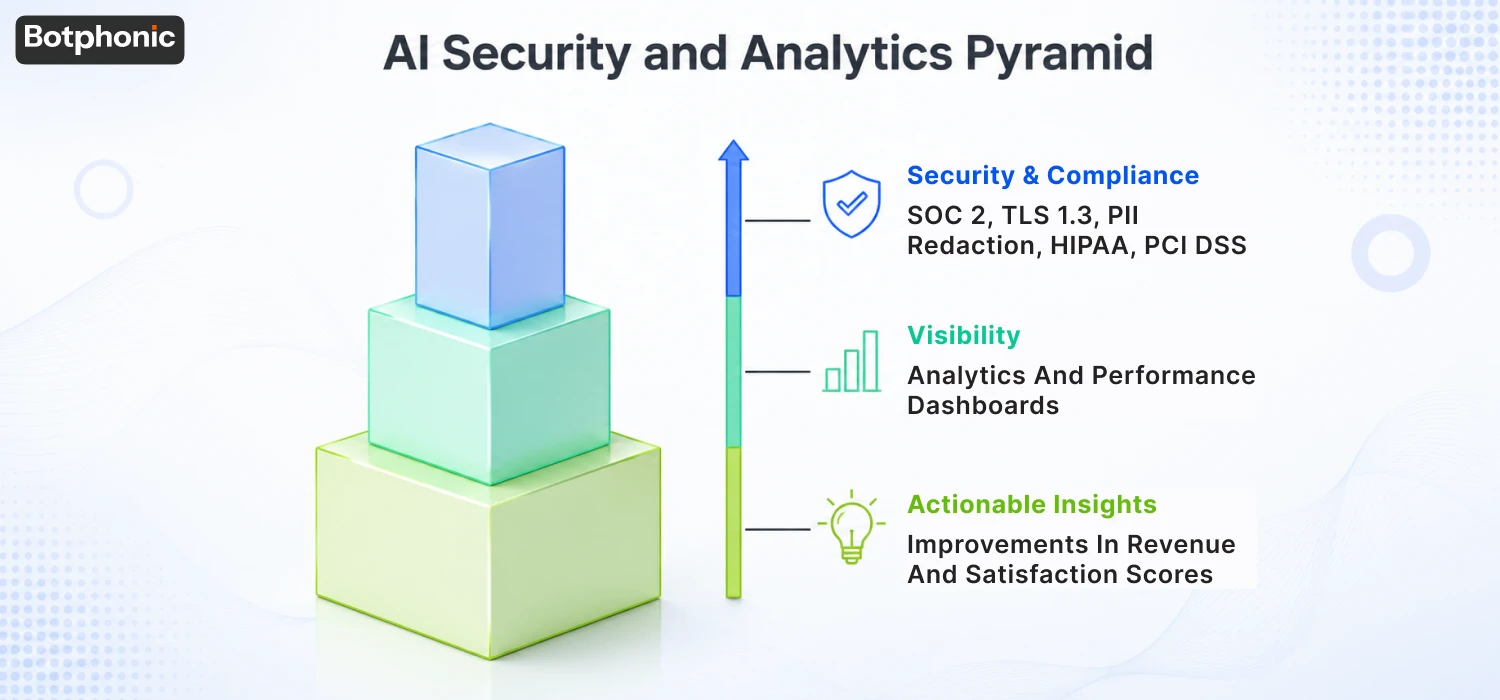
SOC 2 Type II report is available upon request (audit performed within past 12 months). Healthcare ready and BAA execution. Rest (AES-256) and transit (TLS 1.3+, AES-256) data encryption. Role-based access controls. Configurable retention periods (3-6 years for FINRA recordkeeping, longer for some healthcare). Complete audit tracking of access to information and all dates. Compliance with industry standards: TCPA (Outbound) and FCC TCPA guidance compliance, HIPAA scope compliance for healthcare.

Who needs it most

Any regulated industry such as healthcare, financial services, recruitment, education, BPO, insurance, legal. Also: enterprise customer being sold to by any B2B vendor (security questionnaires require this). Less critical only for: very small operations not dealing with regulated data.

Ask the vendor

“If asked, can you provide a current SOC 2 Type II report? What compliance frameworks do you support documentation of for industry? Do you have a BAA in place for health care deployments?”

For any of these answers that are “in progress” or “next quarter” do not deploy until they are shipped.

For Botphonic’s specific compliance posture, see security and compliance documentation.

11. Cost Efficiency & Clear Pricing

The problem it solves

Predictable cost is a must for AI phone call ROI. When vendors have “contact sales for pricing,” you’re certain to find yourself in a selling process before you’re ever sure if it’s within your budget. Unexpected bills arise from add-on pricing (per-feature, per-minute, per-language).

What bad looks like without it

Website “Contact sales” wall. Multi-week sales cycle to get a price. Predictable per-minute pricing.Unpredictable pricing based on usage. Multilingual (extra), sentiment analysis (extra), integrations (extra). The bill for month 6 is 3 times as much as the one for month 1.

What good looks like with it

Clear pricing on the site at the SMB-to-mid-market level. Discuss included versus add-on. Predictable overage pricing and per call pricing. Free trial without credit card. True ROI proof (not just “it pays for itself”). Run your numbers calculator available without a sales call.

Who needs it most

SMB-to-mid-market buyers that are considering without a procurement team. Important for: bootstrapped businesses, businesses requiring 3-5 vendors to be compared quickly, decision makers that don’t want to wait for sales cycles that last several weeks. Less relevant to: enterprise procurement that conducts an RFP.

Ask the vendor

“Cost me the cost of [the volume I’ve in mind]. What’s a feature add-on vs included? Can someone tell me if there is a free trial without the need of a credit card?”

For a particular volume, do the math on the Botphonic ROI calculator and compare to current published pricing. Then, compare with vendors who have sales-only pricing.

12. Continuous Learning, Updates & Support

The problem it solves

The AI you use today will not be the same AI you’ll need in 18 months. Voice models improve. New languages are added in. Compliance frameworks change. Customer preferences evolve. If the platform that was successful at deployment isn’t updated, 18 months later it fails and you get the problem the hard way.

What bad looks like without it

The voice model that was good in 2024, is not good in 2026, because the voice vendor has not updated it. Features that your competitors receive in their products don’t come to you because your contract required you to deploy the version from the time. The end of the sale causes the support response to lower.

What good looks like with it

Voice models, language coverage, integration partners, and compliance frameworks are automatically updated without contract renegotiation. Support responsiveness – in hours, not days. The platform you signed on to at month 1 is better at month 18 because the vendor cares about its continuous improvement.

Who needs it most

Long term deployments (more than 6 months pilot). Important for: regulated industries with changing compliance rules (TCPA updates, EEOC updates, NYDFS guidelines) and competitive industries with variable voice quality (over time). Less critical only for: short-term campaigns or pilots which will not last beyond 6 months.

Ask the vendor

“How often did you release new platforms during the past year? What has changed in your last 3 voice-models updates? “How long does it take you to respond to the support requests?”

Healthier long-term partners are vendors who ship monthly.

How Real Decisions Actually Get Made 

This framework shows how an experienced buyer really thinks:

  1. First, experience → Will the client accept it?
  2. Second, execution → Will it work effectively?
  3. Third, integration → Will it integrate into the organization?
  4. Fourth, durability → Will it stand the test of time?

If the vendor has a lot of expertise only in one area, then that’s not a platform, that’s a partial solution with some nice decks.

How to Use These 12 Features in Your Evaluation

Section outlining a three-step AI vendor evaluation process: prioritize features, score vendors using a weighted template, compare vendors through testing and ROI analysis, and make a final decision.

Three-step process:

  1. Evaluate all features, critical / important /nice-to-have / N/A for your business. Who needs it most” is a sub-section under each feature which will help you make your decision.
  2. Score each vendor on the features you noted Critical and Important. Get a copy of our free 28-criterion scoring template, which contains the 12 above features as 28 specific scorable criteria, each with adjustable weights.
  3. Compare with vendor tests, documented tests performed by vendors, see our real-life Botphonic, Smith.ai, Justcall, Aircall, and AnswerConnect tests performed according to this framework.

This is the buyer’s journey in the cluster: understand the features → fill in the scoring template → compare the vendors → calculate ROI → make the decision.

What this framework is not

This 12-feature checklist makes no claim to being exhaustive, and so doesn’t actually do all of the following:

  • It doesn’t select the platform for you. The result is a structured assessment; a decision remains in your hands and with your team!
  • It is not a substitute for the technical due diligence. Use it to narrow down and then conduct real test calls and demo the actual product.
  • It doesn’t capture year-2 questions. The degradation of vendor support, pricing changes based on contract renewals, feature update cadence over 24+ months – these are all separate considerations.
  • It does not consider enterprise procurement needs. When it comes to technology evaluation, RFP processes, security questionnaires, master service agreements are not in the mix.

If you need to read more about risk-side evaluation to complement the above feature side evaluation,  see Botphonic security and compliance documentation and our compare-the-top-vendors guide.

Where Botphonic Fits

We’ve made this a general framework that can be used to evaluate any AI phone call platform, not just ours. While that’s the case, Botphonic has been developed with the goal of providing the 12 features listed above to SMB to mid-market businesses:

  • SOC 2 Type II + HIPAA-ready + TCPA-compliant out of the box (Feature 9)
  • Native integrations with Salesforce, HubSpot, Zoho, and other CRMs (Feature 5)
  • Templates for 10+ call types + visual flow editor (Feature 10)
  • Published pricing at botphonic.ai/pricings-plans no contact-sales wall for SMB (Feature 11)
  • 20+ languages with mid-call switching (Feature 4)
  • Free trial, no credit card score Botphonic on the matrix yourself
Turn Every Call into a Customer!

Don’t allow your potential customers to be lost just because you have no one to pick up your phone. A business AI call assistant that makes the appointments, responds instantly, and talks naturally should be your next step to success.

Schedule a free demo with Botphonic.ai and enjoy the rapid increase in customer ​‍​‌‍​‍‌​‍​‌‍​‍‌satisfaction!Schedule a free demo with Botphonic.ai and enjoy the rapid increase in customer ​‍​‌‍​‍‌​‍​‌‍​‍‌satisfaction!

Request a Free Demo

F.A.Q.s

Well, it depends on what business you’re in, as mentioned above, that’s the idea behind the §1-§12 above. The essential features for most SMB-to-mid-market implementations are: voice naturalness (§1), 24/7 availability, CRM integration (§5), data security & compliance (§9), and pricing transparency (§11). Other features are industry specific: multilingual (§4) for multilingual customers, sentiment analysis (§7) for sales teams, smart routing (§8) for regulated industries.

The AI listens to incoming calls and tries to understand what the caller wants in the initial exchange, pulls context of the customer from your CRM and either resolves the call or transfers it to human agents with all the context. For outbound, the AI makes calls based on triggers (appointment reminders, payment reminders, follow-up campaigns) and continues to adhere to the TCPA requirements of prior express written consent. To learn about the mechanics of AI phone calls, from voice recognition to conversion. See how AI phone calls work, from voice recognition to conversion.

Yes, appointment booking is one of the best return on investment uses of AI phone calls. The AI checks calendar availability, books appointment, confirms + sends reminders, and cancels/reschedules appointment. See how to calculate AI appointment booking ROI for the math.

Three reasons: (1) AI captures after hours calls that would otherwise be sent to voicemail and not heard by faster competitors; (2) AI takes care of 70-80% of the routine calls so the owner/staff is able to focus on revenue work; (3) per month pricing ($29-$249 typical SMB tier) is 15-50× cheaper than a full time receptionist ($48K-$62K fully loaded). To read the first 30 day arc of what you will see, check out 10 benefits you’ll notice in the first 30 days.

It can be, with the proper vendor. Watch for: current SOC 2 Type II report upon request, HIPAA readiness with a BAA for healthcare, an outbound TCPA flow with prior express written consent, role-based access control, and audit trails with configurable retention. For the complete evaluation framework, see the Feature §9 above.

Yes modern platforms support 20+ languages with automatic detection in the first turn and mid-call switching. Per CSA Research, 76% of buyers prefer to be served in their native language and 40% won’t buy at all if service isn’t available in their language so multilingual support is a revenue lever, not just a nice-to-have. See Feature §4 above.

Native integrations are the floor for production use; Zapier-only is a deployment risk. Look for native connectors to your specific CRM (Salesforce, HubSpot, Zoho, Pipedrive). Real-time bi-directional sync — the AI sees customer context before the call, writes back during the call, updates after. See Feature §5 above + Botphonic’s Salesforce, HubSpot, and Zoho integration pages.

In our test of 5 platforms, the pattern is consistent: AI handles 70-80% of routine call work; humans handle the 20-30% that needs them. Total agent capacity for the same payroll typically increases 30-50%. The human role doesn’t disappear it shifts to higher-value work (closing, escalations, account expansion). See our first 30 days arc for how this plays out month by month.

For SMB-to-mid-market, AI call platforms typically cost $29-$249/month depending on call volume and feature tier. See Botphonic pricing plans for current tiers. Compare to a full-time human receptionist at $48K-$62K/year fully loaded the cost asymmetry is roughly 15-50× depending on plan. Run your specific numbers on the ROI calculator.

Start a free trial no credit card required, deployed in your dashboard in under 30 minutes.