

Summarize Content With:
AI Appointment Booking Contract Red Flags: Key Takeaways Before You Sign
Almost all “AI appointment booking contract” articles advise you to take the time to read it carefully. That’s not useful. It identifies this 10 specific type of trap which regularly appear in real-life contracts from SaaS vendors, displays the clause language to watch for, illustrates what each trap is costing you in real dollars, and provides you with precise and specific red-line counter-language to counteract.
You’re 0-30 days away from signing an AI appointment booking contract, or you’ve signed it and found some surprises, this is the page that will make the next contract conversation sound better.
- 10 specific traps to watch out for: Auto-renewal opt-out windows, year-2 escalators, per call-overage rates, limited data export, undocumented integration fees, exit penalties, MSA addenda overrides, capped liability, force majeure SLA carve-outs.
- Sample clause language for each trap (specifying what bad language would look like)
- Sample out the red-line counter-language of each (copy-paste negotiation scripts)
- This is a concrete dollar/operational impact for each trap.
- Botphonic transparency section, our own contract policies on each of the 10 traps published for verification.
- At the end pre-sign 5-question audit + decision flow
You’ve narrowed down your choices for AI appointment booking vendors. The demos were successful. The list price is reasonable. The lawyers sent the MSA. You are now faced with 30 pages of legalese, and somewhere in there is the language that says whether this contract is going to benefit you in year two or will mean you’re sending the money till the end of the auto-renewal period.
There is a set of well-established patterns for vendor contracts. Most of them are good for the vendor and bad for the buyer, not for the wrong reasons, but simply because they’ve been whittled down by vendor counsel over thousands and thousands of transactions. These are signed by the buyer who has never encountered them earlier; these patterns are marked with a red line by the buyer who has encountered them earlier.
This document is the playbook for the second type. The following 10 traps are what to look out for, what to ask for, and what to pass up.
The 10 Traps At a Glance
| # | Trap | Where it lives | What it costs you |
| 1 | Short opt-out & auto-renew. | “Term and Termination” | An unwanted service per missed window for 12 months. |
| 2 | Year-2 pricing escalators | “Fees” or “Pricing” | $X × 1.10 to 1.30 per renewal year |
| 3 | Any overage rates that don’t appear in headline rates. | Any overages or ‘buried’ in ‘Fees’. | On busy months, the headline is set at 2-10x the price. |
| 4 | Lock-in that is disguised as “annual prepayment discount. | Order form | Lack of flexibility + lost spend if vendor fails to perform = lost flexibility + lost spend.Lack of flexibility + lost spend if vendor fails to perform = lost flexibility + lost spend. |
| 5 | The data is limitedly exported. | “Data” or “Termination Effects” | If you cancel your mail order, you won’t be able to recover your historical information. |
| 6 | No pricing for integration / connector fees. | Order form footnotes | $5K-$25K surprise fees |
| 7 | There is a clause that allows for an early termination fee and/or exit penalties. | “Termination” | The remaining value of the fees after 6-12 months is the exit cost. |
| 8 | Addenda to the contract that supersede it. | Order form references | All your agreed upon conditions are automatically terminated. |
| 9 | Limitation of liability clauses | “Limitation of Liability” | A maximum of 3 months’ fees regardless of damage from the vendors. |
| 10 | Every force majeure / SLA carve-out will be addressed on a case-by-case basis. | Service Level Agreements (SLA), or Service Levels. | If the vendor is down, the SLA credits aren’t deducted. |
Read each one in detail below.
The 10 Traps in Detail
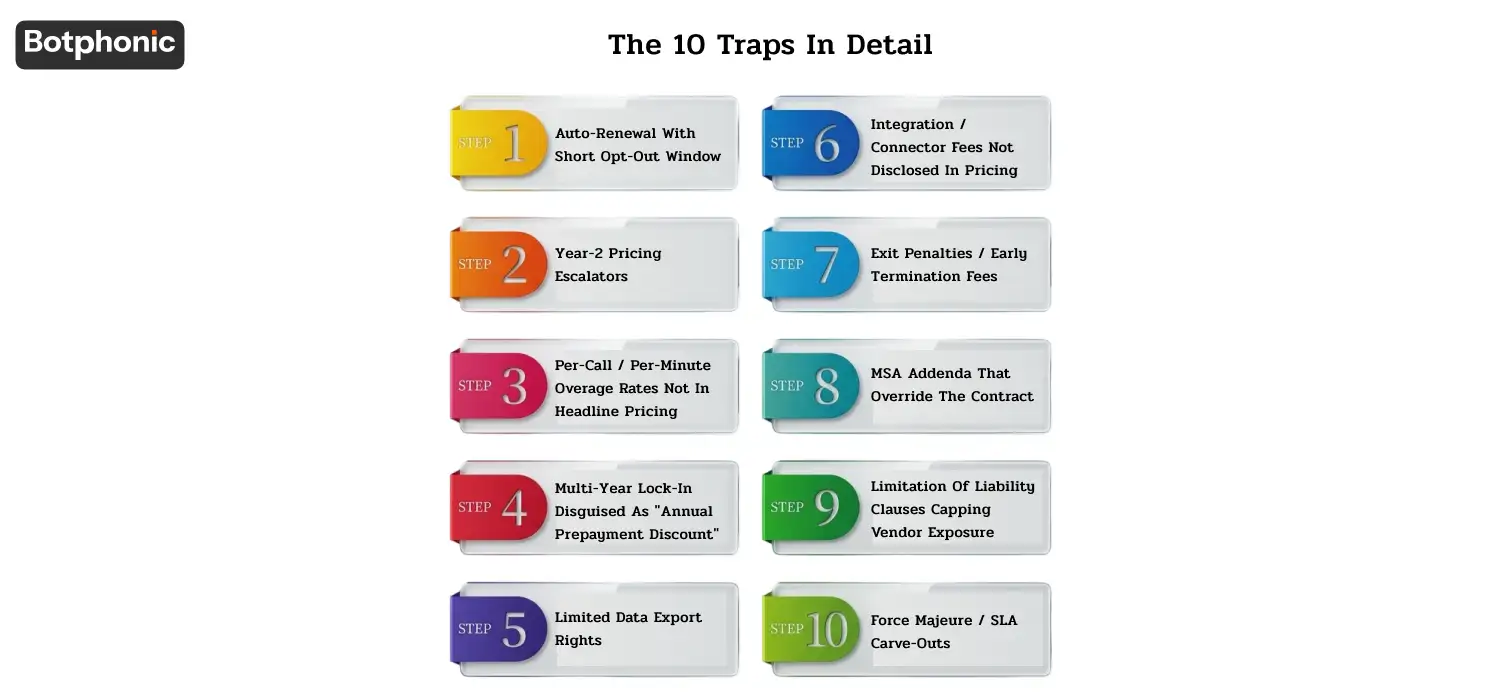
Trap #1: Auto-renewal with short opt-out window
What the bad clause looks like:
“This Agreement shall automatically renew for the succeeding twelve (12) month term(s) until this Agreement is terminated as a result of the delivery of a written notice of non-renewal by either party at least sixty (60) days before the expiration of the term(s) of the Agreement.”
Why vendors add it: Auto-renewal ensures a recurring revenue without the need to re-sell. The 60-day period is not long enough for prospective buyers to make the most of.
What it costs you: If you don’t choose to opt out by Day – 60 you pay another full year of subscription. That unwanted service comes with a $24K/year contract.
Here are a few tips on how to avoid it:
“This Agreement shall be renewed month to month at the end of the initial term unless mutually renewed by the parties in accordance with the provisions of such addendum to the Agreement. Either party may cancel the month to month renewal upon thirty (30) days notice in writing.”
OR, in case vendor does not agree to month to month renewal:
“This Agreement automatically renews for another twelve (12) months term(s) without any penalty upon the occurrence of a renewal date, unless Customer gives prior written notice to otherwise terminate the Agreement.”
Red-flag indicator in vendor demos: When asking about the opt-out window in the sales call, the rep changes the subject, this is a red-flag. Go through it on the call prior to signing.
Trap #2: Year-2 pricing escalators
What the bad clause looks like:
“Annual subscription fee may be adjusted by up to fifteen percent (15%) per subscription term at Vendor’s discretion.”
Why vendors put it in: Year-2 escalators are all about margin expansion. The “up to 15%” estimate seems reasonable, but vendors tend to go for the top number.
What it costs you: A $24K/year contract becomes $27.6K → $31.7K → $36.5K → $42K over 4 years — 75% increase without a single new feature. This is the biggest hidden expense most SaaS contracts have over their entire customer life.
How to deal with it:
“Subscription fees will be set for the initial subscription term as well as any renewal term unless otherwise mutually agreed to in writing by both parties. Any fee change by the vendor shall be made ninety (90) days in advance in writing and shall be subject to Customer’s right of termination without penalty.”
Red-flag indicator in vendor demos: “Typically, we don’t raise prices” but salesperson cannot put it in writing. The contract is what counts.
 PRO TIP
Trap #3: Per-call / per-minute overage rates not in headline pricing
The third trap is overage rates for per call / per minute services that are not identified as “headline” pricing.The third trap is overage rates, not headlined, for per call / per minute services.
What the bad clause looks like:
“Customer’s monthly subscription will allow up to 5,000 calls, with calls over and above the specified amount to be charged at $1.20 per call, billed monthly in arrears.”
Why vendors include it: It is a variable usage so means variable revenue. The overage rate is typically 3x – 10x the per call rate advertised in the headline rate.
What it costs you: A “$249/month for 5,000 calls” plan ($0.05/call) charging $1.20 per overage call means a busy month with 6,000 calls costs $249 + $1,200 = $1,449. Or, in a campaign month, 10,000 calls = $249 + $6,000 = $6,249.
How to negotiate it out:
“Up to twenty percent (20%) of the customer’s monthly call quota will be allowed with no overage charges; the vendor will alert the customer at seventy-five percent (75%), ninety percent (90%), and one hundred percent (100%) of the monthly call quota.”
OR negotiate with flat per call pricing, equal to the tier:
“Customer pays a per-call fee of $X per call, independent of call volume, and no premium for overage calls.”
Red-flag indicator in vendor demos: Vendor pricing pages that don’t show overage rates. Ask the salesperson during the sales call.
Trap #4: Multi-year lock-in disguised as “annual prepayment discount”
What the bad clause looks like:
“Customer agrees to a subscription term of thirty-six (36) months for a fifteen per cent (15%) discount on the prepayment, in annual payments at the beginning of each year.”
Why vendors include it: Churn risk is very low for the vendor for 36 months. This discount almost never pays off the lock-in.
What you lose: In case of poor performance by the vendor or if your business changes, you’re locked in for 36 months of payments. The savings of “15% discount” is about $0.04/call, which isn’t enough to warrant the inflexibility. There will be no refunds of unused term when you cancel.
How to negotiate it out:
“Customer shall pay for the initial term of twelve (12) months at the discounted rate in advance, and subsequent terms shall be twelve months each, at the initial rate.
OR, if you will like the discount for longer period of time:
Customer agrees to thirty-six (36) month term at the discounted rate, and agrees that Customer can terminate the Agreement at any time, without penalty for early termination, at the end of the preceding twelve (12) month anniversary of the date of the Agreement if Vendor fails to maintain at least 99.5% uptime for its Service Level in the last twelve (12) months leading up to such anniversary.
Red-flag indicator in vendor demos: “Sign for 3 years and we’ll knock 30% off. The 30% sounds awesome till the second year when you miss out on the lock-in. Perform the math around the marginal value of the discount, versus the cost of inflexibility.
PRO TIP
Trap #5: Limited data export rights
What the bad clause looks like:
“Upon termination, Vendor shall provide Customer with the ability to export Customer’s data in CSV format for a period of thirty (30) days after which Vendor reserves the right to deny any data extraction request to Customer for a fee of $500 per request.”
Why vendors include it: Data export friction is a switching-cost lever. There are those vendors who actively leverage the data export inconvenience to keep customers.
What it costs you: If the contract is terminated without data retrieval within 30 days, you lose all of your call-history archive. In regulated industries (healthcare HIPAA, finance FINRA Rule 4512), this is also a compliance issue as records must be kept.
How to negotiate it out:
“Customer shall own all Customer Data and Vendor shall make Customer Data available for Customer’s export in standard formats (CSV, JSON, or SQL dump as Customer specifies) anytime during the term and for a period of one hundred and eighty (180) days following the termination of the term, free of charge, which exports shall be confirmed by written notice.”
If the industry is regulated, include:
“Customer Data that falls within the scope of [HIPAA / FINRA / SEC / GDPR / etc.] retention requirements shall be provided with Data Export and Data Deletion Certifications as required by such retention periods.
Red-flag indicator in vendor demo: Ask, “show me how to export all of our call data now. If the solution is a support ticket or a paid request, then you have a problem.
Trap #6: Integration / connector fees not disclosed in pricing
What the bad clause looks like:
Subscription fees cover the standard platform functionality, custom integrations and API access will be charged on a separate basis at the Vendor’s then current professional services rates.
Why vendors include it: If integration fees are stripped out of the headline rate, the pricing pages can reflect low pricing. The buyer will not see until it is put into place.
What it costs you: If the Salesforce integration was something they advertised on the marketing page and they are asking for $5K-$25K for it then you have already spent enough time evaluating and it either costs you or you have to start over. Vendors know this.
How to negotiate it out:
Vendors published integrations page (current as of execution) includes ‘all’ integrations with no “extra charge for setup, configuration or ongoing maintenance, unless otherwise noted by Vendor as ‘premium’ integrations with advance written notification.”
If you have specific integrations that you rely on:
“For the duration of the agreement, the integration with Customer’s [Salesforce / HubSpot / Zoho / Athenahealth / etc.] is fully included without a professional services charge, setup fees or fees based on the number of records synced.”
Red-flag indicator: Vendor claims they have 200+ integrations available in vendor demo but the contract states “standard integrations included. Obtain the exact list of integrations on the contract or order form.
 NOTE
NOTE
Trap #7: Exit penalties / early termination fees
What the bad clause looks like:
“If customer terminates this Agreement prematurely, Customer shall pay Vendor an early termination fee of fifty percent (50%) of the subscription fees to be paid by Customer to Vendor through the end of the current term of subscription.”
Why vendors include it: Discourages customers from changing vendors during the term; serves to recover some revenue when customers do change.
What it costs you: If you sign an annual contract for $48,000, then it gets terminated at the end of month 3, the exit penalty will be $48,000 x 0.75 (9 months remaining) x 0.5 = $18,000. There are contracts with 100% remaining-term penalty.
How to negotiate it out:
“Customer may cancel this Agreement at any time by written notice to the Customer. Upon the date of such cancellation, Customer shall only be required to pay for services actually used up to the date of cancellation and there shall be no early termination fee, prepayment forfeiture, or any other charge for terminating this Agreement.”
OR, if the vendor requires some early termination fee:
“Early termination fee shall not exceed three (3) months of the then-current monthly subscription fees, irrespective of the remaining contract term, while termination for cause (including in the event of a breach of the services’ SLA, a security incident, or material change in services) shall incur no early termination fee, and Customer shall be entitled to a refund of all unused prepaid fees.”
Red-flag indicator in vendor demos: In vendor demos: ask, “What are the consequences if it’s not a good fit? If we aren’t content in month 4, can we terminate? Penalties or pay out full contract – vendor not confident in their own product.
Trap #8: MSA addenda that override the contract
What the bad clause looks like:
The MSA cites “the Order Form, Service-Specific Terms, Statements of Work, Data Processing Addenda and the Vendor’s then-current Acceptable Use Policy” as “incorporated by reference into this Agreement”.
Why vendors include it: It enables vendors to unilaterally modify the terms by updating the policy that is published on the website. Customer shall be subject to whatever is listed at vendor.com/policies on a particular day.
What it costs you: Any terms you negotiated with the site may be rewritten at any time by the website’s policy. This is usually used by vendors for AUP changes, pricing changes, data-handling changes, and SLA carve-outs.
How to negotiate it out:
“The reference to any policies or terms by URL is not intended to modify this Agreement and neither policy nor term is incorporated by reference.”
OR, negotiable:
“Material changes are incorporated by reference from the Vendor’s Acceptable Use Policy and other Vendor published policies, but Customer will be given advance written notice of material changes of such policies that adversely impact Customer’s use of Vendor’s Services, if any, and may terminate this Agreement without penalty upon receiving such notice.”
Red-flag indicator in vendor demos: Vendor’s MSA includes “policies” or “Acceptable Use” posted on their website. Always read those policies BEFORE signing, they are part of the contract!
Trap #9: Limitation of liability clauses capping vendor exposure
What the bad clause looks like:
“Vendor shall have no liability for any indirect, incidental, consequential, or special damages in any amount whatsoever in any circumstances arising out of Customer’s payment of any fees to Vendor in the three (3) preceding months for the event giving rise to the claim.”
Why vendors include it: Caps vendor exposure to a fraction of customer borne risk. Standard SaaS practice.
What it costs you: If the vendor triggers a security incident that exposes your customer data (e.g., a data breach involving 50,000 customer records), your exposure is also regulatory fines, notification costs, lawsuit settlements, reputational damage, etc. The vendor has a limit of liability of 3 months of fees ($6K on a $24K/year contract). The asymmetry is quite pronounced.
How to negotiate it out:
“The liability cap does not apply to: a) Vendor’s obligations to maintain confidentiality; b) Vendor’s gross negligence or willful misconduct; c) Vendor’s indemnification obligations; d) Vendor’s obligations to protect customer data; e) Customer’s payment obligations.”
In regulated industries that have greater potential for harm:
“For breaches of HIPAA / SOX / PCI obligations, Vendor’s liability shall be capped at none.For HIPAA / SOX / PCI obligation breaches, Vendor shall be liable with no limits and Vendor shall be insured with cyber insurance of at least $5,000,000.”
Red-flag indicator in vendor demos: Vendor’s standard MSA places liability limit on “fees paid in last 3 months”. This is the bottom line of acceptable cap. Apply for 12 months, for exceptions security/confidentiality breach.
Trap #10: Force majeure / SLA carve-outs
What the bad clause looks like:
“The Vendor’s Service Level commitment of 99.9% uptime is not applicable in the following situations: (a) scheduled maintenance; (b) third-party infrastructure failure (including outages by AWS, Azure, GCP); (c) failure due to Customer actions; (d) failure due to a force majeure event; (e) emergency security patching; (f) any failure that is not in the sole control of the Vendor.”
Why vendors include it: The carve-outs remove most real-world reasons for downtime. Given these exclusions, 99.9% uptime can actually be defined as 95%-97% true up time.
What it costs you: SLA credits are never retrievable. Even if your business relies heavily on the AI booking and the vendor states that it has 4 hours of downtime from “scheduled maintenance” or “third-party infrastructure issue” during “peak booking hours”, it will still be unable to do anything about them despite the guaranteed SLA.
How to negotiate it out:
“Any downtime, for any reason, will be covered by the Vendor’s 99.9% uptime SLA with the following exceptions: (a) scheduled maintenance, announced at least seventy-two (72) hours in advance, which occurs during agreed maintenance periods (typically 02:00-04:00 Customer’s local time on weekends); (b) downtime as a direct result of a Customer’s documented misuse, not the fault of the Vendor. Any failure to comply will result in the automatic service credit, without requiring a request from the Customer, of [X]% of the monthly charge per [Y] hours of downtime.”
When it comes to mission critical applications:
“Vendor agrees to meet an SLA of 99.95% uptime; material breach of this SLA will allow Customer to terminate this Agreement without any liability or penalty and request a refund of prepaid fees that have not been used in any thirty day (30) period of sustained failure.”
Red-flag indicator in vendor demos: Vendor promises “99.9% uptime” in its demos, with the SLA section omitting infrastructure failures, scheduled maintenance, and force majeure. Ask: “What would your actual uptime have been during the past 12 months, if you counted everything? If the vendor does not have the data, he/she will not measure their own service.
For risk-side complement to this guide, see Botphonic security and compliance documentation for our published policies on data handling, retention, and certification scope.
The 5-question pre-sign audit
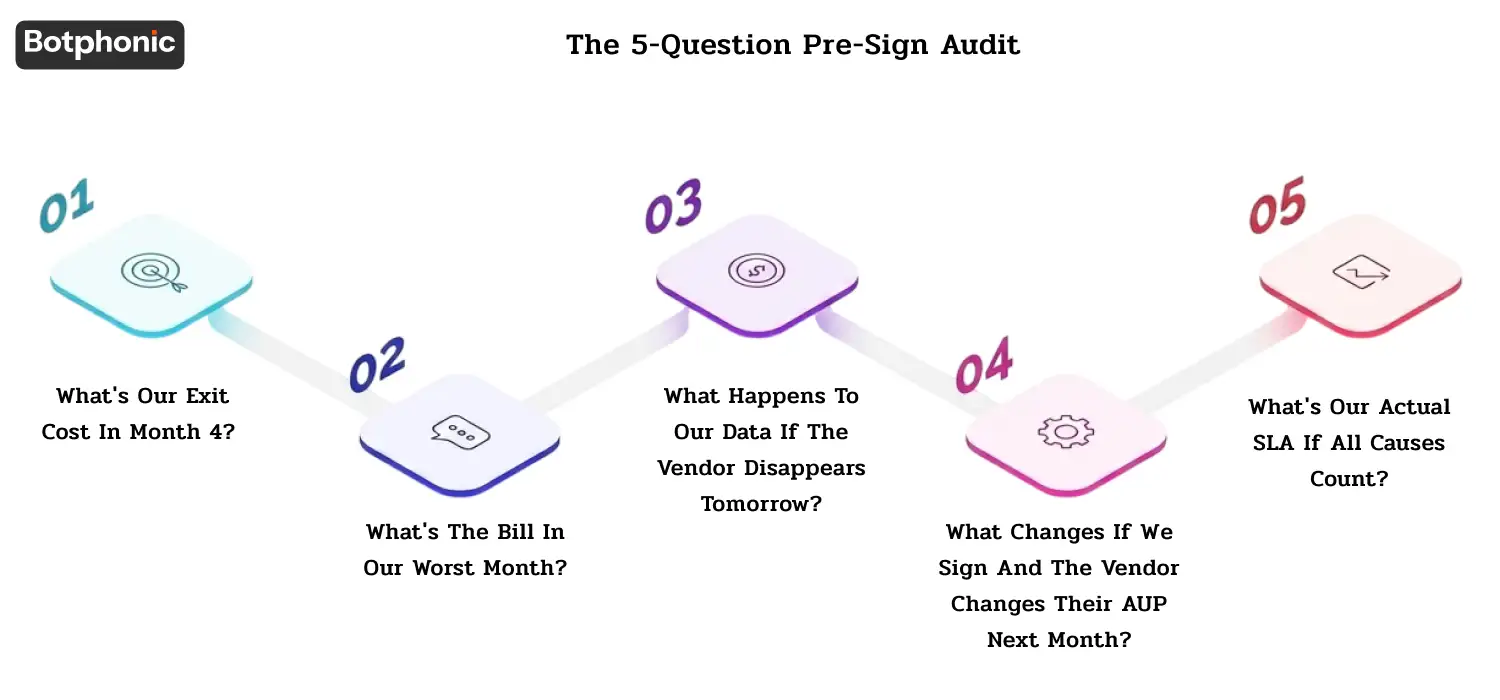
If you are about to sign an AI appointment booking contract, ask yourself the following five questions:
1. What’s our exit cost in month 4?
First read the termination section. If the answer is “remaining contract term in penalties,” try to negotiate that down (Trap 7) prior to signing.
2. What’s the bill in our worst month?
Headline price is based on minimum volume. Using the overage rates (Trap 3), determine the cost of a 2× volume spike. If the number exceeds 1.5 x baseline, advocate for improved terms for overages.
3. What happens to our data if the vendor disappears tomorrow?
Check the export format, time window and fees (Trap 5). If they fall under regulated industries, check that they match the scope of the retention.
4. What changes if we sign and the vendor changes their AUP next month?
Read all of the URLs mentioned in the MSA (Trap 8). Those are what you agreed to in your contract. If the vendor has the option to change them at their discretion, negotiate change-notice + termination.
5. What’s our actual SLA if all causes count?
Read SLA carve-outs (Trap 10). Re-calculate the effective guarantee of uptime. Escalate if less than 99.5% RWE.
If any of these five questions has an unacceptable answer, don’t sign. Do try to negotiate or else, walk away.
When to Walk Away
Other contracts are non-negotiable. If the vendor:
- Does not offer compromise on the contract (our terms are non-negotiable)
- The teacher will not provide evidence of SLA performance from the previous 12 months
- Not willing to compromise on any of the 10 traps above and has more than 3.
- Applies the term “industry standard” to their liability (this is an approach, not a requirement)
- There are asymmetric remedies for vendor breach (has aggressive collections language for late payment)
- If the MSA addenda change the contract materially: Has carve-outs in the MSA addenda that materially change the contract
- Will not allow multi-year prepayment unless vendor breaches; breaches include no early termination rights.
- Has experience with customer complaints found on G2 or Capterra or the Better Business Bureau
When more than one red flag activates, it indicates that the vendor’s contract policies give you some insight into how year 2 will play out, so pay attention to that red flag! For vendor evaluation see the comparison guide.
Red-Line Template, What To Ask For
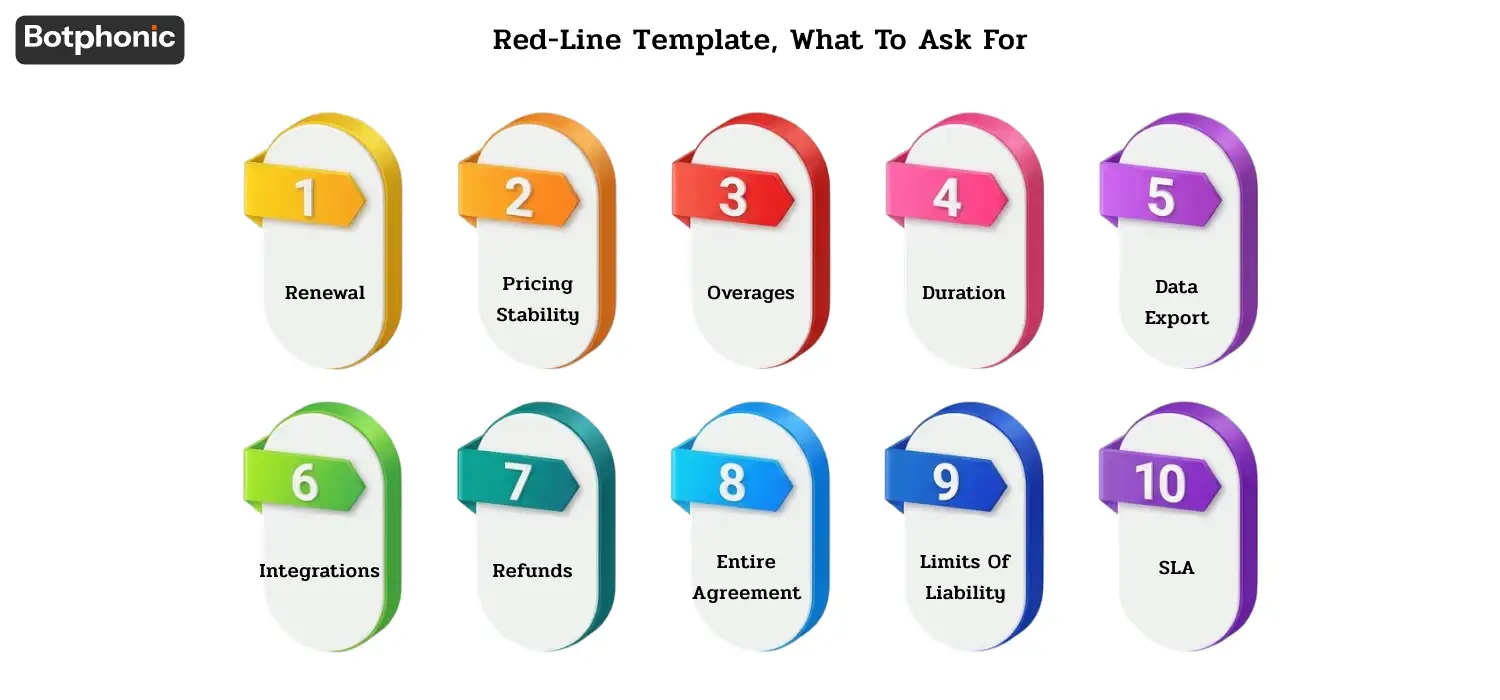
If you’re looking for a vendor negotiation red-line template that you can copy and paste, here’s one that has all of the vendor negotiation language from the 10 traps. Use as a starting point; tune to your specific contract.
The 10-clause red-line template
- Renewal: Renewal at end of initial term, month to month, with a 30 day prior notice to terminate. (Trap 1)
- Pricing stability: fixed initial and renewal term fees, price changes by the vendor must be notifed 90 days in advance with termination rights. (Trap 2)
- Overages: 20% buffer above quota with no overage premium; alerts at 75/90/100%. (Trap 3)
- Duration: 12 month initial; Early termination due to vendor cause allowed without penalty. (Trap 4)
- Data export: Customer-owned data; Export window 180 days for the data (no fees), deletion confirmed in writing in CSV/JSON. (Trap 5)
- Integrations: All published native integrations included, future integrations included unless specified “premium”.
- Refunds: Prepaid fees refunded if early terminated on vendor cause, no early termination fees. (Trap 7)
- Entire agreement: Policies referred to by URL not incorporated by reference; material changes must be in writing. (Trap 8)
- Limits of liability: 12 months’ coverage (with certain “carve-outs”) and indemnification and gross negligence coverage. (Trap 9)
- SLA: 99.9% uptime, with limited carve-outs (only 72 hours of pre-announced maintenance), and automatic credits (no claim requirement). (Trap 10)
Where Botphonic Fits
This guide has been published as a resource for buyer advocates to help them review the contract of any AI appointment booking vendor, not just ours.
Botphonic AI appointment booking is built for SMB-to-mid-market businesses with transparent contract policies. For our published terms, see pricing plans and security/compliance. For your specific contract questions, contact our team.
Consider vendors’ contracts and renewal policies alongside their monthly fees.
Request a Free Demo