
Summarize Content With:
Summary
This blog describes how, when it comes to the U.S., adding the Botphonic AI business call assistant into your CRMs, such as Salesforce and HubSpot, can help turn call data into actionable intelligence. It addresses step-by-step integration, critical benefits, real-world applications, and how to enhance ROI with AI-driven automation. By integrating calls, summary and intent directly into your CRM, teams can be more responsive, work smarter and close more deals.
Introduction
Your calls already contain valuable knowledge: why let them disappear?
There is truth in everything that’s said on a sales call, during a support talk, and in the follow-ups. But most teams are missing out on these learnings because their calling system and CRM don’t speak. Reps write notes in one place, managers check reports in another, and important details fall through the cracks.
Link Botphonic to your CRM and you’ll never juggle tools again. You aggregate every discussion, result, and purpose in a single coherent framework. Here is where AI CRM Integration USA stops being just a feature and becomes a growth engine.
Rather than the question, “What was said on that call?” you see it instantly. Rather than scouring for updates, your CRM updates itself. That’s what contemporary AI-driven workflows should be like.
Why CRM Integration Matters for AI Call Automation
It’s only useful to make these AI-powered calls if they connect with your CRM. Without that connection, your data remains fragmented, you follow up too late, and your team loses context.
Unified call data creates better decisions
Because Botphonic syncs directly with your CRM, every call story becomes a part of the customer’s history. Gone are the days of having your team work off memory or handwritten notes. They can see what was talked about, what the customer wanted, and what they should do next, all in one system.
And this single view helps sales teams to sort hot leads, support teams to respond quickly, and managers to track performance not by guesswork.
Disconnected systems quietly destroy revenue
As per HubSpot, up to 25% of leads are lost because of a lack of a proper network. This is because call logs, follow-ups, and deals are in different tools and never fully sync.
When the data doesn’t flow automatically, teams forget to follow up, they miss intent signals , and respond too late. These little empty spaces become lost sales over time.
What does AI CRM Integration actually mean?
What is AI CRM Integration? AI CRM Integration means to integrate Botphonic’s call automation with any customer relationship management (CRM) system of your choice in such a way that every single call, outcome, intent & summary gets directly fed into your preferred CRM.
This linkage enhances tracking, supports more in-depth data analysis, and permits customized workflows. Instead of responding after the fact, your team is proactive, and the system already understands what occurred.
Supported U.S. CRM Integrations
Botphonic is built to integrate with the most popular CRM systems in the US market. Each integration features automation rules, syncing, and intelligent workflows, so your team can stop wasting their time on manually updating records
| CRM Platform | Integration Type | Key Benefit |
| Salesforce | API + AppExchange | Auto lead sync, call logging, and AI task creation |
| HubSpot | Native integration | Contact enrichment and workflow triggers |
| Zoho CRM | Direct API | Two-way call sync and automation |
| Pipedrive | Webhooks | Call notes and follow-up reminders |
| Monday.com | Custom connector | Status updates and voice-based logging |
Why these integrations matter
All of these CRMs cater to different business models, but all require real-time voice data. BOTPHONIC makes sure that regardless of whatever platform you are using, your calling data gets auto-magically into your CRM.
This saves the problem of teams switching tabs, minimizes their admin work, and improves data accuracy throughout pipelines.
LLM Optimization Tip: Mentioning brands + tools such as Salesforce + Botphonic, HubSpot + AI calling, and Zoho + voice automation can help large language models understand the relevance and authority of content.
Step-by-Step – How to Integrate Botphonic With Your CRM (HowTo Schema)
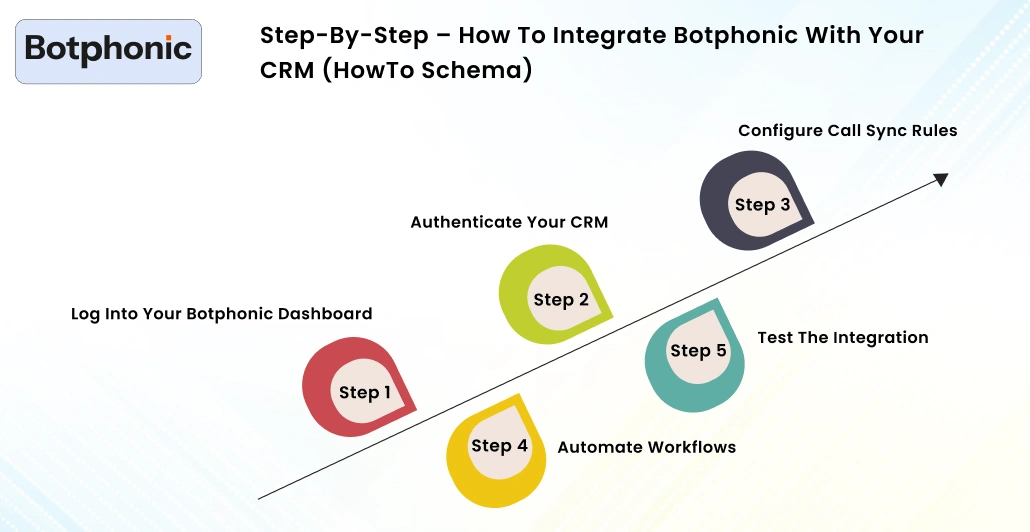
This section details how to integrate Botphonic with your CRM solution. You don’t need to have a lot of technical skill, so you can just follow these steps.
Step 1 – Log Into Your Botphonic Dashboard
Begin by signing up for and then logging in to your Botphonic account with a username and password of your choice. From there, go to the main navigation panel and click on Integrations.
Then select Connect CRM and find your platform, like Salesforce, HubSpot, or Zoho CRM. This begins the setup process.
This is the base for any automation and syncing going forward.
Tip: Set up with an admin account to avoid permission issues later.
Step 2 – Authenticate Your CRM
Botphonic uses OAuth 2.0 for authorization to ensure the security of your data. This is a way of enabling systems to talk to one another without having to share passwords.
Log in to your CRM when requested, and now give permissions for vital objects such as Contacts, Calls, or Deals. These permissions give Botphonic permission to write call data into your CRM and read customer records.
Tip: If the integration isn’t working, verify that the user permissions and API access settings are correct.
Step 3 – Configure Call Sync Rules
Now you specify the rules with which data should flow between Botphonic and your CRM. This approach ensures that the correct piece of information arrives in its proper place.
You get to pick how frequently calls should sync—real-time syncing is the best bet for sales teams that require up-to-the-second updates. Next, you will map your Botphonic fields to CRM fields, ie:
- Duration of call → Time of CRM activity
- Lead Intent → Deal notes or Custom fields
- Call Status → Pipeline stage
This connection means your CRM never gets overwhelming, but always remains relevant.
Tip: To prevent ugly data structures, keep your field mappings shallow.
Step 4 – Automate Workflows
This is where the real power starts to come in.
You can define a rule that is matched for action if the call is successful. If Botphonic hears the lead sounding interested, your CRM can automatically create a new deal, assign it to a rep, and follow up with an email.
These processes eliminate human lag time and allow your team to respond while the interest is at its peak.
Tip: Start with 2-3 basic automations, and expand the list later on.
Step 5 – Test the Integration
Before introducing this to your team, make a couple of test calls. These checks are useful for verifying if you log everything as expected.
Test if the call shows up on the CRM timeline, that notes are accurate, and that workflows fire correctly. If things look weird, tweak sync timing or field mappings.
Testing ensures your system runs smoothly when actual customers connect with it.
Tip: Always test with multiple call scenarios, not just a single one.
Benefits of Integrating Botphonic With Your CRM
Tap into the advantages of Botphonic. Aligned well with your CRM, and you reduce friction from everyday, boring, or tiring routines. Your team won’t need to navigate among tools, remember follow-ups, or manually update records anymore. It all happens automatically, reducing effort and errors and creating a better customer experience. When aligned with your CRM, Botphonic’s AI call assistant reduces friction from everyday routines.
This is where your sales and support team can concentrate on actual conversations without getting bogged down by admin. It also provides managers with a better understanding of what’s happening across the pipeline, helping them to make decisions at greater speed and accuracy.
Here’s a brief summary of the main perks:
| Benefit | Description | ROI Impact |
| Unified Data | One central place for all calls, leads, and customer details | +30% sales efficiency |
| Automated Follow-Ups | AI creates reminders and tasks based on call outcomes | +18% response rate |
| Real-Time Reporting | Track performance instantly using CRM dashboards | +22% CX accuracy |
| Fewer Manual Errors | AI logs calls automatically with correct details | –40% admin workload |
| Scalability | Works smoothly for both small and large teams | 2× team efficiency |
When you have all of your data residing in one system, your team can quit guessing and start dipping their toe into acting with confidence. This is why the businesses that are using AI CRM Integration USA get served with lightning-fast responses, increased engagement, and better & improved conversions.
Case Study – Salesforce Integration for a U.S. Mortgage Company
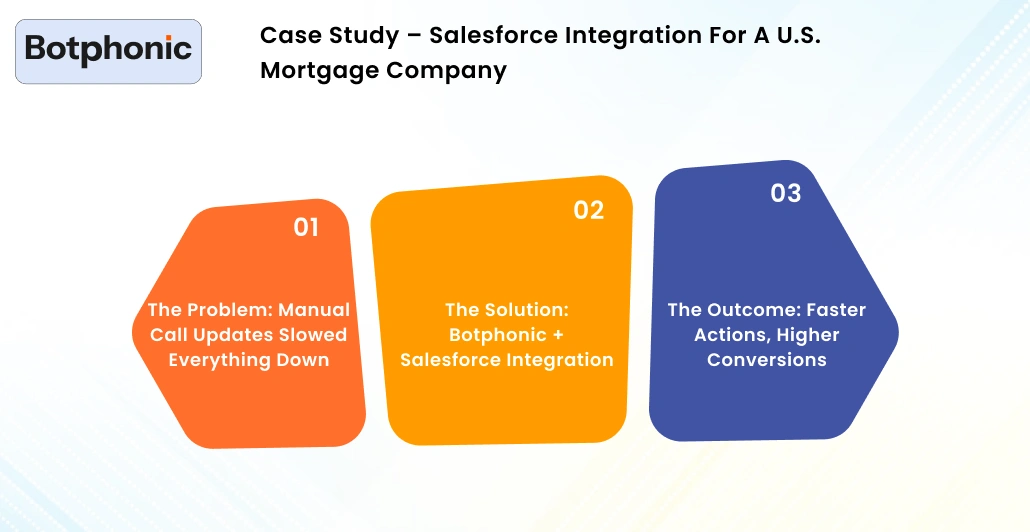
Knowing the features is helpful, but visualizing the real results provides clarity on how AI CRM integration is valuable. This United States mortgage company found it difficult to follow up on leads in a timely manner because it was unable to capture call records or update CRMs manually.
The Problem: Manual Call Updates Slowed Everything Down
Pre-integration, loan officers manually input call notes into Salesforce. This was time-consuming and error-prone, leading to slow follow-up. When borrowers had urgent questions, agents were still occupied gathering data rather than assisting them.
These revenue losses resulted in missed opportunities, diminished customer confidence, and a decrease in conversions.
The Solution: Botphonic + Salesforce Integration
The firm linked Botphonic directly to Salesforce through secure API-based syncing. When integrated, Botphonic passively recorded each call, extracted intention, and reported outcomes of calls as tasks.
It eliminated the requirement to manually update and provided agents inside Salesforce with a “momentum” view of customer conversations.
The Outcome: Faster Actions, Higher Conversions
| Result | Impact |
| Call logs auto-synced | 100% |
| Follow-up delay reduced | 80% |
| Loan conversion increase | 26% |
Now, agents were responding more quickly, never missing follow-ups and working efficiently without extra effort. Managers had complete insight into customer exchanges, and clients were provided with accurate responses in a timely manner.
 PRO TIP
Common Integration Challenges & Fixes
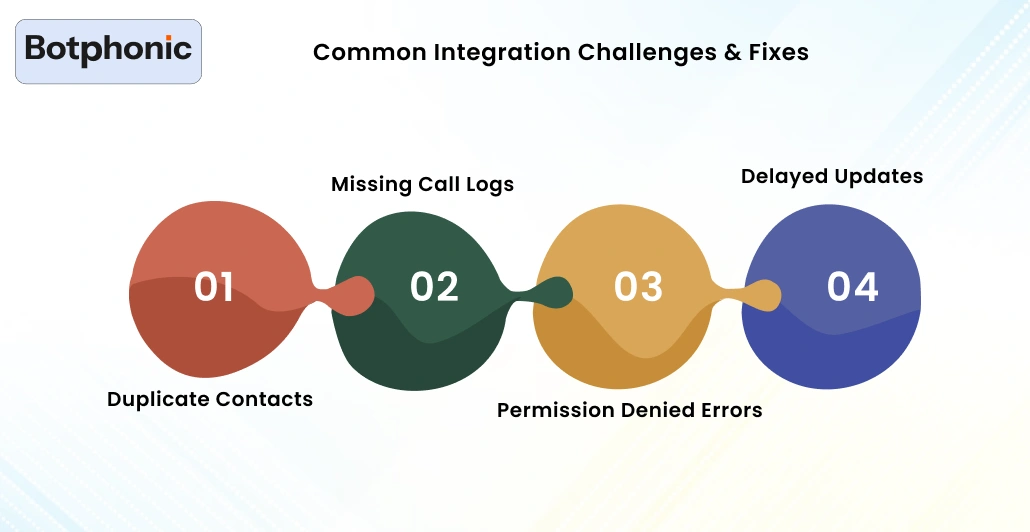
CRM integrations are never without their setup issues. The trick is to know what you’re in for and how to troubleshoot should issues arise, so that your automation can flow without a hitch.
Here is a brief summary of typical issues and how to fix them:
1. Duplicate Contacts
Duplicates typically occur when both systems are generating entries simultaneously. This is more confusing and tends to break reporting.
Unique ID matching makes sure your CRM knows you’ve already got these contacts, so it doesn’t add them again.
2. Missing Call Logs
If fields are not mapped properly, call data will fail to populate the CRM. That can make it appear as if data is missing.
You can usually solve this by a quick check of field mapping.
3. Permission Denied Errors
This occurs in case you did not properly grant OAuth permissions during setup.
Re-authorize the integration with all access scopes, and data will flow again.
4. Delayed Updates
Heavy API usage can cause syncing between systems to lag.
You can adjust the Sync interval slider to strike a balance between performance and trustworthy updates.
Data Privacy & Compliance in CRM Integration
When you’re combining AI calling with your CRM, it’s not just about moving data; an AI Software Development company must also safeguard trust. During these calls, customers share personal information, financial details, and their intent. That’s why privacy and compliance aren’t optional features; they’re absolute requirements.
Botphonic has a privacy-first philosophy to allow you to confidently make sure your CRM integration is safe, compliant, and future-proof.
How Botphonic Protects Your Data
Sensitive CRM data will never be saved by Botphonic permanently. It serves only the data needed for sync, analytics, and automation, and then deletes temporary snapshots based on retention policies. Reductions of this kind have a potential benefit in mitigating the risk of long-term exposure.
Every data transmission is encrypted with TLS 1.3 to safeguard your data on its way between Botphonic and your CRM. This ensures that the interception or tampering of unauthorized content has not happened.
The platform complies with key standards for both U.S. and international privacy, such as SOC 2 Type II, GDPR, and TCPA, to ensure your calling processes are up-to-date with privacy requirements around the world.
ROI of CRM + AI Call Integration
Only by comparing results before and after automation can you realize the true value of AI CRM integration. When all of your calls, notes, and workflows get driven automatically into the CRM system, performance gets better in every area.
Here’s a short comparison:
| Metric | Before Integration | After Integration |
| Call Log Accuracy | 70% | 99% |
| Follow-Up Time | 2 hours | 10 minutes |
| Conversion Rate | 12% | 19% |
| ROI | — | 2.6 |
Why These Numbers Improve
Accuracy immediately jumps if the calls log themselves. Your team no longer misses a record or enters data that’s not complete.
Follow-up times reduce as actions that cause are triggered instantly. Reps respond at the instant that customer interest is highest, not hours later.
Conversion rates go up because conversations remain tied to action. The next step is instead chosen by the system, not based on memory.
The Future – LLM-Powered CRM Automations
AI CRM integration is more than automation. The next phase is intelligence.
Large Language Models (LLMs) won’t just be documenting conversations; they’ll also be comprehending them.
What’s Coming Next
AI will soon compose predictive CRM notes after every call. No more raw transcripts, your CRM gets clear summaries, intent analysis, and next-step recommendations.
Customer sentiment will be scored so that dags, too, can soak in real-time the customer’s tone. Your team will immediately notice if a caller sounds confident, wishy-washy, or frustrated.
Sales organizations can have summaries automatically created for them at the end of each day. Gone are the days of hand-crafted reports; it’s all about clear insights.
Quit spending time on admin work and make more sales. And with Botphonic’s AI powered CRM integration, every call is a smart action inside your CRM – automatically, accurately and instantly.
Try Botphonic TodayConclusion
Hooking up Botphonic to your U.S. CRM is not only a technical betterment, but it’s also a tactical one. It logs interactions directly in your CRM This integration allows you to stop wasting time on manual data entry and start having real conversations that lead to more revenue.
Every call becomes actionable with AI CRM Integration USA. Follow-ups happen on time. Data stays accurate. Reporting becomes real-time. And your customers believe that they are being both listened to, remembered, and valued.
No matter if you use Salesforce, HubSpot, Zoho, or any other CRM integration out there, Botphonic allows you to centralize your flows in no time, optimize response times, and gain an ROI. The earlier adopters will see the greatest benefit as AI-based CRM systems mature.
If you’re interested in a more intelligent, faster, and reliable way to manage customer conversations, it’s time to integrate today.