
Summarize Content With:
Quick Summary
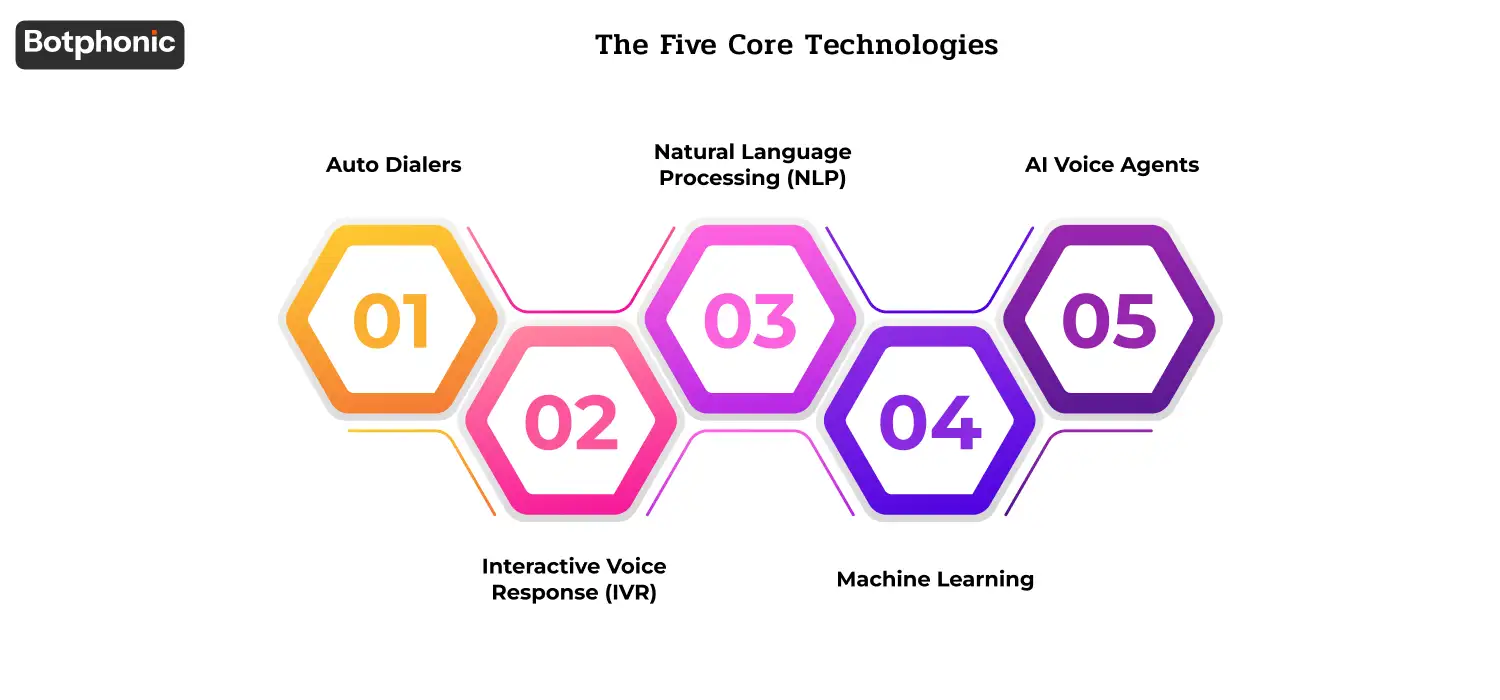
Phone call automation is not a single technology, but a combination of five technologies. Auto dialers process outbound volume, IVR processes inbound calls, NLP allows the system to comprehend natural speech, machine learning enhances performance over time, and AI voice agents process complex conversations end-to-end. What you need varies based on whether you are running outbound campaigns or supporting inbound customers or both.
This guide is a plain-language overview of the technology stack, a walkthrough of the inbound and outbound use cases, an explanation of how five different industries (e-commerce, healthcare, real estate, banking, education) currently use AI phone automation, and a 5-step guide to vendor evaluation. You will be able to ask the right questions during a demo and how to size up your first deployment.
Introduction: Why Phone Call Automation Matters Now
The repetitive aspects of a customer facing phone job answering the same five questions, making appointments, sending out reminders, qualifying inbound leads have always been the least leverageable work humans perform. They are also the work that occupies 60-80% of the day of an agent.
During the previous two decades, the two possible solutions have been: (1) throwing more humans at it (expensive, doesn’t scale); and (2) use IVR menus (cheap, doesn’t scale). Neither was good. The first option is both affordable and conversational, since customers no longer need to press 5 to be connected to billing, not to mention that you do not have to hire 50 people in a call center to accommodate the number of customers.
The change is important as the math can be used by a business of any size. An AI phone system can be implemented in a small clinic to book appointments 24/7 with less than 50/month. A national retailer can operate AI across hundreds of thousands of inbound calls, and outbound campaigns at less than 1 per call. The technology that was previously costly to enterprise budgets, now operates at SMB pricing.
This guide is the practical overview: what is the technology, where can it be applied, and how to select the appropriate tool.
What is Phone Call Automation?
Automation in phone calls is software that either makes or receives a phone call without the need of a human agent to be on the other end of the phone call. Modern systems handle the conversation end-to-end, i.e. dialing, menu navigation, inquiries, response capture, with the exception that only when appropriate is the conversation transferred to humans.
The technology is across a number of categories and is usually used together based on the application of the technology.
The Five Core Technologies
1. Auto Dialers
Auto dialers are a computerized outbound dialing of a list of phone numbers – this is helpful when you need to dial hundreds or thousands of outbound numbers without having a human dialing each outbound number. Usually in sales follow-up, appointment, and survey campaigns. Newer auto dialers have predictive logic (only make calls to live answers, ignoring busy signals and voicemails) and TCPA compliance options.
2. Interactive Voice Response (IVR)
IVR is the menu system that you have heard a million times: “To make a sale, press 1. To get support, press 2.” The traditional IVR is button-driven; the modern IVR is voice-driven and natural language understanding lets it skip the menu altogether. The customer tells what she needs, the AI directs her way. More on AI IVR systems see more ⊕.
3. Natural Language Processing (NLP)
NLP is the driver that transforms the verbal into the structured intent. In an example where a caller requests to know the balance in his account, NLP would extract the intent (balance inquiry) and any entities (account number, customer name) to allow the system to route or respond accordingly. It is NLP that makes AI phone systems seem like they are talking to you and not a robot.
4. Machine Learning
The layer that enhances performance in the long-term is machine learning. Each call produces data – what desires the AI satisfied, where it has gone into unnecessary overdrive, what prompts generated the highest containment rate. ML utilizes that information to further optimize routing, response content, and escalation logic on later calls. The longer you run the system, the better it becomes.
5. AI Voice Agents
The integrated stack – consisting of a combination of NLP, ML, voice synthesis, and live CRM context – is the AI voice agent, which is capable of end-to-end conversations. In contrast to traditional IVR which routes a call after a single menu selection, an AI voice agent can hold a conversation lasting five minutes, ask follow-up questions, look up details about an account and perform an action. It is this category that renders the rest of the technologies useful in production.
 PRO TIP
Botphonic’s AI voice agents ship with all five technologies integrated and configured for common business use cases out of the box.
Where Phone Call Automation Is Used
The two large groups: outbound (you are calling out) and inbound (customers are calling in). In the majority of businesses, the two are required.
Outbound Use Cases
- Automated dialing with predictive availability of agents only makes connections to live agents when the prospect actually answers.
- Message delivery that is pre-recorded – when appointments are confirmed, payment reminders, service alerts.
- IVR menus to allow customer selections when calling a list and providing options (“Press 1 to confirm, 2 to reschedule”)
- AI-based agents to handle complex conversations that would qualify as outbound sales leads, carrying out customer satisfaction surveys, running re-engagement campaigns.
Economic change is radical outbound. Outbound routes which are being operated by human hand cost between 4-7 dollars per dial; those that are operated by AI cost less than 1 dollar per dial. In the case of a 10,000 monthly dials campaign, the cost difference between a monthly 30,000 dials and a monthly 60,000 dials is 30,000-60,000.
Inbound Use Cases
- Automated routing of calls based on caller information (existing customer or new prospect, geographic region, account tier)
- Self-service functions of common requests (order status, account balance, appointment confirmation)
- Intelligent priority routing by urgency and customer value (VIP detection, escalation triggers)
The largest inbound win to most businesses: receiving the after-hours and overflow calls, which are now going to voicemail. They are charged by AI at the same rate as daytime calls and this implies that the lost revenue is recovered without the need to increase the size of the team.
How an AI Voice Agent Works in Practice
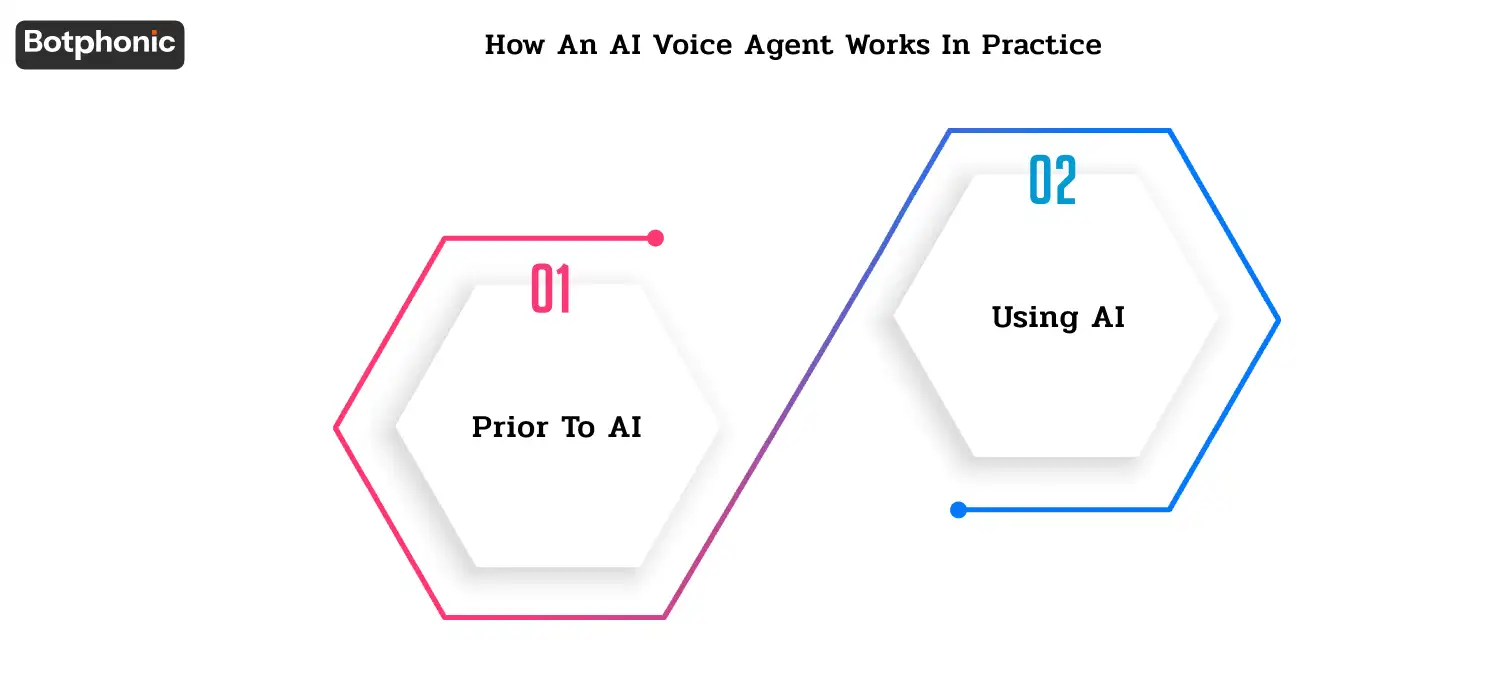
The following is a real-life situation. When a patient wants to make an appointment, he makes a call to a hospital and makes an appointment.
Prior to AI: The call goes through a phone tree. Press 1 to schedule, 2 to cancel, 3 to bill, 4 to… When the patient dial 1, he or she is put on hold. The receptionist finally picks the phone and asks the patient’s name, date of birth, insurance, reason of visit and manually enters all that into the scheduling process. Elapsed time: 6-8 minutes.
Using AI: The AI voice agent responds in less than a second. Hello there, this is the appointment line at the Westside Medical, I can assist you in making an appointment. What’s your name?” The patient is a natural responder. The AI confirms the identity, searches the insurance, inquires about the visit purpose, checks the availability of doctors, proposes two time options, books the appointment, sends a confirmation text – and logs everything into the EHR. Elapsed time: 90 seconds.
The patient experience is improved (no hold music, no menu maze), the quality of the data is improved (AI does not make typing errors), and the receptionist is released to work with the cases which do need a human.
What Makes This Work: Three Components
Three parts are required to construct an AI phone automation system:
- A phone number – usually a toll-free or local number, provided either through your AI platform or a Twilio-like provider.
- The automation software – the AI platform itself (Botphonic and the like) which implements the conversation logic.
- Data storage and integration – what call data goes (your CRM, EHR, scheduling system, Google Sheets to deploy simple solutions)
The majority of modern platforms bundle all three; you can connect once and run.
What is a Prompt? How Does It Work?
The prompt refers to the instruction set which instructs your AI voice agent on how to act. It stipulates the persona, the flow of conversation, the qualifying questions, the logic of escalation and the tone of voice. The difference between an AI that feels competent and an AI that feels like a broken robot is a well-written prompt.
An example of a healthcare scheduling AI prompt can look like:
You work in Westside Medical Group as an appointment scheduler. Your task is to assist patients to book, reschedule or cancel appointments. Be friendly, courteous and tolerant, since most callers are either old or sick. Never talk to the patient about any appointment details without first verifying the full name of the patient and his or her date of birth (HIPAA compliance). In booking, you can offer 2-3 time slots and ensure that the patient has his preferred doctor. Should the patient inquiring about clinical symptoms, do not give medical advice escalate to a nurse triage line. Close all calls by confirmation summary and text confirmation to the phone of the patient.
The prompt isn’t code. It’s plain English. The current AI systems allow business users to configure prompts directly without involving engineering, which is what makes them fast to deploy (takes days, not months).
Where Does Call Data Go After the Call?
An AI-phone system is not simply a system that completes the call: it captures and routes the data:
- Transcript of call: archived in CRM where the text can be searched.
- Sentiment scores: listed to be examined in the case of negative.
- Formatted information (appointment booked, lead qualified, intent identified) → written to the appropriate business system.
- Confirmation text/email: this is automatically sent to the customer.
- Calendar invites: included in the calendar of customer and agent.
- Follow-up activities: scheduled in the workflow (e.g., 24-hour follow-up, 7-day follow-up survey)
In the case of a small business with simple integrations, this could entail Google Sheets + Google Calendar + email. In the case of an enterprise, it will be Salesforce + ServiceNow + an EHR + an outbound SMS platform. Botphonic helps on either side of the spectrum through 50+ integrations.
Industry-Specific Applications: Where Phone Call Automation Pays Off
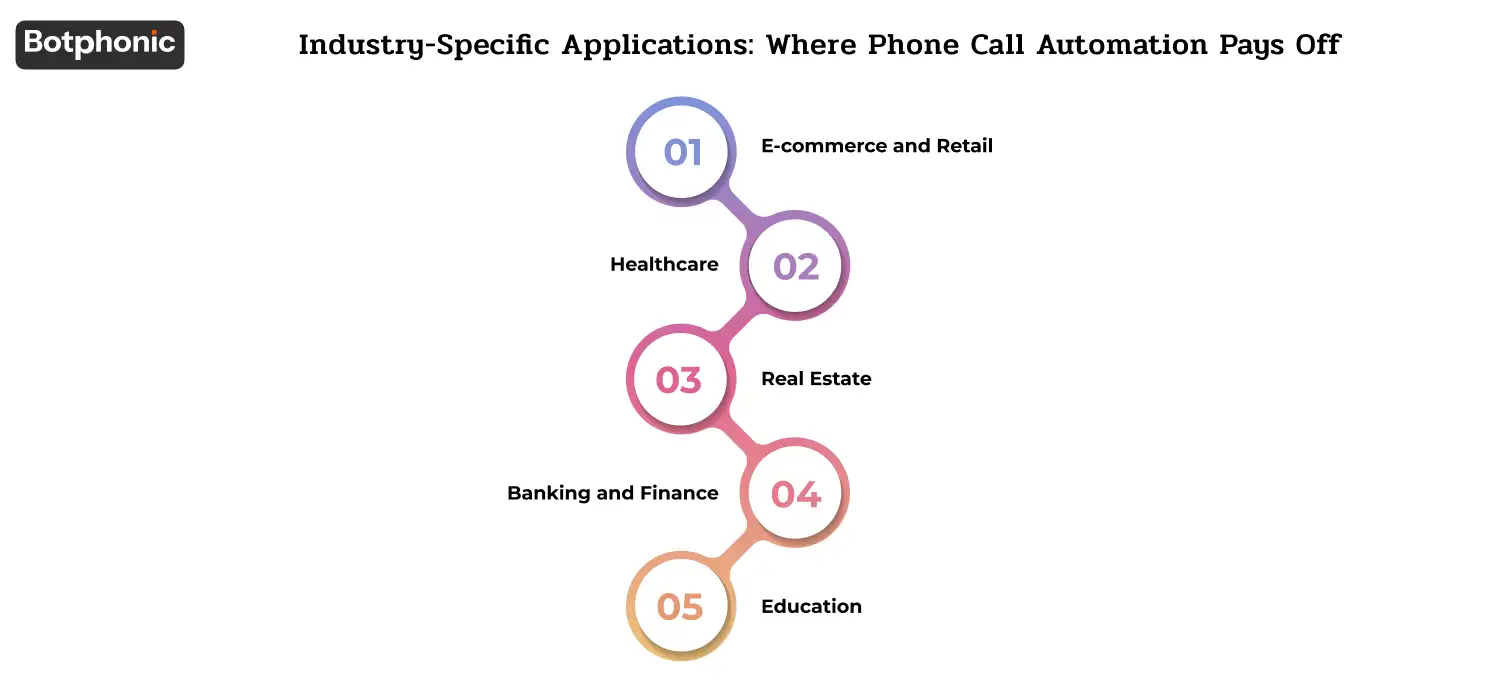
Automation of phone calls provides different leverage to different industries. Five groups in which deployments generate the greatest quantifiable gains:
1. E-commerce and Retail
- Increased lead follow-up on websites inquiries → 30-50% conversion rate lift.
- More outreach each day without manual work (re-engagement campaigns at scale)
- Reactivation is done to inactive customers.
- Status messages of order, delivery and return that relieve the email support.
In the case of outbound use cases (re-engagement, abandoned cart follow-up), the deployment cost is typically paid off within the first quarter in the case of high-volume retailers.
2. Healthcare
- Reminders of appointments that decreased no-shows by 25-40%.
- Notices of lab results (including secure messaging that is HIPAA-compliant)
- Collection of post-visit satisfaction feedback.
- Prescription refill reminders
- Patient intake calls patients prior to appointments to record the insurance and history.
Healthcare deployments must be out-of-the-box HIPAA-compliant, including encrypted call recording, controlled access, audit logs. See AI for healthcare.
3. Real Estate
- Open house alerts to interested buyers
- Real-time replies to lead requests on listing sites (Zillow, Realtor.com)
- Reminders to client on showing, contract date, closing date.
- Qualification of property qualifies serious buyers out of window-shoppers.
Use case in real estate that will pay back in the shortest time: capturing inbound after-hours leads. The majority of the agents miss 30-50% of evening leads that are going to the competitors answering first. See AI for real estate.
4. Banking and Finance
- Alerts on due-dates of loan and credit card payments.
- Live alerts on fraud that involves checking with the customers.
- Onboarding calls that are standardized to minimize human error in data collection.
- Branch operating hours and service announcements in disruptions.
- Checking the balance on the account and confirming the transactions with the help of voice biometrics.
Implementations of financial services usually require GLBA compliance, as well as state-specific consumer protection regulations. See AI for financial services.
5. Education
- Exam reminders and Class schedule.
- Reminders of paying tuition and fees.
- Parent-teacher meeting and holiday announcements.
- Big parent contact lists to receive weather and safety emergency notifications.
- Admissions Admission follow-up calls to potential students.
Education’s biggest win is the broadcast use case sending the same message to thousands of recipients in minutes instead of running a phone tree.
How to Choose the Right Phone Call Automation Tool: 5-Step Framework
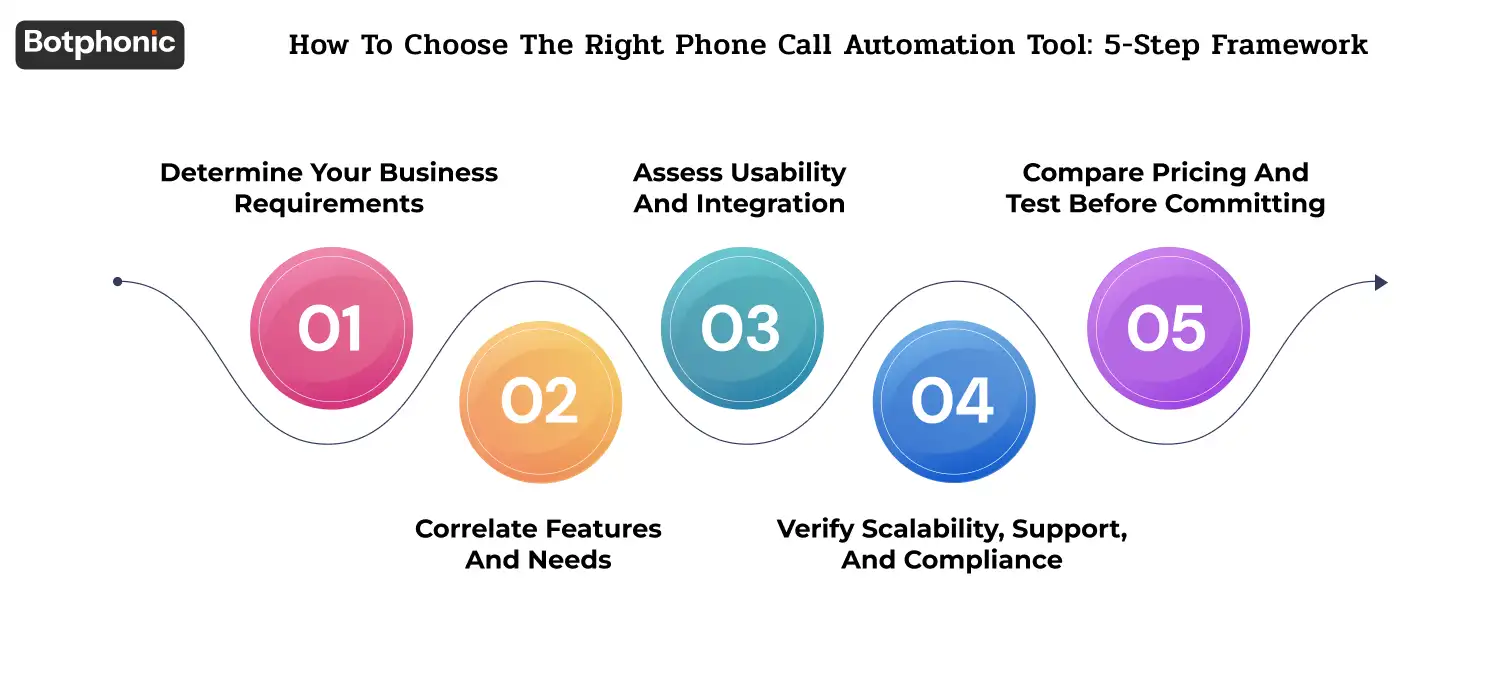
The majority of teams choose a tool according to a demo and a price quote. Those teams that perform well in the long term have a more organized structure. Five steps:
Step 1: Determine Your Business Requirements
Specifically tell what you are automating. There is no such need as AI phone calls. Needs are such as: “Reduce no-shows on appointment bookings by 25 percent” or “Capture all after-hours inbound leads” or “Run a 50,000-call outbound re-engagement campaign next quarter. The more evident the need, the less difficult is the assessment of the vendor.
Step 2: Correlate Features and Needs
Not all tools can do all. Trace your requirements to features:
- Outbound campaigns: auto-dialer with predictive logic + TCPA compliance + DNC list integration.
- Inbound 24/7 service: NLP and CRM integration and AI voice agent with multilingual support.
- Workflow: calendar integration and SMS confirmation and reminder automation.
- Sales qualification: configurable scripts + lead scoring + handoff-to-human triggers.
And just because a vendor cannot demonstrate the particular feature that you need, they are not the right vendor, no matter how impressive the rest of the demo was.
Step 3: Assess Usability and Integration
Two questions: How long does it take to get a basic deployment running? And can it be integrated with your existing systems?
In the present day, vendors ought to allow a non-technical user to set up a simple call flow within less than an hour. Support of your CRM ( Salesforce, HubSpot, Zoho ), your calendar ( Google, Outlook, Calendly ), and your knowledge base should be out of the box. In a case that integration entails a bespoke development project, the vendor is not prepared to deploy in SMB.
Step 4: Verify Scalability, Support, and Compliance
Three questions:
- Scalability – Does the platform support your peak call load? How long is the load-latency? Do they have per-call fees which peak during high traffic?
- Support – Does it have 24/7 support? What is the mean response time? Does it come with implementation assistance or is it additional?
- Compliance – Does the vendor meet the required certifications? Type II: SOC 2 Type II, GDPR, HIPAA (in the case of healthcare-related usage), PCI-DSS (in the event of a payment-related use case). Does it have TCPA-compliant outbound calling rules built-in?
 NOTE
NOTE
Step 5: Compare Pricing and Test Before Committing
Compare apples to apples on pricing – all the per call fees, all the per minute fees, all the per seat fees, and the platform fees all add differently depending on the use pattern. Calculate the figures on your realistic expected volume.
The majority of the legitimate vendors operate with a free trial (usually 14 days) or money-back guarantee during the first month. Use them. Deploy a small live deployment, not a sandbox demo. Your low-volume behavior is not behavior you will see at production volume.
How Botphonic Helps
The Botphonic uses all five core technologies (auto dialer, IVR, NLP, ML, AI voice agents) as one platform – no need to assemble separate tools. Certain abilities applicable to the above categories:
- The conversations AIs with less than 300ms latency and 50-plus natural-sounding voices in a variety of accents.
- Low-code call flow builder, enabling business users to build scripts and routing without engineering participation.
- Native Salesforce, HubSpot, Zoho, and 50+ more integrations with CRM.
- Outbound dialing, which is TCPA compliant, automatic DNC list honoring and per-state calling provisions.
- 24-7 monitoring and analytics, including weekly performance reports, out-of-the-box.
- Pricing – SMB – $22/month; enterprise – volume-based plans.
Real customer outcome – Botphonic deployment of Serenity:
- +25% conversion increase on inbound queries.
- −50% call handling time
- −20% Human error in scheduling and input of data.
- +15% agent satisfaction
- +150% ROI in the first year
Run your own ROI projection → · Compare to other AI phone tools →
Conclusion
Automation of phone calls is no longer a feature exclusive to enterprises. The technology has matured (sub-300ms latency, 90 percent+ intent accuracy, integrated stacks), the unit economics works with businesses of any size (sub-1 per AI-handled call), and the compliance frameworks (TCPA, HIPAA, GDPR, CCPA) are well-supported by leading vendors.
The teams that get the most value pick a clear use case first (one of the five industries above is a good starting point), pilot with a single workflow, measure rigorously for 30 days, then expand. Those companies that attempt to automate all processes simultaneously usually have a half-finished deployment that no one has ever trusted; companies that pick one workflow and push it well end up with momentum and a clear path to scaling.
In the 12-24 months, the AI phone call automation will stop being a differentiating feature and become a table stakes feature. Those companies that deploy in 2026 will be ahead of those companies that will wait until 2027 to deploy.
Are you interested in seeing what AI phone call automation would like your business?
Book a 20-minute demo