




6 Best Synthflow Alternatives, Tested on Real Calls (2026)

Synthflow Alternatives Botphonic

If you’re a small business or agency looking to sign up for Synthflow in 2026, the $30,000 annual starting contract can be a significant investment. I checked the pricing page in October 2026, and that’s still the only starting price listed.

So what do you use instead?

Here’s the short answer. A small business without a developer should look at Botphonic. If you have a developer, Botphonic, Retell, or Vapi give you more control. If most of your callers are repeat callers, Goodcall’s per-caller pricing or Botphonic’s pay-as-you-go plan might beat everyone. A large contact centre with its own engineers should look at an enterprise platform such as Bland Enterprise.

Below, you’ll find the same criteria and dated prices for every option, which one suits each one, what switching actually takes, and the questions people keep asking.

Quick start: Want to see what a small-business plan looks like right now? Keep Botphonic’s current plans open in another tab while you read.

How I Chose These (And What I Checked)

I judged each option on the questions a business owner really asks:

  • What will I pay at my call volume?
  • Can I set it up without a developer?
  • Can I build it myself if I want control?
  • Does the call end with a booked appointment and a confirmation?
  • When a caller needs a person, does the call reach one?
  • And if I run a practice, can I use it for patient calls?

I also read each tool’s pricing page, documentation, and public demos too. Every price in this article comes from the tool’s own pricing page, linked in its block. That makes this a read of the published material.

I haven't included PolyAI, Sierra, or HappyRobot because they’re enterprise-focused products, typically sold through sales teams with custom quotes and pricing that can put them beyond the budget of most small businesses and agencies.

Why people leave Synthflow

If you’ve been reading a Synthflow review before deciding, three patterns show up in what’s published:

  • The price floor: One Enterprise tier, and sales-led pricing for new customers.
  • The agency change: Synthflow removed in-product reselling through Stripe on 15 September 2026, while the agency white-label page is still live with no price.
  • No-code until you need something real: G2’s pros-and-cons summary points to integration issues in complex workflows, and Synthflow’s own docs say dynamic transfers need a custom action.

The platform also moved under customers’ feet. All workspaces shifted to app.synthflow.ai on 14 October 2026, and Salesforce users have until 30 November 2026 to reconnect.

Synthflow Alternatives Compared: Price, Setup And Booking

First the grid. Same questions, same order, every option.

Compare Botphonic with

3 of 6 selected

Feature Top pick Botphonic Goodcall Rosie Retell AI Vapi Bland AI Synthflow
At a glance
Setup without a developer Self-serve setup; suitable for teams wanting a managed, configurable voice agent No-code agent creation Guided, no-code setup for small businesses Templates and simulation tools simplify setup, but integrations may require technical work Platform handles voice-agent infrastructure, but configuration and integrations are developer-oriented Quick-start dashboard; advanced deployments may need technical setup Visual Flow Designer and templates reduce the need to code standard call flows
Build it yourself Custom workflows, REST API and integrations available Configure standard workflows without custom development Standard configuration without custom development Developer-oriented platform with APIs, webhooks, and custom functions High control over models, telephony, APIs, and custom workflows Build custom pathways, automations, and API integrations Build structured workflows with branches, API actions, and custom integrations
Booking and confirmation Real-time booking is advertised; verify calendar-specific confirmation methods for your plan Google Calendar booking and confirmation texts or links; callers cannot reply to texts Professional: sends appointment links by text. Scale and above: books directly on the calendar Can book, confirm, and reschedule through connected calendars or scheduling systems Calendar booking and confirmation require the appropriate tools or integrations; not a universal built-in booking guarantee Appointment-scheduling functionality is listed; availability may depend on the plan and configuration Real-Time Booking checks calendar availability and books appointments; confirmation and failure handling can be configured in the flow
Reaches a person Call transfers and escalation can be configured; confirm the exact workflow Call transfers are supported; verify routing options for your plan Live transfers on Scale; Growth adds waterfall transfers across multiple numbers Supports warm transfers and configured escalation to staff Transfers can be implemented through configured tools and telephony integrations Live and warm transfers are listed as platform features; verify plan availability Call Transfer nodes support handing calls to a human or another phone system
BAA / HIPAA BAA available for eligible enterprise workloads; confirm contractual requirements with sales. BAA available on Scale ($299/month) and Enterprise Requires a separate written HIPAA agreement; do not assume it is included in the standard plan Supports a self-service BAA at no additional charge; sign it before processing protected health information HIPAA compliance is a paid add-on, listed at $2,000/month; a signed BAA and compliant providers are required BAA and HIPAA-related enterprise controls are available on Enterprise, not the standard self-serve tiers Confirm BAA availability and applicable terms with sales before making a HIPAA-compliance claim; public pricing documentation alone does not establish that a BAA is included
Botphonic Book a free demo

One odd thing about Synthflow. Its homepage FAQ still says you can build free and pay as you go, while the pricing page lists only Enterprise. Both were live in October 2026. I’ll let you judge. Synthflow AI pricing today comes down to a conversation with sales, and if you were searching for Synthflow pricing per minute, there’s no longer a per-minute rate published.

Note: Texting a caller from your own number often means registering with carriers (A2P). Retell and Vapi both ask for it, and Synthflow’s SMS and WhatsApp chat agents need your own Twilio account and a US-region workspace. If a plan promises texts, ask who sets that up.

The 6 Alternatives, And Who Each One Is For

1. Botphonic

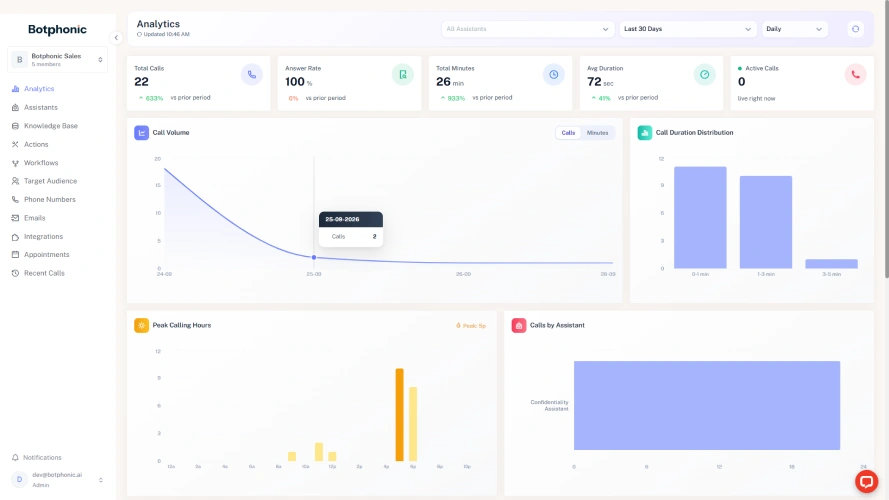
Botphonic product interface

For a business considering an alternative to Synthflow, Botphonic’s pay-as-you-go plan is the closest match to what Synthflow used to offer. It’s a per-minute rate, with no subscription, credit that doesn’t expire, and a BAA on every paid plan.

Botphonic comes first because it’s the closest fit for a small business. It can be set up without code and without a developer. Where Synthflow now asks for a sales call and a $30,000 contract, Botphonic lets you sign up and start a 14-day trial the same day.

Best for:

Small offices, practices, and home-services teams with no developer.

Pricing:

  • Pay-as-you-go: Starter is $0.13/min ($75 wallet, 10 concurrent calls). Pro is $0.12/min ($125 wallet, 15 concurrent calls). Credit never expires.
  • Monthly: Starter is $15/month or $12/month billed yearly (100 min, 5 concurrent calls). Pro is $45/month or $36/month billed yearly (300 min, 10 concurrent calls).

Extras: Phone numbers cost $1.48/month. Starter and Pro have no setup fee and no contract.

Trial: 14 days with 20 free minutes, after a $1 card check that's refunded within 48 hours.

How it scores:

  • Setup: Botphonic's team can set it up for you. If you'd rather do it yourself, the drag-and-drop Visual Workflow Builder takes four steps from trigger to live.
  • On the call: It books during the call, confirms by text, and sends reminders 72, 24, and 2 hours before. It also hands calls to the right person, writes a summary after each call, and logs it to your CRM.
  • Integrations: HubSpot, Salesforce, Zoho, Zapier, and Calendly.
  • Healthcare: It signs a BAA (business associate agreement). See the security and compliance.
  • Agencies: You get 3 white-label subaccounts on Starter and 5 on Pro PAYG. Enterprise adds custom subaccounts, rebilling, and reseller terms.

What I tested compared to Synthflow:

I ran the three-call test on Botphonic in October 2026. When I changed my booking from Thursday to Friday partway through the call, it moved the appointment and texted me a confirmation. When I asked for a person, the call came through to my phone, and when nobody picked up, it offered me a callback. When I asked about a service I hadn’t set it up for, it said it didn’t know instead of making something up. That’s why I listed Botphonic as my first pick since it passed all my tests.

Synthflow documents real-time booking and four transfer types too. The difference is the build. Its agents are made in Flow Designer, dynamic transfers need a custom action, and new deployments are scoped with its team. Botphonic’s version of the same three calls needed no code.

Two things to plan for. The public docs are an overview rather than a step-by-step guide, so most owners will lean on our team to get going. And Starter’s 100 minutes go fast for a busy front desk, while the pricing page doesn’t state the overage rate, so ask before you outgrow it.

My take:

If you’re replacing Synthflow, Botphonic is the best alternative in my opinion, especially for small businesses that want to automate call handling without hiring a developer. Its team is responsive and can help you get the system set up, making the transition easier for businesses without in-house technical resources. Before making a decision, listen to the six sample calls on its homepage to see how it handles real conversations. With its usage-based pricing and included call-handling capabilities, Botphonic is worth considering if you want to get started quickly without committing to a complex enterprise setup.
You Could Be Answering Every Call By The End Of Today

Sign up, connect your calendar, and let your next call turn into a booking.

Start with Botphonic now

2. Goodcall

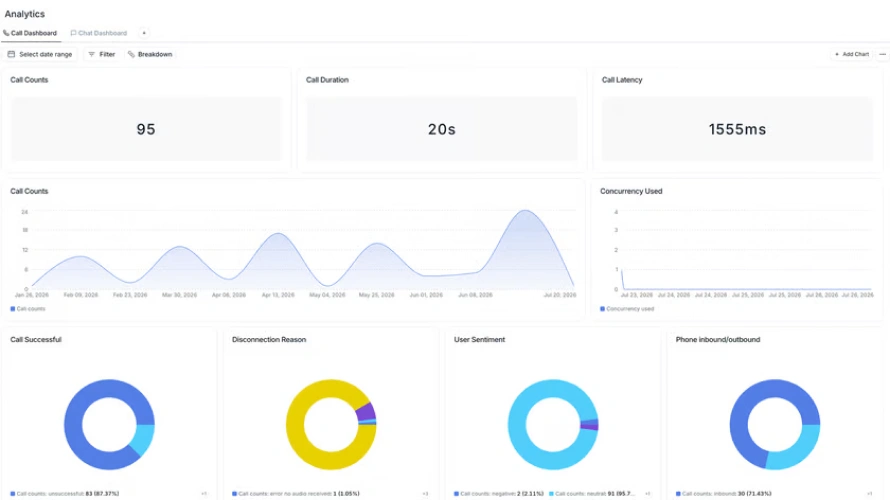
Goodcall product interface

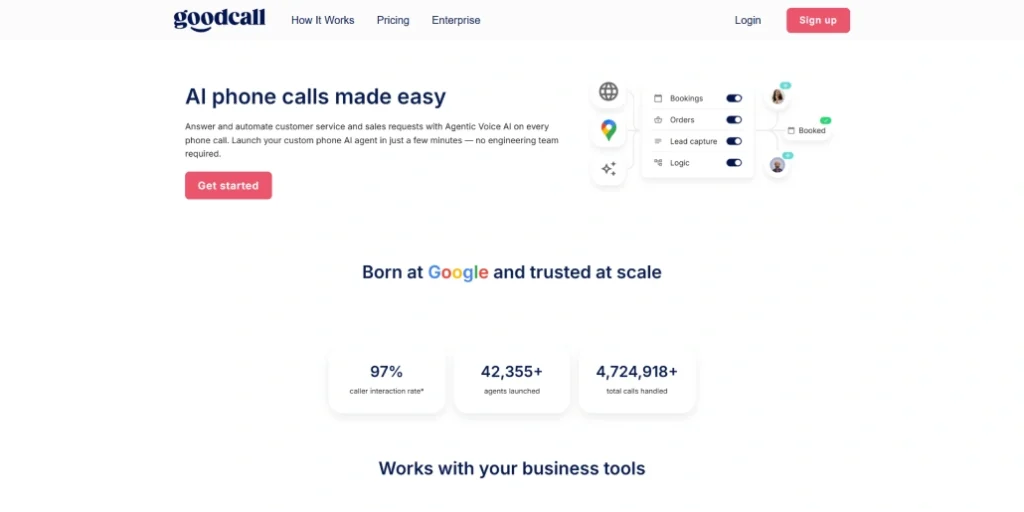
Goodcall is the closest small-business AI receptionist to what Synthflow’s smaller customers wanted. It’s built for local owners who’d rather describe their business than write a prompt. Synthflow now starts at $30,000 a year with no published rate below it. Goodcall lists plans from $79 a month and bills by unique caller instead of by minute, so a regular who calls five times in a month counts once. It books into Google Calendar and texts the owner after each call. It sits second because the per-caller meter only suits some businesses.

Best for:

Owner-operated local service businesses with repeat callers that don't want to write prompts.

Pricing (no minutes are metered):

  • Starter: $79/month for 100 unique customers, then $0.79 each.
  • Growth: $129/month for 500 unique customers, then $0.26 each.
  • Scale: $299/month for 2,000 unique customers, then $0.15 each.

How it counts: A unique customer is one phone number, counted once a month. Spam calls don't count.

How it scores:

  • Setup: Gabi builds the agent from your plain-language description and runs practice calls before launch. Forward your own number with conditional forwarding, or take a new local one. There's no done-for-you onboarding below Enterprise.
  • On the call: It books appointments, texts the owner, and tries up to three people before taking a message. Callers don't get a confirmation.
  • Integrations: Google Calendar is the only calendar named. Starter allows just one external tool.
  • Healthcare: The homepage says "HIPAA compliant" without mentioning a BAA, but the physicians page says Goodcall signs one. Confirm with Goodcall.
  • Agencies: Goodcall's pages don't mention white-label or reseller options. Ask Goodcall if you need them.

What I tested compared to Synthflow:

Synthflow agents are built in Prompt Builder or Flow Designer, and new deployments are scoped with its team. Goodcall skips that. Signup looks your business up on Google Maps, and Gabi, its assistant, drafts the agent and runs practice calls before anything goes live. For booking, Synthflow documents a real-time booking action, while Goodcall’s own demo books a plumbing caller into Google Calendar and texts the owner.

My take:

My honest view is that Goodcall is the smartest pick after Botphonic on this list if your phone is mostly regular. A plumber or salon owner whose callers keep coming back can land under what per-minute tools charge, and the setup asks almost nothing of you. I’d skip it the moment your calls come from strangers, because every new number adds to the bill. I also wouldn’t rely on it for patient calls while its own pages argue about the BAA. Run your last month of caller numbers through its pricing before you commit.

3. Rosie

Rosie product interface

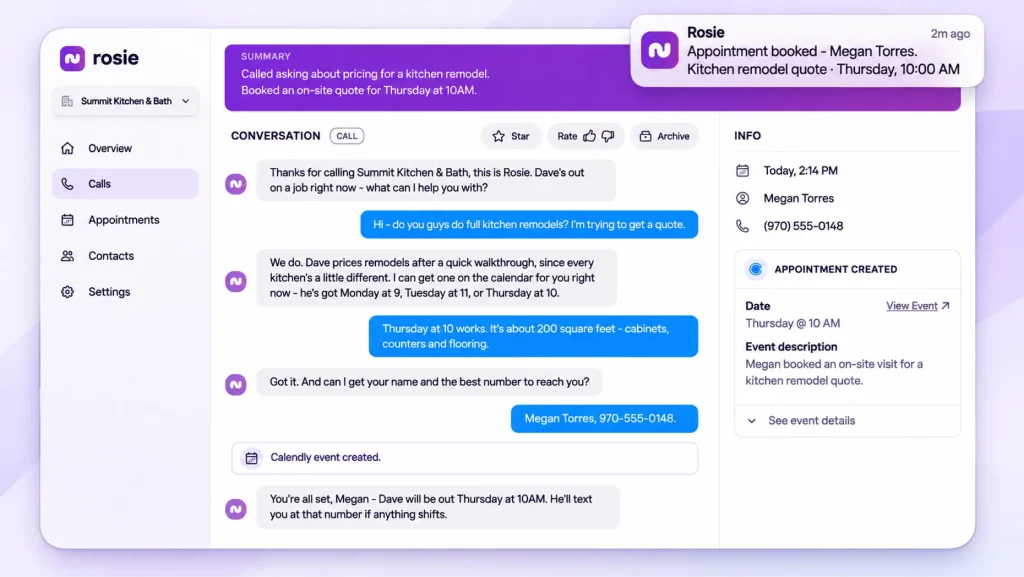
Rosie is a simple minutes plan aimed at trades and home services. Synthflow now asks for an enterprise contract, while Rosie publishes three plans at $49, $149 and $299 a month with minutes included. It replaces voicemail for a solo tradesperson without anything to build. The difference is on the entry plan, which only texts a booking link, so in-call booking and transfers start at $149. It sits third because it’s narrower than the first two, and a practice shouldn’t use it for health information.

Best for:

Trades and home-services businesses that want a flat monthly bundle of minutes and simple call coverage.

Pricing:

  • Professional: $49/month for 250 minutes.
  • Scale: $149/month for 1,000 minutes. This is the most popular plan.
  • Growth: $299/month for 2,000 minutes.
  • Custom: From $999/month.

Add-on: Website Texting is $50/month for 25 conversations, then $1 each.

Trial: Every plan comes with a 7-day free trial of all features.

How it scores:

  • Setup: Rosie is trained on your business information. Its public pages don't describe the setup steps in any detail.
  • On the call: It answers questions, screens spam, and texts you a summary of each call. Appointment booking, warm and live transfers, and in-call texting start on the $149 Scale plan.
  • Integrations: I couldn't confirm which calendars or CRMs it connects to. Ask Rosie before you buy.
  • Healthcare: I found no mention of HIPAA or a BAA. Don't use it for patient calls until Rosie confirms it in writing.
  • Agencies: There's an affiliate program that pays a 20% recurring commission. I found no white-label or reseller option.

What I tested compared to Synthflow:

Synthflow needs a scoped deployment. Rosie pulls your hours and services from your Google profile and website, and the real work is carrier forwarding codes, since Google Voice only forwards every call. Synthflow documents live transfer on every deployment, while Rosie’s warm and live transfers start at $149. The demo page lists jobs like a move-out cleaning quote and a haircut booking.

On the $49 plan, Rosie only texts a booking link. Going past your minutes upgrades you automatically, and you stay upgraded.

My take:

Rosie is the one I’d recommend to a solo tradesperson and almost nobody else. The setup guide is honest about the work, and a flat minutes plan is easy to budget. What I don’t like is the pricing ladder. The $49 plan only texts a booking link, so the plan that actually replaces voicemail is $149, and an automatic upgrade that stays on after you go over your minutes would bother me. If you pick it, buy Scale on purpose and watch your minutes every month.

4. Retell AI

Retell AI product interface

Retell is the most-mentioned self-serve developer alternative to Synthflow, and it ranks first for this search with its own list. It’s one of the few pages that states Synthflow’s $30,000 floor with a check date. Retell bills per minute from line items, $0.07 to $0.31, with $10 free credit, so you can sign up and start building the same day. It also offers a BAA on every plan, including pay-as-you-go. It sits fourth because it expects a developer to wire up booking and texts.

Best for:

Small businesses with a developer or agency partner that want to start from a dashboard, book through Cal.com, and get a BAA without an enterprise contract.

Pricing:

Pay-as-you-go: $0.07–$0.31/min

Per minute: $0.055 for infrastructure, plus the model, voice, $0.015 for telephony, and any add-ons.

Concurrency: 20 calls at once, then $8/month for each extra slot.

Extras: Phone numbers are $2/month ($5 toll-free). Texting is $20/mo plus $0.01 per message.

Free credit: $10 to start.

How it scores:

  • Setup: The no-code quickstart has five dashboard steps, and Retell says you can build a first phone agent in 15 minutes. To book appointments, you create a Cal.com API key, connect it, and prompt the agent to use it.
  • On the call: It books during the call through Cal.com, though the built-in Cal.com tools migrate on 31 October 2026. Transfers can be cold, warm or agentic warm. The public demo is a callback form, not a number you can dial.
  • Integrations: Cal.com handles booking. Confirmation texts aren't automatic, so you add an SMS tool, which needs A2P registration.
  • Healthcare: A BAA is available on every plan, including pay-as-you-go, according to Retell's October 2026.
  • Agencies: Your Retell content doesn't mention white-label or reseller options.

What I tested compared to Synthflow:

Retell’s quickstart is five dashboard steps, then booking means generating a Cal.com key and prompting the agent to use it. Synthflow documents a real-time booking action inside Flow Designer. On texts, Retell needs A2P registration, and Synthflow’s SMS chat agents need your own Twilio account. The public demo is a callback form where the agent rings you as a receptionist or appointment setter.

The catch is the bill. $0.055 a minute for infrastructure, plus model, voice, telephony, and add-ons, each priced separately.

My take:

Retell is my pick for anyone with a developer, and I’d put it ahead of Vapi if you want a dashboard to start from. A BAA on every plan, including pay-as-you-go, is a real point in its favour at this price. But I wouldn’t hand it to an owner who wants this done for them. Booking, texts, and A2P registration are all your job, and the bill is a stack of line items. Get a developer or agency partner first, then sign up.

5. Vapi

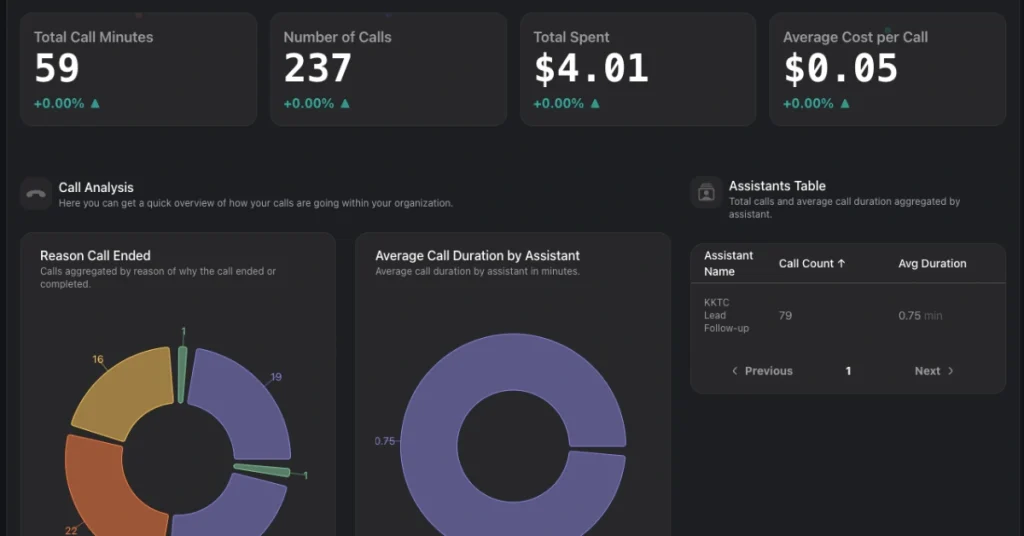
Vapi product interface

Vapi is the purest developer option on this list, and the one people most often weigh directly against Synthflow. It calls itself “Voice agents for builders,” and it means it. Where Synthflow now sells a scoped enterprise deployment, Vapi charges $0.05 a minute for hosting plus the parts you pick, with $5 free credit to start. You choose the transcriber, model, and voice yourself. It sits fifth because an owner who wants it done for them will find it too much work.

Best for:

Developers and agencies building custom voice agents who want to choose every component and run their own webhooks. Skip it if: You're a business owner without a developer, or you want one predictable monthly price.

Pricing:

  • Pay-as-you-go: $5 free credits
  • Per minute: $0.05 for hosting, plus the transcriber, model, and voice at provider cost, plus a third-party carrier if you bring one.

Vapi's estimate: $82–$129 per 1,000 minutes.

Free to start: $5 credit and one inbound-only number.

Extras: Support from $29/month, extra concurrency at $10 per line per month, and a HIPAA add-on at $2,000/month. See the pricing page.

How it scores:

  • Setup: Vapi says the phone quickstart takes under five minutes. You can use the dashboard, or start with an API key and code samples in TypeScript, Python, or cURL. Outbound calls need your own Twilio, Telnyx, or DIDWW number.
  • On the call: You can hear it first on the public demo line, 1-844-HEY-VAPI, or through the browser widget on the homepage. Most warm-transfer modes only work with Twilio, and the end-of-call report is posted to a server you host.
  • Integrations: For booking, you build separate Google Calendar "Create Event" and "Check Availability" tools yourself. Texts only go out through your own Twilio account after A2P verification.
  • Healthcare: HIPAA is a $2,000/month add-on that applies to your whole organization.
  • Agencies: It's built for developers and agencies, but your content doesn't mention white-label or reseller options.

What I tested compared to Synthflow:

Synthflow scopes new deployments with its team, and Vapi hands you the parts. The API path starts with an API key, then TypeScript, Python or cURL samples, and booking means building separate Google Calendar tools. Texts only go out through your own Twilio account, and Synthflow’s SMS chat agents need Twilio too. The demo line, 1-844-HEY-VAPI, lets you hear the platform before signing up.

The catch is that $0.05 a minute is only the hosting fee. Vapi’s own estimate is $82 to $129 per 1,000 minutes, and HIPAA costs $2,000 a month, where Synthflow documents a BAA at contract signing.

My take:

Vapi is a great tool and the wrong recommendation for most people reading this. If you can write code and want to pick every part yourself, nothing else on this list gives you more control, and the public demo line is a nice touch. But $0.05 a minute is only the hosting fee, texts run through your own Twilio account, and HIPAA at $2,000 a month is hard to justify for a small practice. Pick it as a developer. Skip it as an owner.

6. Bland AI

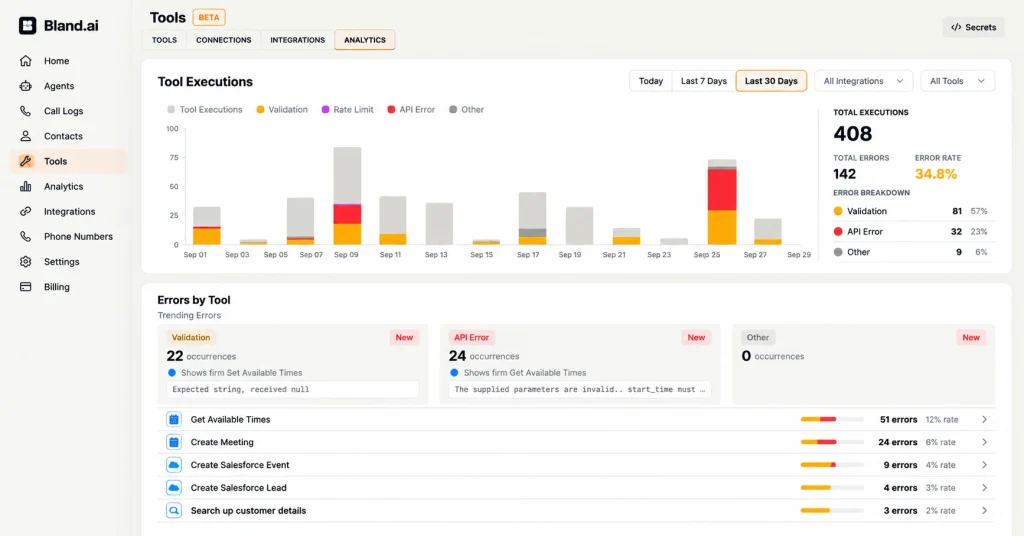
Bland AI product interface

Bland targets regulated industries like healthcare, insurance and finance, and it’s the other name people search next to Synthflow. Like Synthflow, it keeps the features regulated buyers want on its Enterprise plan. Unlike Synthflow, it publishes plan prices, starting at $0.14 a minute with no platform fee. Its own Synthflow alternatives post frames leaving as an operational decision, with unpredictable bills and compliance found late. It comes last because texts, warm transfer, and the BAA all sit on Enterprise.

Best for:

Regulated mid-size and enterprise teams with a developer who can build webhooks, and large contact centres on the Enterprise plan.

Pricing:

  • Start (for developers): $0 platform fee, $0.14/min, transfers at $0.05/min, and a cap of 100 calls a day.
  • Build (for teams): $299/month plus $0.12/min, transfers at $0.04/min, and 2,000 calls a day.
  • Enterprise: Custom pricing, with a BAA, SSO, and on-prem deployment.
  • Extras: Numbers are $15/month, outbound attempts are $0.015 each, and telephony is billed separately.

How it scores:

  • Setup: The quickstart is four dashboard steps with no API key or code. Real call flows are built as Conversational Pathways in a visual node editor. Bland's own FAQ says most production agents take two to six weeks to deploy.
  • On the call: The homepage has a browser demo, but the appointment booking page has nothing you can hear, only "Talk to our team." The caller's only confirmation is the agent reading the time back. Warm transfer is Enterprise-only.
  • Integrations: Booking runs through webhooks to your own scheduling system. SMS is Enterprise-only.
  • Healthcare: A BAA is only available on Enterprise.
  • Agencies: Your content doesn't mention white-label or reseller options.

What I tested compared to Synthflow:

Bland’s quickstart is four dashboard steps to an agent you can talk to, friendlier than I expected. Real call flows are built as Pathways in a visual node editor, much like Synthflow’s Flow Designer. The difference shows at booking, where Bland points webhooks at your own scheduling system, and Synthflow documents a real-time booking action. Texting a caller and warm transfer are Enterprise-only, and the appointment page has no demo you can hear.

The catch is $0.14 a minute plus telephony, a 100-call daily cap on Start, and the BAA only on Enterprise.

My take:

Bland is the one I’d take seriously for a regulated team with real engineers, and nobody else. The visual Pathways editor is friendlier than I expected from a developer-first tool. But the things a clinic or small office needs- texting callers, warm transfer, and a BAA- all sit on Enterprise. For a five-person office, that makes it the wrong tool. For an insurer or health system with a build team, it’s a serious contender.

What Switching From Synthflow Involves

The decision is made. The last worry is effort. Here’s the move as a checklist you can work through in order.

Checklist What to do Why it matters
Pull your last 30 days of call data You need real volume, average call length, and your busy hours to price anything
List what the AI must do Book, transfer, text a confirmation, log to your CRM
Pick two options and open trials Compare two beats, trusting one
Run the three-call test on each Book, ask for a person, call after hours
Decide how calls will reach it Forward your existing number or take a new one, and ask each vendor what it supports
Connect your calendar and CRM A booking that doesn’t land in your calendar isn’t a booking
Check BAA terms if you take patient calls Plans differ, so ask before you sign
Run the new tool alongside the old one Catch surprises while nothing depends on it
Move over once real calls have gone well Then end the old arrangement on your own timeline

If you’re on a legacy Synthflow plan

Check your renewal and cancellation terms first. Synthflow’s billing docs say legacy billing continues for existing workspaces under their agreement, so your terms stay governed by what you signed. Then run your replacement’s trial alongside until renewal, so you never have a day without call coverage.

If you use Salesforce with Synthflow, there’s a natural deadline to think about. Synthflow’s changelog says Salesforce must be reconnected by 30 November 2026 after the move to app.synthflow.ai. If you’re going to reconnect anyway, it’s a fair moment to decide whether you want to keep going.

Pro Tip: Don’t cancel anything on day one. Overlap the two for a few weeks, forward a slice of calls to the new tool, and compare the call summaries side by side.

Conclusion

Choosing the right AI voice agent depends on your business requirements, budget, call volume, and technical resources. Some platforms offer more flexibility for developers, while others make it easier for businesses to get started without technical expertise.

Before making a decision, compare the features, pricing, and setup requirements of two or three platforms. Test them with real calls to see how well they handle your specific needs, from booking appointments to transferring callers to the right person.

If Botphonic fits your requirements, you can start the 14-day trial with 20 free minutes to explore the platform before committing.

Frequently asked questions

How long does it take to switch from Synthflow to another AI phone agent?

It can take a few days to a few weeks. Tools with built-in calendar booking go live fastest, while developer platforms take longer because you connect booking and texts yourself.

Do I have to change my business phone number?

Usually not. Most tools let you forward your existing number or take a new one, but support varies, so ask each vendor before you commit.

What happens when the AI can’t answer a caller’s question?

It depends on how you set it up: transfer to a person, take a message, or send a text. Some platforms limit features like warm transfer to higher plans, so check before you buy.

Why is the per-minute price on the website not what I end up paying?

Developer-focused platforms often bill voice, language model, and telephony as separate line items. Ask for an all-in cost per minute, then multiply it by your own monthly call minutes.

How can I test an AI phone agent before trusting it with real customers?

Run three test calls: book an appointment, ask for a human, and call after hours. If it handles all three smoothly, it’s ready for a pilot alongside your current setup.

Do I have to tell callers they’re speaking to an AI or being recorded?

Possibly. Recording-consent and AI-disclosure rules vary by state and country, so check your local requirements and ask the vendor what disclosure options it offers.

Srushti Bhalani

About the author

Srushti Bhalani

Srushti Bhalani is a content writer at Botphonic, where she writes about AI voice agents, conversational AI, and call automation. She’s especially interested in how teams in BPOs, retail, healthcare, and contact centers can use voice AI to handle repetitive calls and improve customer experience.

View all posts by Srushti Bhalani