Most people start looking for a Smallest AI alternative for a practical reason. The agent works, but the plan hits a wall. It might be an integration locked behind an enterprise plan, a compliance document you can't get on self-serve, or a follow-up text you need but can't send yet.
The seven options below solve different problems. Some fit small teams, some suit enterprise contact centers, and one is a general assistant with phone calling as a side feature. Read the sections that match your situation instead of chasing a single "best" pick.
What Smallest AI Offers, and Where Buyers Hit Limits
Smallest.ai gives you a full voice stack, with Atoms agents, Lightning text-to-speech and Pulse speech-to-text, starting at $0.09 a minute. Most people look elsewhere because they run into one of these:
Concurrency: the pay-as-you-go plan stops at 20 calls at once, and you can't buy more.
Enterprise-only features: SOC 2, SSO, an uptime SLA and custom integrations all need the enterprise plan.
HIPAA: the zero-data-retention add-on costs $1,000 a month.
Features still on the way: text messaging and HubSpot are both marked "coming soon."
If any of these sounds like your situation, the alternatives below should help.
How We Evaluated These Alternatives
We started with each vendor's official pricing page and docs, then checked what's included at each tier. This is a documentation review; we did not run production calls on these platforms. We compared the advertised rate against the likely cost of a real call, since bundled, per-seat, and pass-through pricing aren't directly comparable.
For compliance, we separated vendor-stated claims from documents you can request. For customer sentiment, we used ratings from G2; quotes from G2, Capterra, Trustpilot, or Gartner Peer Insights, labeled per quote as of September 2026. Where a capability wasn't publicly documented, the table says so. That means we found no public documentation, not that the feature is missing. Where a detail comes from a third party instead of the vendor, we label it. Yellow.ai and Cognigy publish little pricing and technical detail.
AI Voice Agent Alternatives Comparison
Legend: ✓ means supported and documented by the vendor. "(vendor-stated)" means the claim comes from the vendor's own materials and we haven't verified it independently. ✗ means the vendor explicitly states the capability is not offered. Where we found no documentation either way, the cell reads 'Not publicly documented'.
Note on latency: the latency figures are vendor-stated (or, where labeled, third-party) and measured on different bases. Treat them as claims about each platform's own pipeline, not as a like-for-like ranking. For regulated or security-sensitive deployments, request the SOC 2 report, BAA, or DPA before relying on a compliance claim. Pricing changes often, so confirm current numbers on each vendor's site before committing budget.
Best Smallest AI Alternatives for Different Use Cases
1. Botphonic
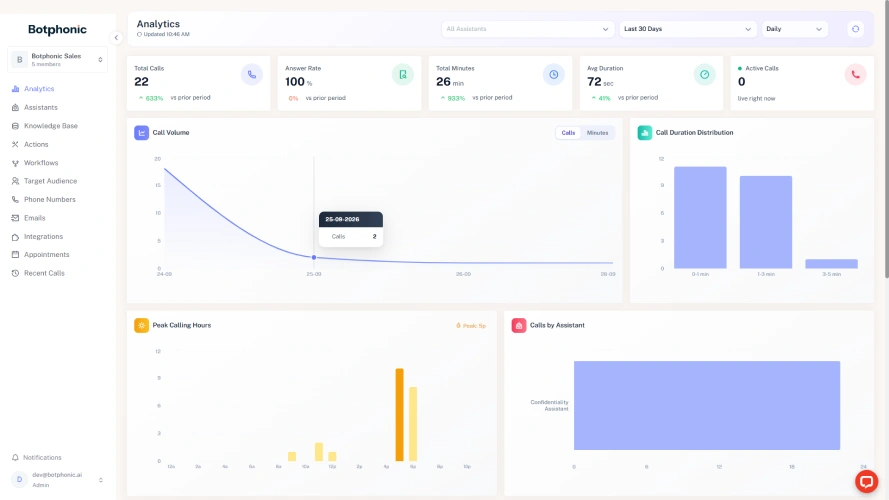
Botphonic is a low-code AI call assistant for inbound and outbound calls. Its pay-as-you-go option is a prepaid wallet: you top up $250, minutes draw down at $0.40 each (roughly 625 minutes), and the credit doesn't expire. There is no monthly subscription. Its platform also supports SIP connectivity and large-scale outbound campaigns, making it suitable for businesses that need to automate high-volume customer calls.
Best for: Businesses that need affordable inbound and outbound voice automation at scale.
Rating: ⭐⭐⭐⭐⭐ 5.0 on G2
What Stands Out:
Language handling: the agent handles 50+ languages and can switch languages mid-call, with English, Spanish, Portuguese, French, German, Italian, Dutch, Croatian, Czech, Danish, and Finnish listed.
Outbound trust signals: branded caller ID and campaign controls for consent tracking, calling windows, and suppression lists.
Payments on the call: PCI DSS-compliant card capture that keeps card details out of recordings and transcripts. Botphonic groups this with the BAA and DPA in its Enterprise block.
Live sales support: real-time sentiment reading, lead scoring pushed to your CRM, and live prompts for human reps on handed-over calls.
Flexible telephony: Supports SIP, Twilio, Telnyx, and Plivo. This lets businesses keep their existing phone setup.
White-label support: Agencies can deploy Botphonic under their own brand. This suits multi-client voice automation.
Pros
The 14-day trial includes 20 free minutes.
Pay-as-you-go model does not require a recurring monthly subscription.
Includes unlimited AI agents rather than charging separately per agent.
Includes a solution architect with the pay-as-you-go offering.
Akshit P.
★★★★★★★★★★
Botphonic's dashboard is very interactive and easy to understand... it provides me all the call analytics, such as call recordings, and even transcripts... I did faced some issue with setup, there support team help me quickly to get over it." [sic]
More complex customization can require technical understanding.
G2 shows no critical reviews at this sample size.
2. PolyAI
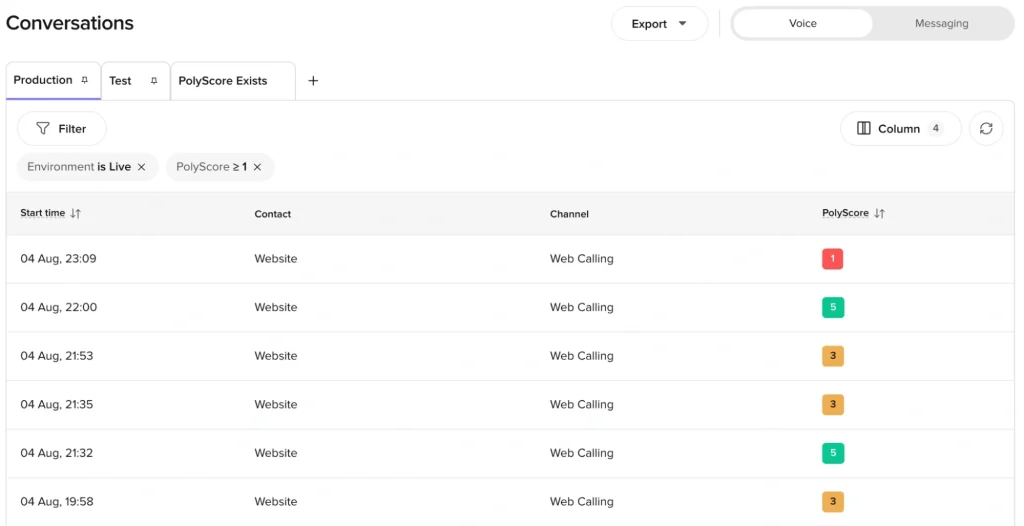
PolyAI builds voice and chat agents for large contact centers. Pricing is per minute and custom-quoted. On May 18, 2026, PolyAI opened its Agentic Dialog Platform to any team, free for the first two months. PolyAI's own docs treat this as a free trial, not a permanent free tier.
Best for: Enterprise teams that need managed, multilingual conversational voice AI.
Rating: ⭐⭐⭐⭐ 4.5 on Gartner Peer Insights
What Stands Out:
Voice-native model: PolyAI's docs describe tasks such as bookings, payments, claims, and escalations at sub-300ms latency, driven by its Raven model.
Language counts vary by source: 23 on Raven and 75 across 25 countries in the May 2026 release.
Change control: every change lands in Sandbox before reaching Live, with an optional Staging environment.
Two ways to build: a no-code Agent Builder and a developer Agent Development Kit with self-serve API keys.
Pros
Managed implementation reduces the need for an internal voice-engineering team.
Secure payments and refunds can happen mid-conversation.
Supports custom and MCP connectors for extending integrations.
It Security Engineer
★★★★★★★★★★
The Ultra-Low Latency Voice Quality: The real-time speech synthesis and speech-to-text pipeline deliver sub-second responses, avoiding the awkward pauses common in older voice automation platforms. [sic]
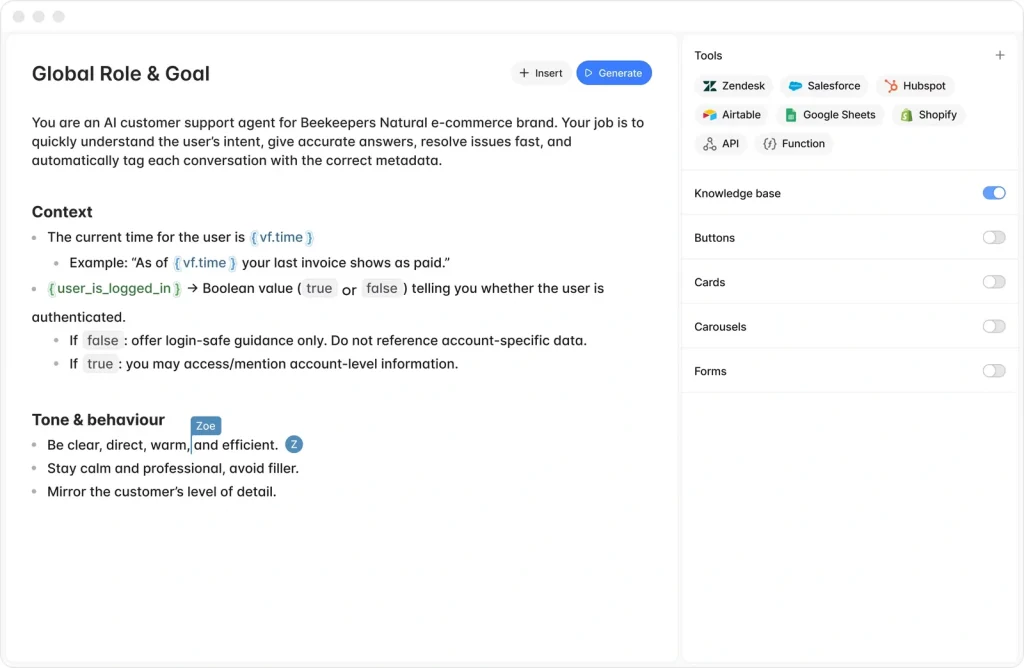
Voiceflow is a collaborative visual builder for chat and voice agents. Its agency track offers a free trial with no credit card, usage-based billing, multi-client workspaces, and white-labeling. The business track is reached through a demo and custom pricing. Voiceflow's voice agents page covers inbound and outbound calling, native live-agent handoff, and Call Forward.
Best for: Teams that want to build, test, and manage voice and chat agents with flexible integrations.
Rating: ⭐⭐⭐⭐ 4.5 on G2
What Stands Out:
Production pipeline: environments run from development to staging to production, all hosted on Voiceflow.
Model choice: you can pick from the major LLM providers or bring your own model.
Handoff with context: a dedicated Handoff step connects a caller to a human, relays messages and files both ways, and logs everything to transcripts. A Call forward step transfers a live call to a person or another phone system.
Observability: conversation-level visibility, call recordings, a transcript API, and LLM-powered evaluations.
Pros
Teams can build and test without immediately entering a sales-led implementation process.
Collaborative workflow suits designers, developers and non-technical stakeholders working on the same agent.
Offers both self-service and managed implementation options.
Rohit Bharwani
★★★★★★★★★★
Incredible UI and design, great support team and all round good building platform
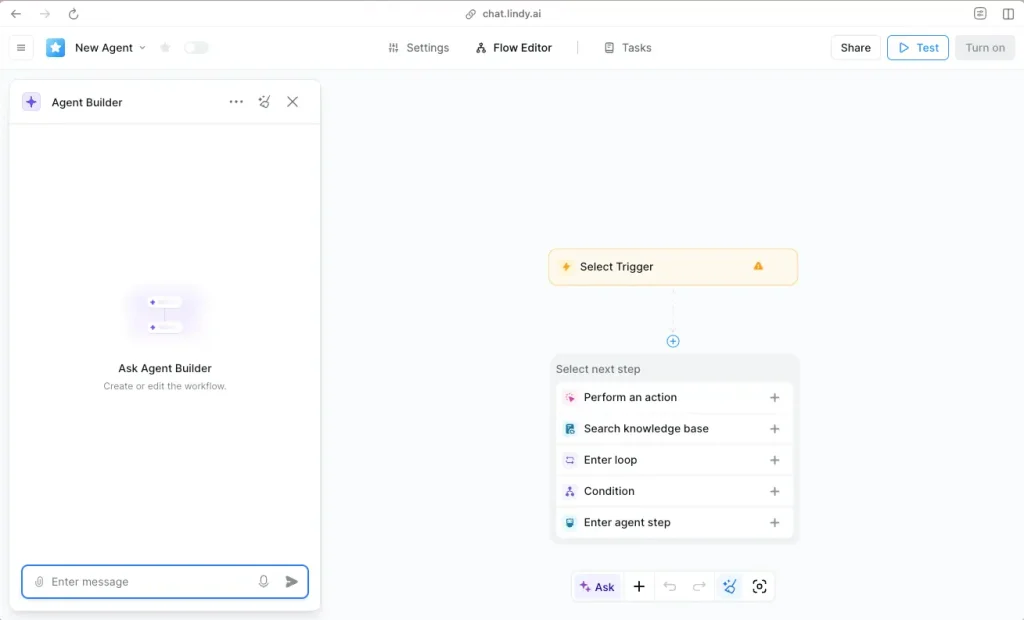
Lindy is an AI teammate platform built around inboxes, meetings, and follow-ups, with a voice agent called Gaia. Its docs describe per-user pricing with credits pooled across the workspace: Plus, Pro, and Max at $29.99, $99.99, and $199.99 per user per month, with Enterprise on request.
Best for: Small businesses and teams that want AI phone agents alongside broader workflow automation.
Rating: ⭐⭐⭐⭐⭐ 4.9 on G2
What Stands Out:
Shared teammate model: it works in Slack threads, runs scheduled routines, and keeps persistent workspace context.
Computer use: available on Pro and above, letting agents operate apps without an API.
Reach: Lindy's docs cite thousands of integrations, and Gaia is announced with 30+ languages.
Pros
Broad automation scope makes it useful for workflows that extend beyond telephony.
Administrators can control individual credit consumption.
Slack-based workflows and scheduled routines support ongoing automation.
Enterprise customers can add dedicated support and onboarding.
Milo
★★★★★★★★★★
Great to help solo founder automate time-wasting tasks
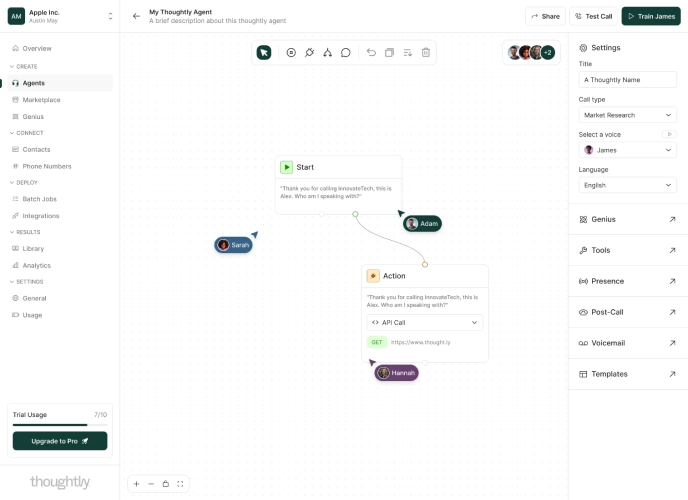
Thoughtly is a no-code platform for revenue teams that works inbound leads by voice, SMS, and email. Its Flex plan starts at $500 per month with unlimited usage across channels and 10 concurrent calls. Scale and Enterprise are tailored.
Best for: Businesses looking for an easy-to-deploy voice, SMS, and email automation platform.
Rating: ⭐⭐⭐⭐⭐ 4.7 on G2
What Stands Out:
Persistence across channels: agents call new leads, then text and email until they respond.
Caller identity: branded caller ID verified across iOS and Android.
Outcome labels: each call is classified as booked, qualified, voicemail, or not qualified as soon as it ends.
Voice cloning: included on every plan.
Pros
Does not charge separately per seat or communication channel.
Supports Twilio and Telnyx as carrier options.
Provides two-way synchronization with Salesforce, HubSpot and Zoho.
Offers a no-code workflow builder.
Rajesh B.
★★★★★★★★★★
The flow builder is very good! And it's no code! [sic],
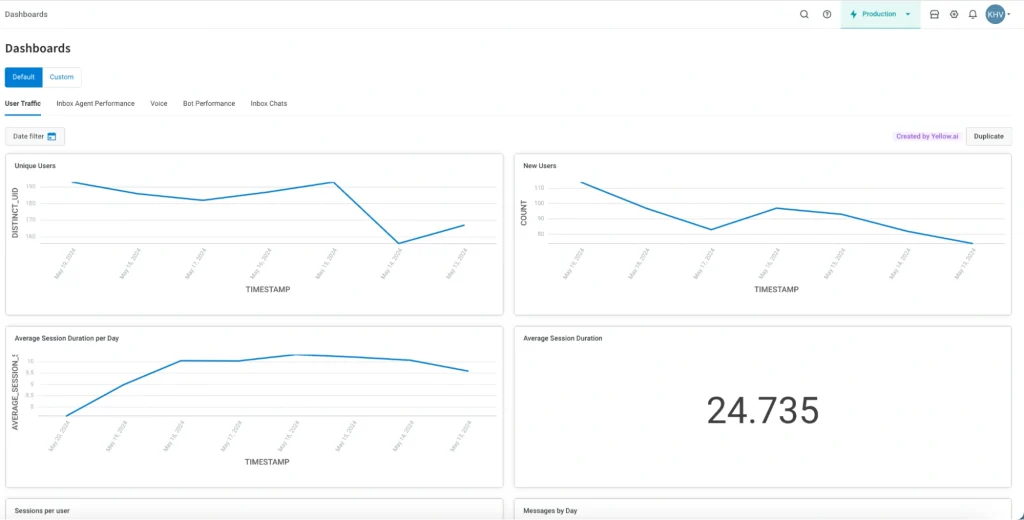
Yellow.ai is an enterprise conversational and agentic AI platform that automates both customer experience (CX) and employee experience (EX). Its voice products are VoiceX and, newer, Nexus Vox, a native voice runtime where voice and reasoning share one runtime instead of a stitched pipeline (vendor-stated). Both sit alongside chat, email, and messaging agents on the same platform. The company spans 35+ channels and 135+ languages, per its own materials.
Best for: Enterprises that need multilingual voice AI across multiple customer-service channels.
Rating: ⭐⭐⭐⭐ 4.4 on G2
What Stands Out:
Language reach: 135+ languages platform-wide. Nexus Vox specifically cites 500+ languages for voice and 10-second voice cloning. Both are vendor claims.
Indian languages: the Nexus Vox launch release states native support for all major Indian languages plus Hinglish and regional dialects (vendor-stated).
Channel breadth: one build deploys across 35+ voice and text channels, including WhatsApp, SMS, and email.
Compliance list:Yellow.ai's security page lists HIPAA, ISO 27001, ISO 27701, and SOC 2 Type II, with SSO through Google, Microsoft, ADFS, and Azure AD.
Free entry point: a public Free plan with one AI agent and 500 chat sessions a month lets you test the builder before a sales conversation, though the voice features that matter most sit on the enterprise plan.
Pros
Can combine customer-facing and employee-facing automation within the same platform.
Supports multiple LLM choices alongside Yellow.ai's own model.
Provides a large library of pre-built integrations.
Offers a public free plan for testing the builder before an enterprise purchase.
Verified User in Telecommunications:
★★★★★★★★★★
In general, chatbot, as is with other vendors, are still in their early phase. IMO there is still a lot to evaluate in terms of this vendor as based on our experience; there's still a lot of unexplored functionalities that they have not showcased yet.
Many advanced voice capabilities are positioned toward enterprise deployments.
Independent evidence for the headline latency and language claims is limited.
VoiceX's own docs suggest raising a support ticket only when latency passes 1.5 to 2.7 seconds.
On 3 August 2026 Yellow.ai signed a definitive agreement to go public through a $550 million merger with Bluerock Acquisition Corp., listing on Nasdaq as YAI (Yellow.ai investor page).
On a multi-year contract, ask how the change affects pricing, roadmap and data terms.
Martin M.
★★★★★★★★★★
Everything, but mostly how bad the support is. It’s basically non-existent. When you have a problem, you’ll find out quickly—they simply don’t care about your situation.
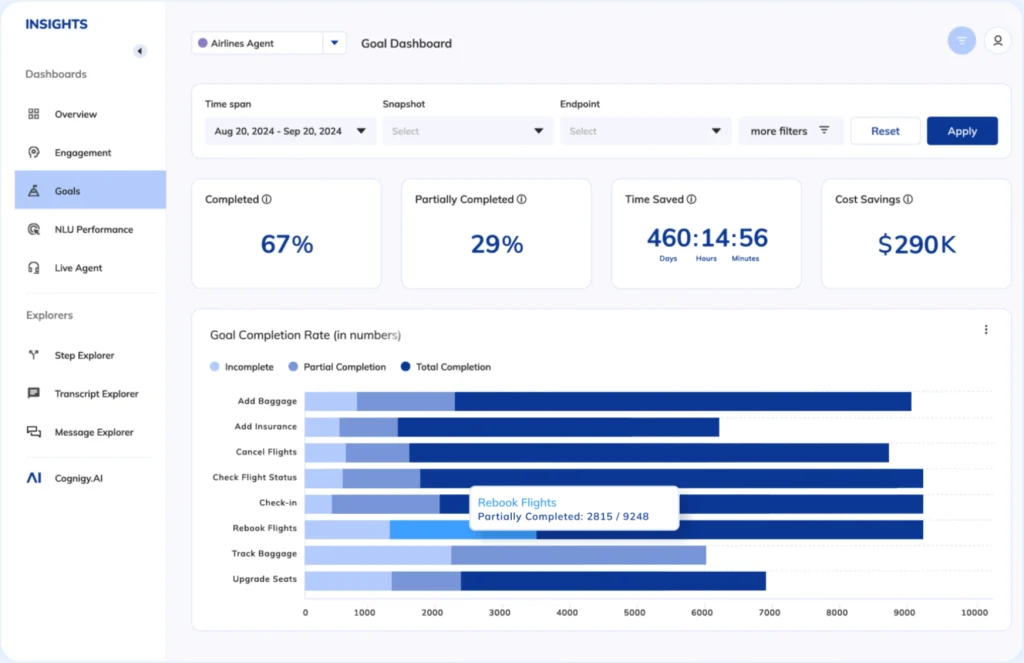
Cognigy, now operating as NiCE Cognigy after NICE's $955 million acquisition closed on September 8, 2025 (per NiCE's press release), is an enterprise conversational and agentic AI platform for large contact centers. Voice runs through the Cognigy Voice Gateway, which connects to contact-center and telephony systems and lets you choose your own speech-to-text and text-to-speech providers.
Best for: Large contact centers that want to add AI to existing telephony and customer-service infrastructure.
Rating: ⭐⭐⭐⭐⭐ 4.6 on G2
What Stands Out:
Voice Gateway: barge-in and DTMF handling, call recording, seamless agent handoff, and real-time transcripts for debugging live calls (vendor-stated).
Language handling: 100+ languages through built-in machine translation, which is different from natively trained voices.
Security posture:Cognigy's Trust Center lists ISO 27001, ISO 27701, ISO 42001, SOC 2 Type II, TISAX, and BSI C5. Cognigy's own product update also announces an independently assessed PCI DSS v4 attestation.
Pros
Suitable for organizations that want to retain existing contact-center infrastructure instead of replacing it.
Modular speech providers such as Deepgram, Speechmatics and ElevenLabs (third-party).
Provides visual flow development alongside voice and chat capabilities.
Billing docs describe clear units (conversations, concurrent lines, knowledge queries), even though rates aren't public.
Jordan B.
★★★★★★★★★★
Cognigy as a platform is very easy to use - quick to learn, fast to build solutions and has a great library of integrations to work with out of the box. Access to a wide range of well-known endpoints make it versatile, whilst functionality for voice bots, automated agent assistance and analytics make it a powerful and transformative tool to enhance the customer and agent experience.
Most people move on for one concrete reason, like a concurrency limit or a need for HubSpot, SMS or a BAA. That reason is your best filter. If a platform can't do it today, it's probably not the right fit, however good the roadmap sounds.
Think about how much platform you really need.
Cognigy and Yellow.ai are strong, but built for large rollouts. Cognigy suits teams already on NICE CXone or Genesys, and Yellow.ai suits multilingual, multi-team setups. If you mainly need calls answered, qualified and handed off, they may be more than you need.
Test them with the calls that usually go wrong.
Demos use clean scripts, and real callers don't. Run the same calls through each option: someone who interrupts, has a hard-to-spell surname, switches language mid-call, or asks for something the agent can't do.
Look at what a full month would actually cost.
Free credits say little about a real bill. Add up minutes, numbers, telephony, model charges, messages and concurrency, plus any higher plan you need for integrations or compliance. HIPAA, SSO and SLAs are often reserved for top tiers.
Get the important answers in writing.
A SOC 2 badge isn't the SOC 2 report, and a signed BAA doesn't make your setup HIPAA-compliant on its own. If something would change your decision, ask the vendor to confirm it in writing.
Final Thoughts
If your main limit with Smallest AI is what happens after the call (CRM updates, texts, WhatsApp follow-up, agency separation), or you need documented Indian-language and mid-call language handling at SMB pricing. Botphonic's pay-as-you-go wallet is worth testing (Yellow.ai also claims Indian-language and Hinglish support, at enterprise scale). Enterprises that want a managed service should look at PolyAI, and teams building visually should look at Voiceflow. Lindy suits shared-assistant teams, and Thoughtly suits inbound lead-conversion teams. Yellow.ai suits global enterprises that want voice inside a wider CX and EX platform, and Cognigy suits large contact centers that want governed voice and chat on top of an existing telephony stack.
Whichever you pick, run a short pilot with the calls your business actually gets. Check whether the agent understands your callers, follows your workflow, and hands off cleanly.
Need a More Flexible Smallest AI Alternative?
Automate inbound and outbound calls with Botphonic's multilingual AI voice agents, CRM integrations, real-time analytics, and flexible pay-as-you-go pricing.
What is the best Smallest AI alternative for multilingual calls?
It depends on the languages and call behavior you need. Botphonic documents 50+ languages and mid-call language switching, while Yellow.ai reports broader language coverage and Indian-language support. Cognigy lists 100+ languages through machine translation. Since vendors count languages differently, test your actual languages, accents, and switching scenarios before choosing.
Which Smallest AI alternative is most suitable for outbound calling?
Botphonic, Voiceflow, Lindy, and Thoughtly document outbound calling, while PolyAI supports it through a configured connector. However, outbound capability varies in campaign controls, caller ID, consent management, and voicemail handling. If outbound is central to your workflow, evaluate the complete campaign process rather than checking only whether outbound calls are supported.
Which Smallest AI alternative is easiest to set up?
Botphonic, Voiceflow, Lindy, and Thoughtly offer no-code or low-code approaches. PolyAI provides a visual Agent Builder alongside its developer toolkit. Yellow.ai and Cognigy are more enterprise-focused and may involve additional implementation work. The right choice depends on whether your team wants self-service deployment or support with enterprise integration and rollout.
Which Smallest AI alternatives are suited to enterprise contact centers?
Botphonic.ai, PolyAI, Yellow.ai, and Cognigy are positioned toward larger enterprise deployments, but they solve different requirements. PolyAI focuses on managed conversational voice, Yellow.ai combines voice with broader CX and EX automation, and Cognigy connects voice and chat with existing contact-center infrastructure. Your current telephony stack and deployment requirements should guide the evaluation.
What should I check before switching from Smallest AI?
Compare more than the advertised per-minute price. Check concurrency, languages, telephony requirements, CRM integrations, outbound capabilities, compliance documentation, human handoff, and post-call automation. Also verify which features are restricted to higher plans. A short pilot using your actual calls can reveal differences that pricing pages and feature tables cannot.
We use cookies to ensure that we give you the best experience on our website. If you continue to use this site we will assume that you are happy with it.